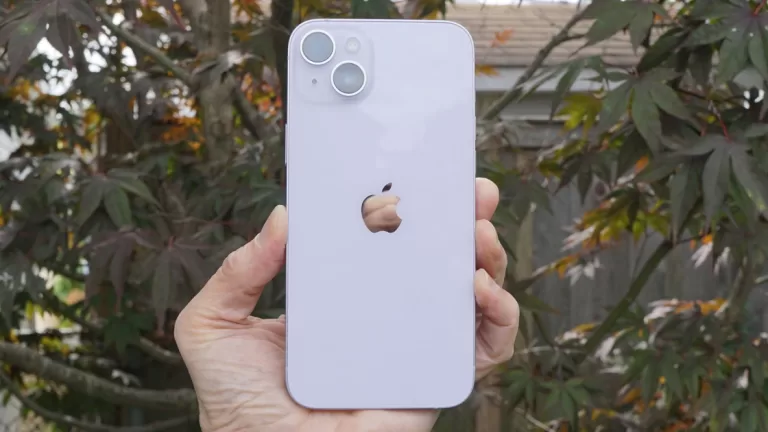
The iPhone 14 Plus hasn’t been selling well (Image credit: Future)
Price cuts on gadgets are always good news for consumers, and it would seem that the iPhone 15 could be in line for one if the latest leak can be believed: apparently Apple is considering cutting the pricing of the iPhone 15 Plus due to launch in September.
This comes from reputable online source Yeux1122 on South Korean social network Naver (via Macworld (opens in new tab)). The move is apparently being given serious consideration, and would be made in response to underwhelming sales of the current Plus model.
The iPhone 14 Plus that was unveiled with the rest of the family earlier this year has a starting price of $899 / £949 / AU$1,579 for the 128GB version, but it doesn’t appear to be attracting buyers in the numbers that Apple would like.
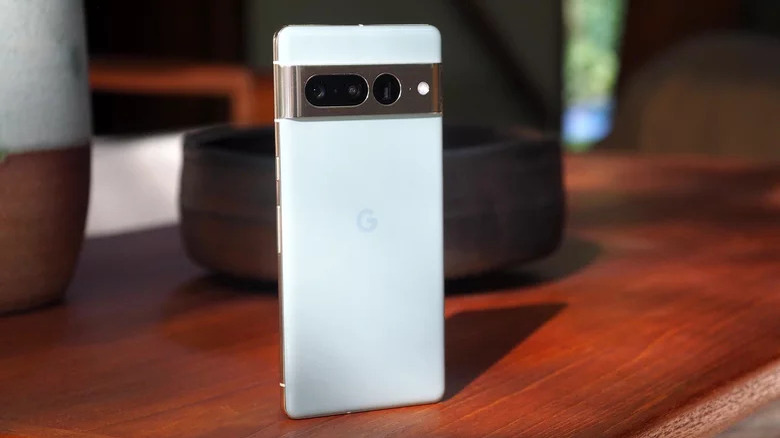
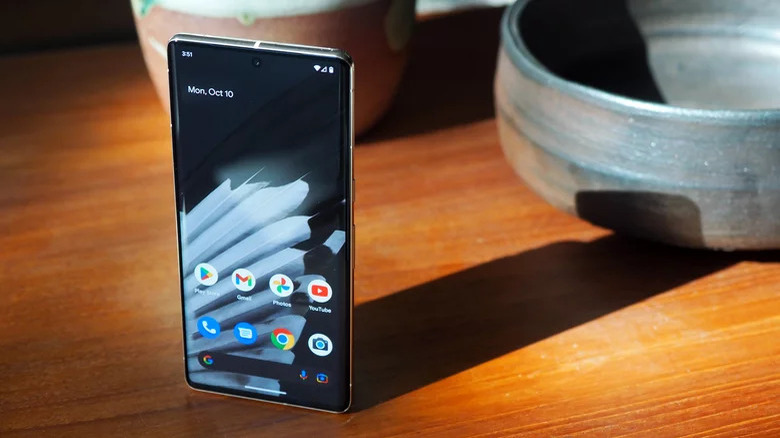
A tale of four phones
While canceling the Plus model would be an option for Apple, it’s likely that development on the iPhone 15 is too far down the line for that to happen. A price cut on the handset that replaced the iPhone 13 mini would be the next most logical step.
It’s worth bearing in mind that the iPhone 14 Pro Max offers the same screen size as the Plus, but adds in features like a faster chip, the Dynamic Island and the always-on display for another $200 / £250 / AU$320 – which makes it the better deal.
As yet there’s no indication of how big the price cut could be, or how it might affect the pricing of the other models in the range. We’ve also been hearing that Apple could introduce a more powerful, more expensive iPhone 15 Ultra next year too.
Analysis: getting the pricing right
Pricing is always key for any smartphone: the best cheap phones may not have the fastest chips or the best screens, but they cost substantially less than the premium flagships on the market, and so still represent good value for money.
As for Apple’s iPhone series, for the last few years the Pro models have been the handsets with the most appeal. That’s even more the case with the iPhone 14 Pro, because the less expensive models come with last year’s A15 Bionic chip inside.
Buyers of the iPhone 14 are getting a phone that’s slower than the Pro, with a camera system that’s not quite as good, and without several other cool features. Okay it’s cheaper, but there aren’t a lot of other reasons to prefer it over the Pro.
We’ll have to wait and see what Apple does in 2023, bearing in mind that it has the budget iPhone SE (2022) on sale as well. Next year could be the year when Apple’s flagship phone gets closer to mid-range pricing than ever before.
Sign up to get breaking news, reviews, opinion, analysis and more, plus the hottest tech deals!
Dave is a freelance tech journalist who has been writing about gadgets, apps and the web for more than two decades. Based out of Stockport, England, on TechRadar you’ll find him covering news, features and reviews, particularly for phones, tablets and wearables. Working to ensure our breaking news coverage is the best in the business over weekends, David also has bylines at Gizmodo, T3, PopSci and a few other places besides, as well as being many years editing the likes of PC Explorer and The Hardware Handbook.
What kind of 2022 did Microsoft experience? The company made some big moves during the course of this year, including a gargantuan near-$70 billion acquisition – mired in controversy – and it also brought the first major feature update to Windows 11. Let’s take a deep dive into how Microsoft fared across the software, hardware, and gaming fronts over the past year.
Windows 11’s big update (and bugged updates)
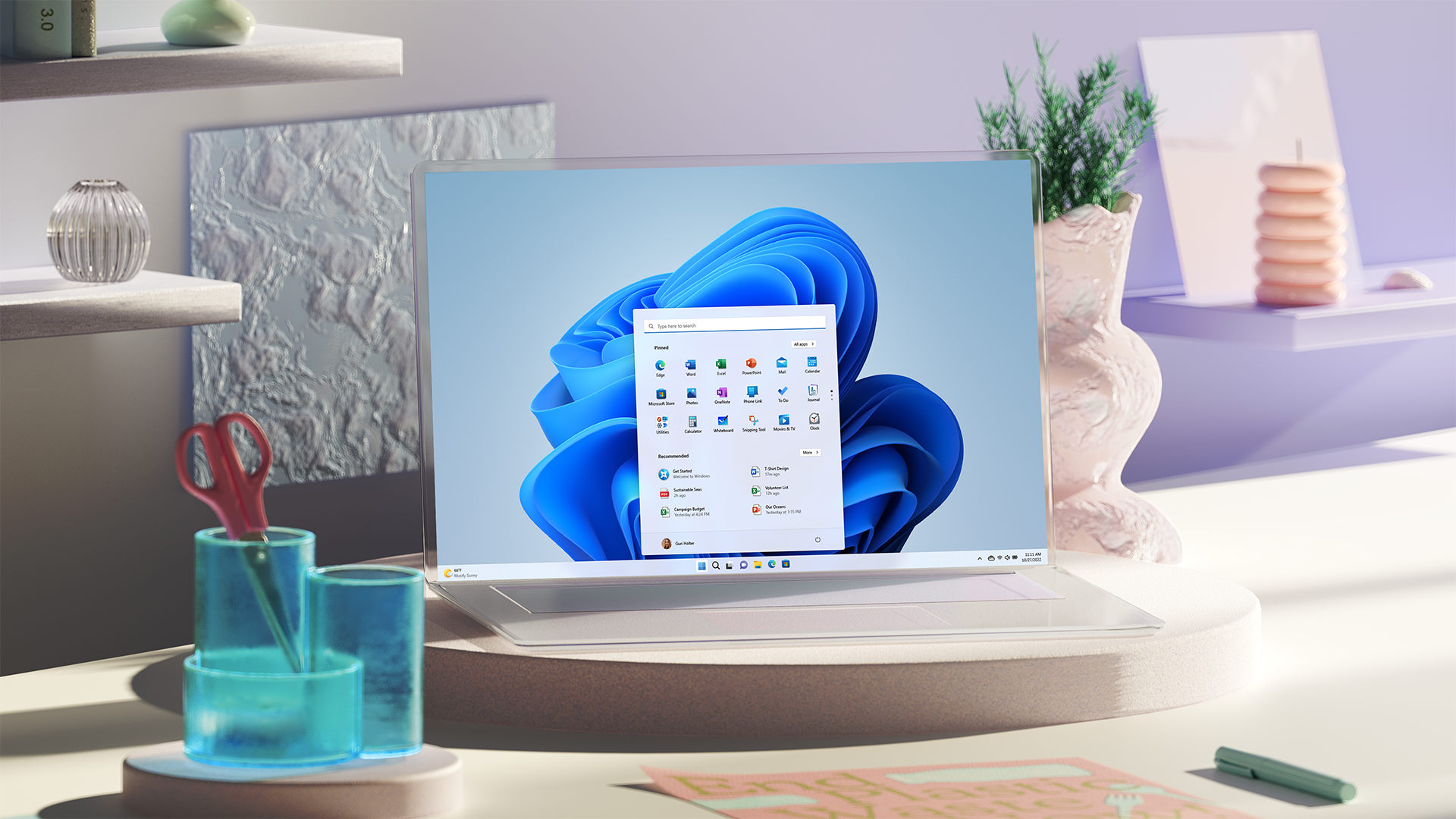
Windows 11 is still relatively new, having arrived late in 2021, and the biggest thing to happen to the OS this year was the debut of its first major update. (Remember that there’ll only be one feature update per year now, rather than twice yearly as was the case in the past). The Windows 11 2022 Update (informally known as 22H2) pitched up in September, applying a whole lot of polish, alongside some major and useful changes to the interface. We were also treated to a new system of ‘Moments’, fancy Microsoft jargon for smaller updates more agilely applied as needed outside of the big yearly feature upgrade.
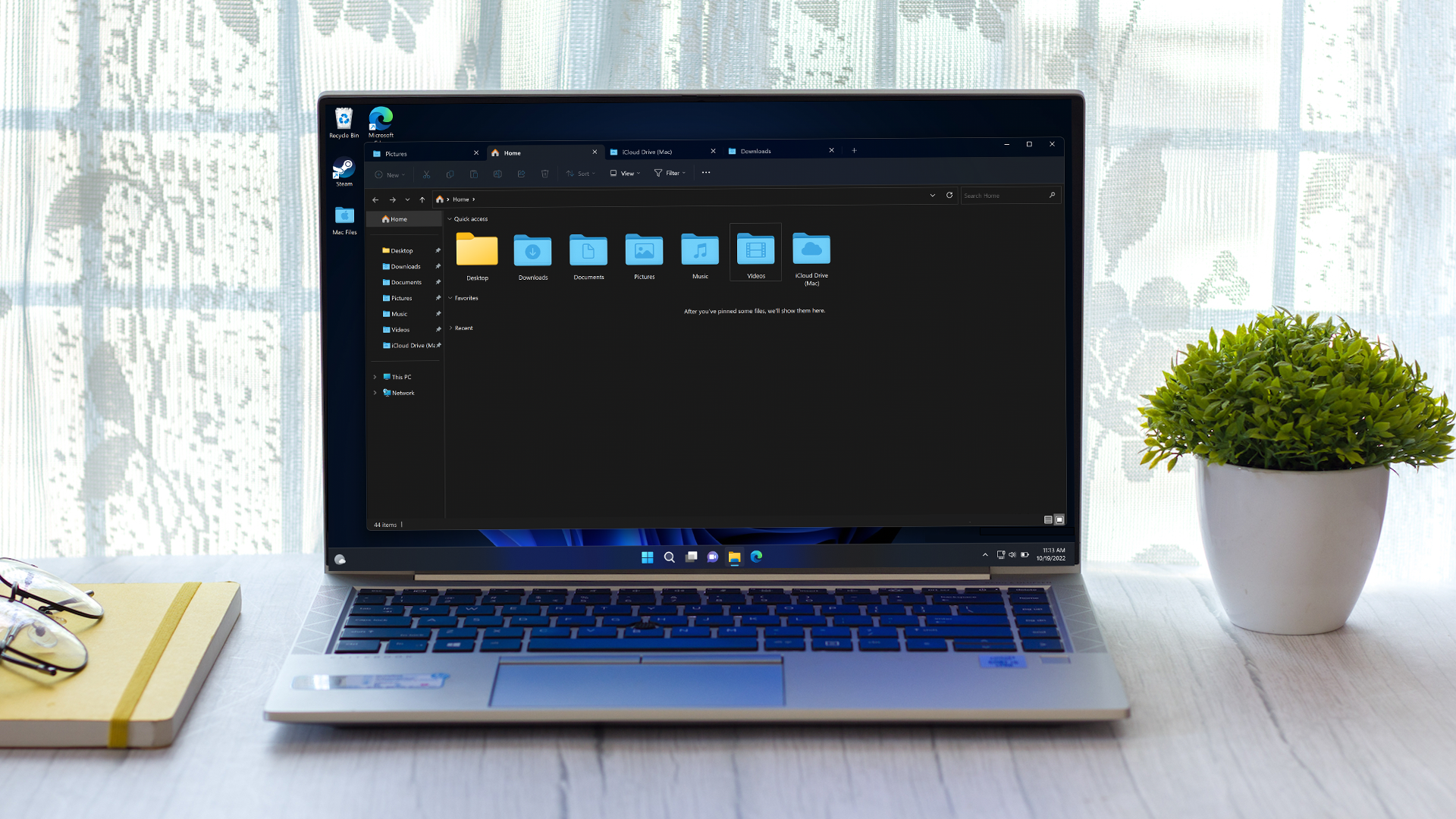
Some of the notable improvements piped through included the introduction of tabs for File Explorer, allowing for multiple folders to be opened in one File Explorer window, in the same way there are multiple tabs in a browser. That represented the delivery of a long-promised feature from Microsoft. The taskbar also received a lot of attention, with a taskbar overflow panel being brought in, and after lots of clamoring from a good many Windows 11 users, drag-and-drop functionality was finally returned to the taskbar.
(Image credit: TechRadar)
Indeed, it seems that something of a theme for the year was Microsoft listening more to feedback and user needs, as another much complained about aspect of the taskbar – the removal of the option to ungroup apps on the bar, a piece of functionality that’s in Windows 10 – looks set to be remedied. Or at least that facility has been present in testing with Windows 11, and should be here soon, fingers crossed, for those who don’t want multiple instances of the same app combined on the taskbar.
The feeling that Windows 11 is a work in progress still remained, with Microsoft needing to do a good deal of honing and revamping to knock various bits of the interface into better shape (and clear up cluttered legacy corners of the UI) – plus frustrating bugs were still a problem.
Throughout 2022, while there weren’t any show-stoppers in the way of Windows 11 bugs (as has been seen with Windows 10 in the past), we’ve reported on far too many glitches, and some nasty enough ones. Like printers having much of their functionality stripped away, for example, as well as gremlins that dragged down performance levels in various ways, and gamers came under fire from some seriously annoying bugs, too. Flaws in File Explorer seemed particularly rife, as well, which is a concern given that this is the core pillar of the UI (the very files and folders you work with every day).
(Image credit: Microsoft)
Perhaps the real acid test we can use to measure the success of Windows 11 in 2022 is looking at how many people made the move to the OS (or bought a new PC with it installed, of course). According to Statcounter’s figures (as of November 2022, the latest available at the time of writing), 16% of all Windows users are on Windows 11. That’s not great for an operating system which has been out for over a year now, especially considering Windows 7 holds almost a 10% share of the market. A completely outdated OS is not far behind, in other words.
Furthermore, a year into its reign as the cutting-edge operating system for Microsoft, Windows 10 had secured almost 30% adoption, nearly twice as much as Windows 11 has managed. Although that said, Windows 11 is hampered somewhat because some people can’t upgrade, as their PC doesn’t meet the more stringent requirements (particularly on the security front), so Microsoft will have expected migration to be slower when they baked those elements into the design of the OS.
Overall, Windows 11 made reasonable headway in applying important interface changes, for sure, but we’d like to see more progress still, and especially a better effort in combating bugs, with an overhaul long overdue for Microsoft’s QA processes in our opinion.
(Image credit: Future)
Surface so-so
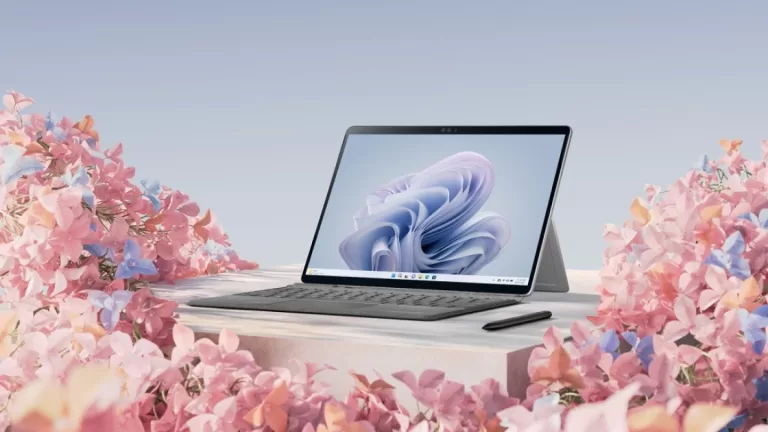
Just like any other year, another bunch of refreshed Surface devices emerged.
In June we got our first glimpse of the Surface Laptop Go 2, which wasn’t hugely different to the original laptop, but made some useful improvements, and remains a great choice for a compact notebook.
Then in October, at a big Microsoft event we witnessed the revelation of the Surface Pro 9 and Surface Laptop 5, alongside the Surface Studio 2+.
This wasn’t the best crop of Surface hardware for Microsoft, sadly. For starters, the Surface Laptop 5 failed to wow us, turning out to be spectacularly middle-of-the-road. Not terrible, but hampered by performance issues, and definitely not worth the hefty asking price pinned to the laptop.
The Surface Pro 9 turned out to be a better device, for sure, taking some laudable steps forward from the Pro 8. It also made an interesting move in having two flavors: a 5G model with a Qualcomm SQ3 (ARM) CPU, and a version with an Intel processor, the former being a great option for some (businesspeople on the move, for instance), albeit with ARM-related gremlins in the works. The Pro 9 remained pricey, but an undeniably slick device overall, and a good upgrade from its predecessor in the performance stakes.
The Surface Studio 2+ received just a minor upgrade, as the 2+ (rather than a 3) denoted, but Microsoft implemented some solid changes, albeit nothing particularly exciting. Which about sums up what happened on the Surface front overall: nothing bad, by any means – certainly not with the Surface Pro 9 – but nothing great, either.
(Image credit: Activision Blizzard)
Game for an acquisition
In January, Microsoft pounced to buy gaming giant Activision Blizzard in a huge acquisition for close to $70 billion. Yes, that Activision – the one with franchises like Call of Duty, Diablo, Overwatch, World of Warcraft and many other big-name games in its stable.
The magnitude of this deal can’t be underestimated, meaning that in the future, Xbox Game Pass owners could get the next Call of Duty blockbuster for nothing as part of that subscription (whereas PlayStation fans will have to stump up cash, and we’re all very familiar with the eye-watering cost of games these days).
Indeed, the ripples from this deal are still ongoing now, because at the time of writing this piece, the Federal Trade Commission (FTC) has filed a lawsuit to block Microsoft’s acquisition on the grounds that it could suppress rivals to the Xbox console.
Naturally, Microsoft has given us a whole raft of assurances on how it won’t throw its weight around in anti-competitive fashion after snapping up Activision, but there are plenty of doubters, and the FTC points to Microsoft’s past history and the ZeniMax (Bethesda) acquisition. While in that case, promises were also made about not withholding games from rival consoles, the FTC observes that post-acquisition, titles like Starfield, Redfall, and Elder Scrolls 6 were made Xbox exclusives.
Microsoft’s Activision buyout could still come a cropper at the final hurdles, then, potentially.
(Image credit: Shutterstock.com / Butsaya)
Ads nauseum – but with a glimmer of something positive?
While you might expect to see ads in a web browser, you don’t in your operating system. Because, you know, you paid good money for that OS, in the case of Windows anyway (or good money for the machine it came on, and that was part of the bill).
But ads taking up real-estate in Windows menus or panels again became a worry in 2022, as Microsoft tested – and note, these were just experiments that didn’t come to the release version of Windows 11 – adverts for OneDrive in the user session (shutdown) menu. And even more galling, the company briefly flirted with ads in File Explorer too, that central pillar of the Windows interface. That those waters were even tested is a concern, really.
All this could make you think that adverts are going to be a thorn in the side of Windows 11 users in the future – especially given Microsoft’s past form, this is not a new thing, of course – but instead, another possibility emerged late in the year.
Namely the notion that Microsoft could be angling towards low-cost PCs which are sold on subscription, rely on cloud services, and are supported by ads (to make them cheaper – so there’d be a benefit in this case). This was just a rumor, picked up (in November) via a Microsoft job listing, but earlier in July of this year, Microsoft CEO Satya Nadella talked about incorporating ads in its products.
There were clearly heard groans at this prospect, but as we observed, in a cost-of-living crisis, where not everyone might be able to afford a new PC, this could be a good thing to make Windows computers more accessible to those struggling with money.
(Image credit: Shutterstock / Blackboard)
Head in the clouds
Speaking of cloud services tied in with those ad-supported cheap PCs, this is an area where Microsoft went from strength to strength during 2022. Cloud revenue was strong right from the start of the year, and then in October, Microsoft’s Q1 2023 fiscal results showed that while the Windows division faltered – and was down 15%, in fact, partly due to the slump in PC sales this year – cloud revenue was buoyed by 24% compared to the same quarter in 2021.
Microsoft made $25.7 billion in just one quarter – over half its total revenue for that period – if you had any doubt about where the future lies for swelling the software giant’s coffers.
Concluding thoughts
With the PC slump, it wasn’t the best year for Microsoft – but cloud revenue was a clear highlight, and going by those various experiments with advertising in Windows 11, the company may have future plans to stoke profits in a different way, with low-cost ad-supported systems.
2022 was a pretty run-of-the-mill year for Surface hardware, albeit with some solid upgrades for some devices. And Windows 11 was a similar case of some reasonable progress being made, in the main, albeit with thorny asides in the form of bugs. However, a highlight with Windows 11 was seeing Microsoft listen more to user feedback, although arguably, some of the introductions made based on popular demand should have been addressed more swiftly.
That mammoth Activision Blizzard acquisition very much remains something to watch, as it’ll have potentially huge ramifications for the gaming industry next year if it goes through; but it feels like there’s still a distinct possibility of it coming off the rails.
Sign up to get breaking news, reviews, opinion, analysis and more, plus the hottest tech deals!
Darren is a freelancer writing news and features for TechRadar (and occasionally T3) across a broad range of computing topics including CPUs, GPUs, various other hardware, VPNs, antivirus and more. He has written about tech for the best part of three decades, and writes books in his spare time (his debut novel – ‘I Know What You Did Last Supper’ – was published by Hachette UK in 2013).
Cryptocurrency trading platform 3Commas has confirmed it suffered a data breach that saw API data stolen.
As per the announcement, an unknown threat actor posted 3Commas’ API database to Pastebin, on December 28.
After analyzing the database, the company confirmed its authenticity, saying “at this point, 3Commas can unfortunately confirm that some of 3Commas’ users’ API data (API keys, secrets and passphrases) have been disclosed by a third party”.
Stolen money
While the leaks revolve around API data at the moment, 3Commas’ does not exclude the possibility of other data being taken, as well: “Currently and to the best of our knowledge only API data have been disclosed as part of this incident. As a likely consequence the hacker(s) may use or may have used the API data to connect your exchange accounts to his/their account and/or initiate unauthorized trades,” it says.
In a notice sent to its users via email and a blog post, the company says it has made strides to protect its users and their funds, and reported the issue to relevant law enforcement agencies, including the FBI.
As per a BleepingComputer report, a set of 10,000 API keys were leaked, which is just 10% of the 100,000-big database. These keys are usually used by 3Commas bots to automatically interact with crypto exchange platforms, make trades and generate profit, without user interaction.
Reacting to the news, 3Commas urged all supported exchanges (including some of the biggest ones – Binance, Coinbase, and Kucoin) to revoke all API keys connected to the platform. The company also urged all users to reissue their keys on all linked endpoints (opens in new tab) personally.
Investigating the leak further, the company eliminated the possibility of this being an inside job: “Only a small number of technical employees had access to the infrastructure, and we have taken steps since November 19 to remove their access,” the company said in a Twitter post.
“Since then, we have implemented new security measures, and we will not stop there; we are launching a full investigation in which law enforcement will be involved,” the company added.
But the damage has already been done. Apparently, threat actors have been abusing leaked API keys since November, and have managed to steal some $6 million worth of cryptocurrencies so far.
These are the best firewalls (opens in new tab) right now
Sign up to theTechRadar Pro newsletter to get all the top news, opinion, features and guidance your business needs to succeed!
Sead is a seasoned freelance journalist based in Sarajevo, Bosnia and Herzegovina. He writes about IT (cloud, IoT, 5G, VPN) and cybersecurity (ransomware, data breaches, laws and regulations). In his career, spanning more than a decade, he’s written for numerous media outlets, including Al Jazeera Balkans. He’s also held several modules on content writing for Represent Communications.
Netgear has issued a patch for a high-severity vulnerability found in almost a dozen of its Wi-Fi routers (opens in new tab) and urged its users to apply the fix immediately.
Given the destructive potential of the flaw, Netgear did not disclose the details, other than saying that it’s a pre-authentication buffer overflow vulnerability, which could be used for all kinds of malicious activity, from crashing the device after a denial of service, to arbitrary code execution.
To abuse the vulnerability, the attackers do not need user permission or user interaction. The flaw can be used in low-complexity attacks, it was said.
Pre-authentication buffer overflow
Issuing a security advisory (opens in new tab) about the flaw, Netgear said it “strongly recommends” users download and install the latest firmware as soon as possible.
“The pre-authentication buffer overflow vulnerability remains if you do not complete all recommended steps,” Netgear added. “Netgear is not responsible for any consequences that could have been avoided by following the recommendations in this notification.”
The list of all of the affected devices, which includes multiple Wireless AC Nighthawk, Wireless AX Nighthawk (WiFi 6), and Wireless AC models, can be found on this link (opens in new tab).
Those looking to patch up their routers should navigate to the Netgear Support (opens in new tab) website, and type in their Wi-Fi router’s model number in the search box. Once the right version is identified, press Downloads, and under Current Versions, select the first download with “Firmware Version” in the beginning of the title.
Detailed instructions on how to apply the fix can be found in the Release Notes file accompanying the firmware download.
Wi-Fi routers are a popular target for cybercriminals due to the fact that all of a user’s traffic must go through the device. What’s more, users rarely change the factory settings, and update the firmware even less frequently.
These are the best firewalls (opens in new tab) right now
Sign up to theTechRadar Pro newsletter to get all the top news, opinion, features and guidance your business needs to succeed!
Sead is a seasoned freelance journalist based in Sarajevo, Bosnia and Herzegovina. He writes about IT (cloud, IoT, 5G, VPN) and cybersecurity (ransomware, data breaches, laws and regulations). In his career, spanning more than a decade, he’s written for numerous media outlets, including Al Jazeera Balkans. He’s also held several modules on content writing for Represent Communications.
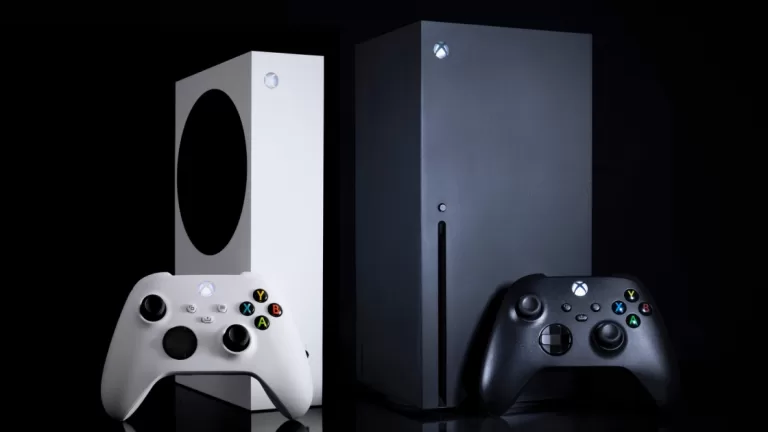
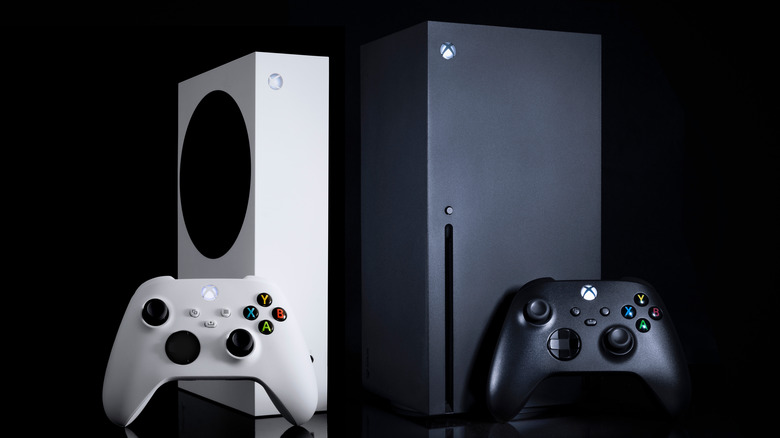
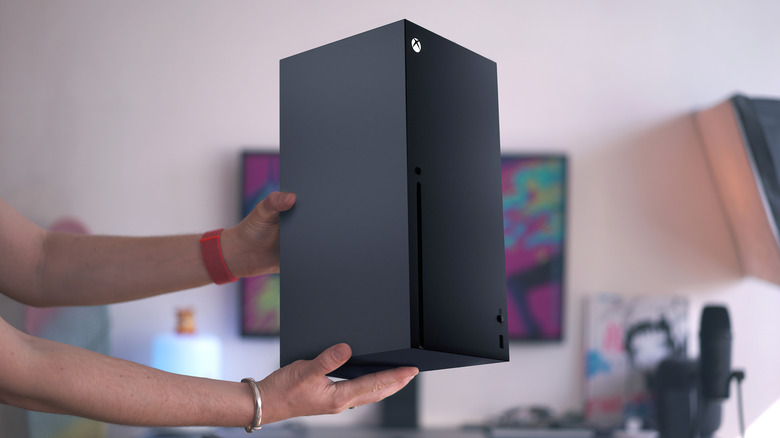
Gamers know that keeping your Xbox Series X clean helps aid in the console’s continued performance. Having too much dust accumulate inside your console (or any high performance technology) can cause serious damage. Dust, dirt, and hair can build up inside your console, blocking the fan, air vents, and damaging the disc drive. It can lead to your console overheating and malfunctioning.
Not only is it important to keep the inside of your Xbox Series X clean, but the outside as well. Not only do you want to keep your Xbox Series X running like new, but you want to keep it looking new, too. Thankfully, Microsoft shares with its customers the tools needed to keep your Xbox Series X looking and running like new.
To clean the outside of your Xbox Series X, Xbox support recommends using a dampened, microfiber cloth with mild soap or moistened disinfectant wipes. Wipe the exterior every 3-6 months or as needed. Remember to make sure your console is turned off completely before you begin cleaning.
How to clean the dust from your Xbox Series X
Mr.Mikla/Shutterstock
Cleaning the interior of the Xbox Series X is a tad bit more complex, and officially, Xbox support does not recommend opening your Xbox Series to clean internally. However, to keep dust from accumulating, cleaning the interior is necessary. According to SortaTechy, you should make sure you have these tools handy before you open your Xbox Series X console to begin cleaning.
Compressed air can
Microfiber cloth
Soft-bristle brush
Rubbing alcohol or mild soap
T8 screwdriver
To begin cleaning the inside of the Xbox Series console:
Turn off and unplug the console.
Clean the exterior of the console and its vents with a microfiber cloth.
Remove the sticker above the connection port and the warranty sticker at the bottom to expose two screws underneath.
Use the T8 screwdriver to remove the screws and unclip the back of the case, working your way from the bottom.
Remove the three screws at the upper part of the base of the fan to reveal the fan, allowing you to clean the fan blades and wipe the fan down.
Turn the case upside down and find the clip that fastens the base plate to the case.
Remove the exposed screws to disconnect the optical drive from the case, allowing you to detach the rest of the components from the case.
To reassemble, follow these steps in reverse.
How to clean the Xbox your Xbox Series X Controller
Diego Thomazini/Shutterstock
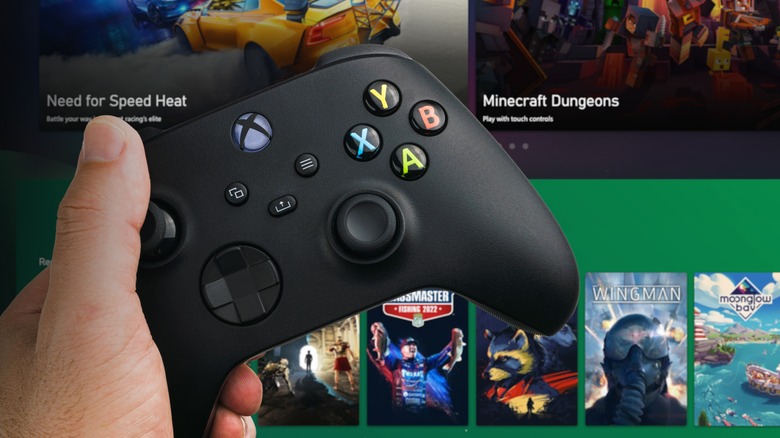
Caring for Xbox Series accessories is just as important as taking care of the console. The Xbox Series controller can get dirty or even sticky with hours upon hours of gameplay — especially if you snack while playing. Luckily, cleaning the controller is much easier than the console.
When to properly clean your controller, tech care company Asurion advises Xbox One and Xbox series users to:
Turn off your controller completely by pressing and holding the Xbox button for 5-10 seconds.
Use a microfiber cloth with isopropyl/rubbing alcohol or a disinfectant wipe to clean the analog sticks. Don’t forget to clean the base of the analog sticks by moving the sticks around.
Before turning the controller back on for use, let the controller dry completely.
If your Xbox Series X overheats or malfunctions due to dust and dirt accumulation, cleaning your console can help. However, if you still have issues with overheating or malfunctioning after cleaning your Xbox Series, contact Xbox support for servicing.
Google’s Pixel smartphone lineup doesn’t hold much Android market share, and while that doesn’t seem to be a big deal to the internet giant, Google does toss in some perks to make its mobile phones a tad more appealing. One of those perks is free access to the company’s virtual private network that everyone else has to pay for — it’s the same VPN you get when subscribed to Google One, which Pixel owners must pay for as well if they want to use the cloud storage and other bundled features.
The VPN offers some of the same benefits you’d get with any other paid alternative: enhanced privacy and security while on open Wi-Fi networks, the ability to torrent without risking a copyright strike from your ISP, and similar. The big exception is that Google One’s VPN doesn’t allow you to change the IP address region used when connected with the virtual private network, which makes the service less than useful if your goal is to get around geo-based content blocks.
As Google had promised, the Pixel 7 smartphone lineup comes with the free VPN perk, though the feature was delayed at launch. Google finally rolled out the free access with the December 2022 feature drop, and upon installing the update, users in eligible countries can enable the service whenever they’d like.
How to set up the free VPN on a Pixel 7
Google
Google’s VPN is part of the Google One subscription, and though it is made available for free to Pixel 7 owners, you’ll still need to download and install the companion app to set up and access the virtual private network (via Google). The Google One app is available for free from the Google Play Store, and is designed to automatically detect when it’s installed on a Pixel 7 — meaning you won’t have to do anything cumbersome to enable the free access.
Open the Google One app, scroll down, and tap “Benefits.”
Tap “View Details” next to the VPN feature.
Toggle on the “Enable VPN” switch.
Tap “Allow” on the VPN connection and notification prompts when they appear.
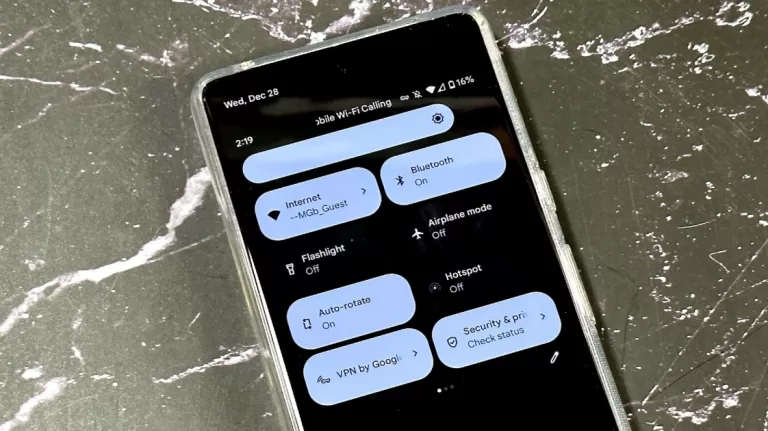
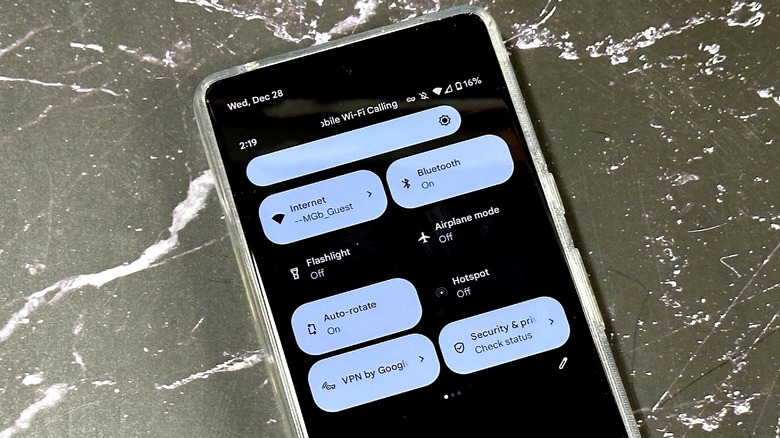
Your phone’s internet traffic will go through the Google One VPN as long as the toggle switch is set to “On.” Generally speaking, you’ll need to open the app to turn the VPN on and off, but there’s also the option of adding the function to Quick Settings on the Pixel 7 so that it’s easier to access. To do that, open Quick Settings by swiping down two times, tap “Edit,” and then tap, hold, and drag the Google One VPN tile to the spot you find most convenient.
How to configure the free VPN on a Pixel 7
Chris Davies/SlashGear
Many VPN apps include special features beyond simply “on” and “off” that give users more control over when and how the service connects to the provider’s servers. Arguably the most popular (and important) of these features is called a “kill switch.” As the name implies, a kill switch will block internet traffic if the VPN disconnects from the provider’s server, which is vital for users in situations where losing anonymity puts their safety at risk. The Google One app has a VPN kill switch feature, and though it doesn’t use that term, it is very simple to enable the setting.
Open the Google One app, scroll down, and tap “Benefits.”
Tap “View Details” next to the VPN feature.
Tap “Manage VPN Settings” to open the configuration menu.
Toggle on the setting called “Block internet if VPN disconnects.”
If you enable this feature, your Pixel 7 will only allow you to access the internet when the VPN is connected. If Google’s VPN servers experience a hiccup that causes your device to disconnect, the Google One app will flip the kill switch, in a manner of speaking, to keep your personal IP address from being revealed. For the average user, this is most commonly enabled to prevent the IP address from being revealed while torrenting copyrighted content. If you’re not concerned about your IP address reaching the destination, however, leaving this feature disabled will prevent connectivity disruptions.
How Google’s free Pixel 7 VPN works
Chris Davies/SlashGear
Ordinarily when you use an app, access a website, or send someone messages, you’re doing so with an IP address that can reveal certain information about you, such as your location. Information sent over the network can be viewed by other people connected to the same Wi-Fi if the data isn’t encrypted, as well. This isn’t a big deal if you are, for example, updating your blog from the comfort of your own password-protected home Wi-Fi network.
However, if you’re connected to a public Wi-Fi network such as the ones offered at libraries and coffee shops, browsing the internet without a VPN could be a security and privacy risk. As with other VPN services, the Google One VPN helps mitigate this risk by encrypting the data and shuttling it through its own servers, as the company explains in a support document.
As a result, the websites you visit while connected to the VPN will see the IP address related to Google’s server rather than the IP address from, for example, the coffee shop. Because the information is encrypted, other people connected to the coffee shop’s Wi-Fi won’t be able to snoop on your activity, either.
Alternative VPNs for Google Pixel 7 smartphones
Chris Davies/SlashGear
While Google says that it doesn’t collect the information that you access while connected with its VPN, the company is known for gobbling up user data in general, so it’s no surprise that some consumers simply do not feel comfortable using its virtual private network. If you’re included among those individuals, there are alternative VPN services you can use with the Pixel 7, though you’ll likely need to pay for them, as many free VPN apps come with privacy risks.
The good news is that paid VPN services are often very inexpensive at only a few dollars per month, and there are many options to choose from, including Private Internet Access, Nord VPN, Proton VPN, TorGuard, and ExpressVPN. When selecting a VPN service, you should verify that it supports the platforms you want to use it on, and that its data collection policy matches your needs and comfort level.
Some VPN providers require you to manually enter the connection details, for example, while others offer a downloadable Android app that greatly simplifies the connection process — such as the PIA app. Some providers have a policy that allows them to collect and store user data for a certain period of time, while other providers may not keep user logs at all.
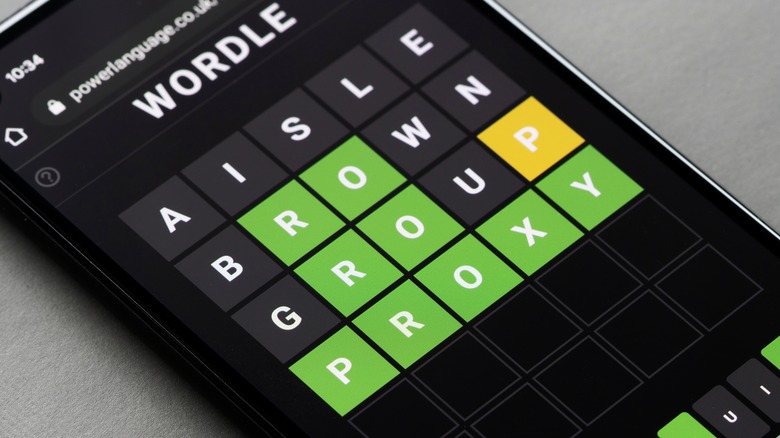
Wordle’s year-end puzzle ends on a rather daring note. The word you’ll be hunting today defines traits like gallantry and dauntlessness. At the same time, it also personifies acts that are gutsy, or to put it more accurately for the Urban Dictionary-loving generation, ballsy or macho. However, the Wordle solution you seek is also used to describe a person with a virile and robust physique, someone engaged in hardy and brawny activities.
Getting away from riddle hints toward the alphabetical side of things. The last Wordle puzzle of 2022 features a single vowel, a semi-vowel at the end, and no repeating letters. Interestingly, it has spawned a whole IMDB list of a certain type of movies that include the likes of “Point Break,” “Unforgiven,” and Rambo, among others.
You can imagine the kind of characters played by Chuck Norris, Jean-Claude Van Damme, or Clint Eastwood, and you’ll likely land at the answer. Here’s some more hint. It’s a conjugate word, in the same vein as the word “properly,” turning a noun into an adjective.
Ending the year on a brave note
Wachiwit/Shutterstock
The answer to Wordle #560 (December 31, 2022 edition) is “manly.” Cambridge defines it as “having the qualities that people think a man should have.” It could be used as a substitute for masculine or virile from a gender-specific perspective, or qualities like bravery from a neutral standpoint.
As expected, the word is a combination of “man” and “ly.” Interestingly, the word “man” is still used as a generic term for someone belonging to the human race, a trend that can be traced all the way back to the Old English of the 13th century. As for the “ly” suffix part, it finds similarities in Old Germanic, but the real root is in the Old English term “lic,” which means “having qualities of, of the form or nature of.”
Given the word’s significance and versatility, there are a number of fun quotes out there, but this sums it up quite well: “Man is never so manly as when he feels deeply, acts boldly, and expresses himself with frankness and with fervor.” It’s attributed to former British Prime Minister Benjamin Disraeli, who was also a prolific writer as well as a renowned statesman with close ties to Queen Victoria herself.
If the Chevy Bolt’s small size doesn’t turn you away, it might be one of the best electric vehicles (EVs) for the money currently on the market. In its base configuration, the Bolt can go for an estimated 259 miles before the battery runs dry. That’s leaps and bounds better than the base Nissan Leaf’s 212 miles of gasoline-free driving. Every Bolt model is only equipped with a single EV motor, yet it puts out a healthy 200 horsepower and will go from 0-60 in about 6.5 seconds, according to Chevy. A single motor and a sub-7 second 0-60 time aren’t earth-shattering compared to horsepower and torque monsters like a Tesla Model S, Lucid Air, or GMC Hummer EV, but it’s still measurably faster than and more powerful than many economy hatchbacks offered today.
The 2023 Bolt has an MSRP of $25,600 according to Chevy, making it the cheapest new EV on the market, beating out the Nissan Leaf’s $28,040 starting price. The Bolt is a great choice if you’re about to make the leap into EV ownership, or you’re a Tesla owner wanting to distance yourself from all the bad press. Either way, you may want to act soon as the Bolt is eligible for several EV-centric discounts that are on the way out.
An EV bargain
According to Electrek, the Bolt qualifies for $7,500 in tax credits, slashing the MSRP to $18,100, but there’s a catch. That hefty tax credit is only valid until March of 2023, then the credit drops to $3,750. With the discount, the Bolt solidifies its status as the least expensive EV, but it additionally makes it the cheapest new car in General Motors’ entire lineup of brands, gas or electric, beating out the Chevy Trax.
Even entry-level EVs aren’t exactly inexpensive. For example, the Kia Niro EV starts at $39,450, a full $12,960 more than the starting MSRP of the hybrid version. With the Ford F-150 Lightning’s numerous price hikes and the six-figure price tags of offerings from Tesla, Lucid, and GMC, EV ownership can sometimes feel like it’s outside the financial reach of normal people. But if the Chevy Bolt is any look at the path of EVs going forward, it could be a bright future, at least for your wallet.
Android is designed to be inherently secure — primarily because of its sandbox approach to processes and file management. Apps run in isolated environments, so they can’t see or access other apps or services (via Android). You have to grant access and permissions expressly for that to happen (which is why it’s a good idea to be cautious before granting unusual permissions requests from apps). This greatly reduces the potential attack vectors of malware. Modern Android devices also feature an extra security layer called Google Play Protect that quietly scans and flags suspicious applications (per Google).
Still, there are ways to hack into a device. Android has the option to sideload apps from outside the Google Play Store. If used unwisely, sideloading can make Android more vulnerable than Apple’s more restrictive iOS.
Once a phone or tablet is infected with malware, hackers can use it to dig for personal information. They might steal banking information and login credentials or hold your data for ransom, according to Google. You might notice things like unexpected pop-ups or apps that you didn’t install. The device might be overheating, lagging, crashing, or consuming too much data or battery (via Google). You could receive unusual spam texts, notifications, or link prompts. If you notice odd behavior like this, here are some steps you can take to secure it.
Examine your apps
Kaspars Grinvalds/Shutterstock
You need to be careful when installing APK files since it is the most common way hackers gain unauthorized access to your device. The Google Play Store isn’t immune from malware since malicious apps do occasionally pop up on the platform, but Google takes them down once they’re reported (per Google). You can read our guide on how to detect fake Android apps for further details.
On the other hand, apps sideloaded from third parties or unofficial stores should never be completely trusted. You always run the risk of sideloading hostile apps if you’re installing from sources outside of the Google Play Store. This is especially true of pirated apps or anything that promises to “unlock” or enhance certain apps. If you notice unusual behavior after sideloading an app, that app is probably responsible.
Head to Settings > Apps (or your device’s equivalent section) to uninstall suspicious apps. You should also delete any compromised APK files. Some malware apps can attempt to stop users from uninstalling them. If this happens, try safe-booting your device. The exact steps can vary between manufacturers (consult yours for exact instructions), but many current Android models can reach safe mode by holding down the power button and then long-tapping the power icon that appears. From safe mode, you’ll be able to uninstall the malicious app (via Google).
Update Android
Andrey_Popov/Shutterstock
If you notice issues even within safe mode, your device could have been hacked using another method. Hackers can also break in by exploiting vulnerabilities in the Android operating system. Google developers regularly find and patch security threats in Android (via Google), but until those flaws are discovered and their patches released, there’s little the user can do to defend themselves against them.
This is why Google regularly sends out over-the-air (OTA) updates for Android. Besides major OS updates, your device can also receive regular security updates, so it’s important to install these as soon as you can. You can review the details of published patches on the Android Security Bulletin page. Keep in mind that older devices may eventually no longer be eligible for security updates, depending on your manufacturer’s policies. In these cases, upgrading is your best option from a security standpoint (per MakeUseOf).
Make sure you’re on the newest version of Android and running the latest security patches by heading to your device’s Settings app and looking for the software update section.
Run security checks or reset
If you can’t manually pin down and remove the exploit that hacked your device, launch Google Play Store, tap your profile icon, then Google Play Protect. Tap the green scan button to scan for any potentially harmful apps. Some manufacturers preload their version of Android with their own security solutions. Samsung devices, for instance, feature Samsung Knox protection which can scan and quarantine threats.
If everything else fails, you can always reset to factory settings to foil the hackers. A factory reset erases your files, preferences, and accounts (via Google). We recommend memorizing the login credentials for the Google account(s) on your device before resetting (you’ll need them to log back in). Try and back up what files you can, but be careful that you don’t copy any files that might be compromised and capable of spreading the malware again.
1. Go to Settings and search for the reset menu there.
2. Tap Reset and follow the on-screen instructions.
3. Your device will reboot and present you with a fresh setup.
If hackers have locked you out of the device entirely, you can also perform a hard reset. Exact instructions may vary, but most manufacturers require you to power down completely and hold the volume up or down key while powering back on. This will usually launch a boot menu with the option to wipe the system entirely.
This summer, I went straight from VidCon — the largest creator conference — to a labor journalism seminar with the Sidney Hillman Foundation. One day, I was chatting with famous TikTokers about their financial anxieties (what if they accidentally get banned from TikTok tomorrow?), and the next, I was learning about the history of American labor organizing.
These topics are not at all unrelated: at its core, writing about creator economy is labor journalism. The creator beat is a labor beat.
Creators are rebelling against the traditional route to making a living in artistic industries, taking control over their income to make money for themselves, rather than big media conglomerates. Consider creators like Brian David Gilbert, who built a devoted fanbase as a chaotically hilarious video producer for Polygon, the video game publication at Vox Media. Gilbert quit to work on other creative projects full time, likely because he realized that with his audience, he could make way more money independently than his media salary paid him. Then there’s YouTube channels like Defunctland and Swell Entertainment, which are basically investigative journalism outlets run by individual video producers. We see chefs building their brands by going viral on TikTok, or teachers who supplement their income by sharing educational content on Instagram. In artistic industries that notoriously underpay for the expertise that its laborers provide, YouTubers, Instagrammers and newsletter writers alike are proving that creativity is a monetizable skill — one that they deserve to make more than a living wage with.
This belief — that the creator economy is a labor beat — has guided my coverage of the industry this year. Below, I’ve rounded up some of our best stories about the state of the creator economy.
Like most teens, Chris McCarty spent a lot of time on YouTube, but they had a serious question. How can the children of influencers protect themselves when they’re too young to understand what it means to be a constant fixture in online videos? As part of their Girl Scouts Gold Award project, McCarty worked with Washington State Representative Emily Wicks to introduce a bill that seeks to protect and compensate children for their appearance in family vlogs.
As early as 2010, amateur YouTubers realized that “cute kid does stuff” is a genre prone to virality. David DeVore, then 7, became an internet sensation when his father posted a YouTube video of his reaction to anesthesia called “David After Dentist.” David’s father turned the public’s interest in his son into a small business, earning around $150,000 within five months through ad revenue, merch sales and a licensing deal with Vizio. He told The Wall Street Journal at the time that he would save the money for his children’s college costs, as well as charitable donations. Meanwhile, the family behind the “Charlie bit my finger” video made enough money to buy a new house.
Over a decade later, some of YouTube’s biggest stars are children who are too young to understand the life-changing responsibility of being an internet celebrity with millions of subscribers. Seven-year-old Nastya, whose parents run her YouTube channel, was the sixth-highest-earning YouTube creator in 2022, earning $28 million. Ryan Kaji, a 10-year-old who has been playing with toys on YouTube since he was 4, earned $27 million from a variety of licensing and brand deals.
I’m fascinated by MrBeast, but kind of in a “watching a car crash” way. MrBeast is still cruising comfortably along the highway, but I worry about the guy (… not too much. I mean. He’s doing fine). His business model just doesn’t seem sustainable to me, despite his immense riches and irreplaceable success. As he attempts to raise a unicorn-sized VC round, we’ll see if he can keep escalating his stunts without becoming yet another David Dobrik.
Is going bigger always better? MrBeast’s business model is like a snake eating its own tail — no one is making money like he is, but no one is spending it like him either. He described his margins as “razor-thin” in a conversation with Logan Paul, since he reinvests most of his profits back into his content. His viewers expect that each video will be more impressive than the last, and from the outside looking in, it seems like it’s only a matter of time before MrBeast can no longer up the ante (and for other creators, this has led to disaster). So, if MrBeast’s business really is a unicorn — I’d wager it is — then he has two choices. Will he use the cushion of $150 million to make his business more sustainable, so he doesn’t have to keep burying himself alive? Or will he keep pushing for more until nothing is left?
Speaking of David Dobrik, longtime YouTuber Casey Neistat debuted a documentary at SXSW this year about the 26-year-old YouTuber. When Neistat started working on the documentary, he wanted to capture the phenomenon that was Dobrik and his Vlog Squad, who used to be YouTube royalty. The documentary took a turn after Insider surfaced allegations of sexual assault on Dobrik’s film set — then, Dobrik nearly killed his friend Jeff Wittek in a stunt gone horribly wrong. Neistat does a brilliant job capturing the creator’s fall from grace, plus the way in which the lack of regulations on YouTube film sets can set the stage for disaster, especially when creators are incentivized to do crazier and crazier stunts to stay relevant.
Television series like “Hype House” and “The D’Amelio Show” dedicate entire plotlines to creators’ fear of being “cancelled,” but Dobrik is still doing okay, calling into question just how far a creator has to go to lose his fans. Dobrik just opened a pizza shop in LA and has his own Discovery TV show. Wittek has had at least nine surgeries to date as a result of his accident on Dobrik’s set.
“I think that there’s always a pursuit. It’s relevant for a musician – how do you keep your music interesting?” Neistat said. “But what makes individuals like David Dobrik different is that their pursuit is not coming out with the next song or making the next movie. Their pursuit is, how can I be more sensationalist? And that is a very, very, very dangerous pursuit, because the minute you achieve something that was crazier than the last, you then have to go past that.”
The biggest open secret in short form video is that you can’t get rich on TikTok alone, because even the most viral creators earn a negligible portion of their income from the platform itself. TikTok has long been dominant in the short form scene, but YouTube Shorts could give TikTok a run for its money next year as it becomes the first platform to share ad revenue with short form creators. Ad revenue doesn’t seem that glamorous, but I couldn’t be more excited to see how this program will change the short form game in 2023.
A big reason why TikTok and other short-form video apps haven’t unveiled a similar revenue-sharing program yet is because it’s trickier to figure out how to fairly split ad revenue on an algorithmically-generated feed of short videos. You can’t embed an ad in the middle of a video — imagine watching a 30-second video with an eight-second ad in the middle — but if you place ads between two videos, who would get the revenue share? The creator whose video appeared directly before or after it? Or, would a creator whose video you watched earlier in the feed deserve a cut too, because their content encouraged you to keep scrolling?
At TechCrunch Disrupt, I interviewed OnlyFans CEO Ami Gan and Chief Strategy Officer Keily Blair about the platform’s future, especially in regard to sex workers. In large part due to the success of adult creators, OnlyFans has paid out over $8 billion to creators since 2016. For comparison, the mostly safe-for-work competitor Patreon has paid out $3.5 billion since 2013. Online sex workers are some of the savviest, highest-earning creators in the business, yet they are the most vulnerable. Changing credit card company regulations and internet privacy laws can wipe out their business, and last year, that almost happened on OnlyFans. The company said it would ban adult content, then walked back that ban — but even still, adult creators have been skeptical about how long they can keep making a living on the platform. On our stage, I asked Gan if adult content will still be on OnlyFans in 5 years. She said yes.
OnlyFans has been putting a lot of effort into upcycling its image from an adult content subscription platform to a Patreon-like home for all kinds of creators, but it’s far from moving away from them as users. Today CEO Ami Gan of the platform confirmed that adult content will still have a home on the site in five years, and those creators can continue to make a living on it.
The confirmation, made today on stage at TechCrunch Disrupt, is notable because of the rocky relationship OnlyFans has had with adult creators. Last year, the company announced it would ban adult content on the site after pressure from card payment companies and efforts it reportedly was making to raise outside funding. Then it abruptly suspended the decision less than a week later after an outcry from users.