The increasingly widespread use of drones has posed many thorny questions pertaining to security, privacy, and the ownership of data over the last several years. For every inarguable good drones have delivered to the world, it seems like a new security concern or technological limitation has arisen in response.
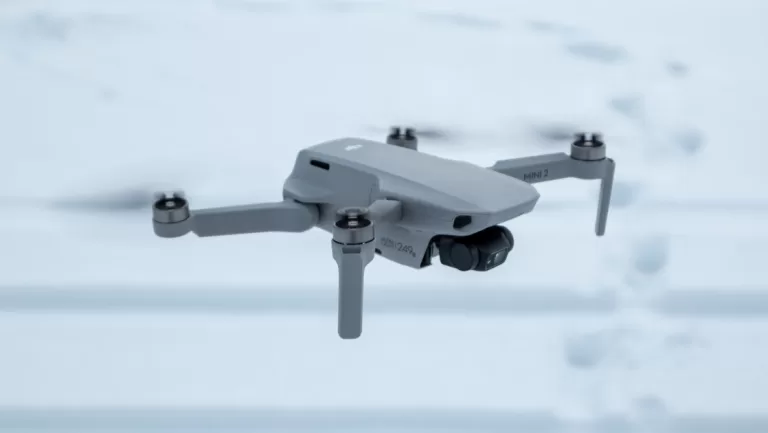
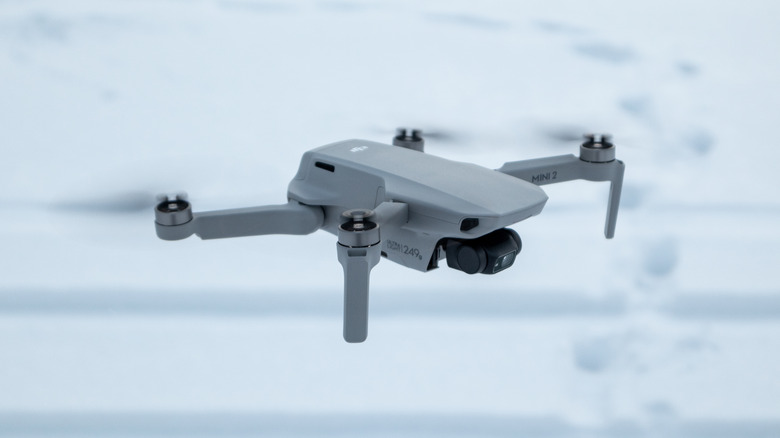
The University of Waterloo in Ontario, Canada, has definitely sped up the “brilliant new idea, tricky new problem” process for drones. Through an application charmingly called “Wi-Peek,” a team of robotics experts at Waterloo have successfully taught a drone to hop on local WiFi and use it to see through walls.
To state the obvious, a drone capable of seeing through solid objects using only the ambient network signals available in a given area is an exciting advancement in drone and imaging technology. To state the equally obvious, there are going to be some issues when we all start using drones that can look inside each other’s houses.
Home security in a post-privacy world
Sobrevolando Patagonia/Shutterstock
To its immense credit, the Waterloo team has presented its findings as a security loophole as well as a technical advance. It also made the operative parameters of its tech widely available. Everything depends on technology the experts at Waterloo call “Polite WiFi.” In short, even on password-protected networks, smart devices often automatically connect to any incoming signal. By sending multiple messages and measuring response time, Wi-Peep can map the smart devices in an interior space, yielding a working map of what’s inside (via SciTechDaily).
This technology is extremely accessible. Dr. Ali Abedi, adjunct professor of computer science at the University of Waterloo, worked with his team to put together the Wi-Peep from a standard store-bought drone and $20 of consumer hardware.
In Abedi’s words: “The Wi-Peep devices are like lights in the visible spectrum, and the walls are like glass. Using similar technology, one could track the movements of security guards inside a bank by following the location of their phones or smartwatches. Likewise, a thief could identify the location and type of smart devices in a home, including security cameras, laptops, and smart TVs, to find a good candidate for a break-in,” (via SciTechDaily).
Integrating such a fascinating yet potentially dangerous device into daily life will clearly come with challenges. At the same time, given the technology’s accessibility and ease of use, it’s possible it could become part of the daily technological landscape sooner rather than later.
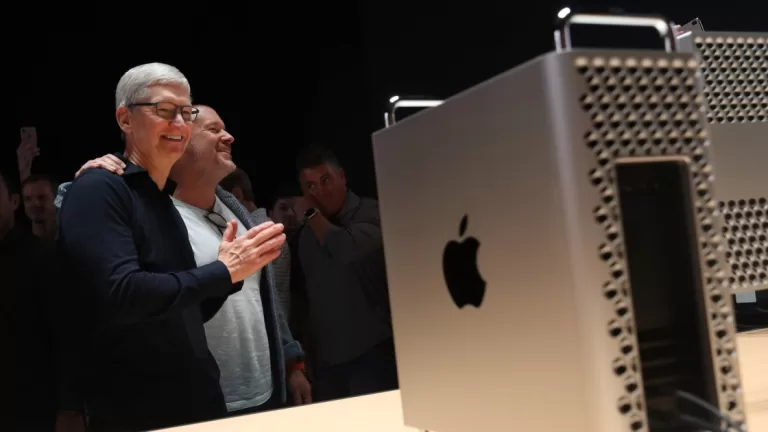
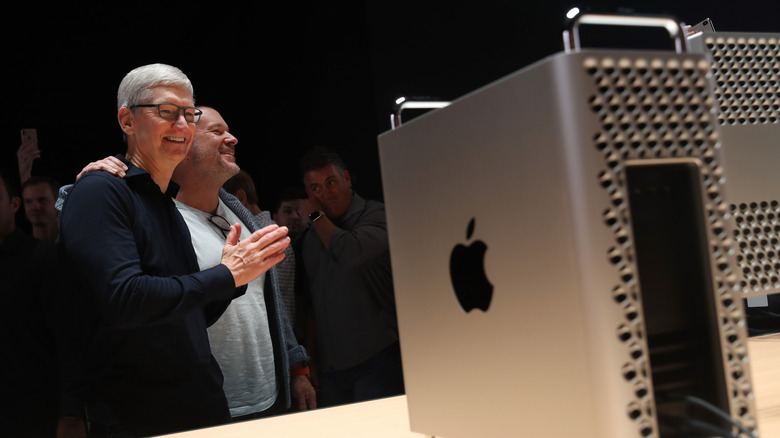
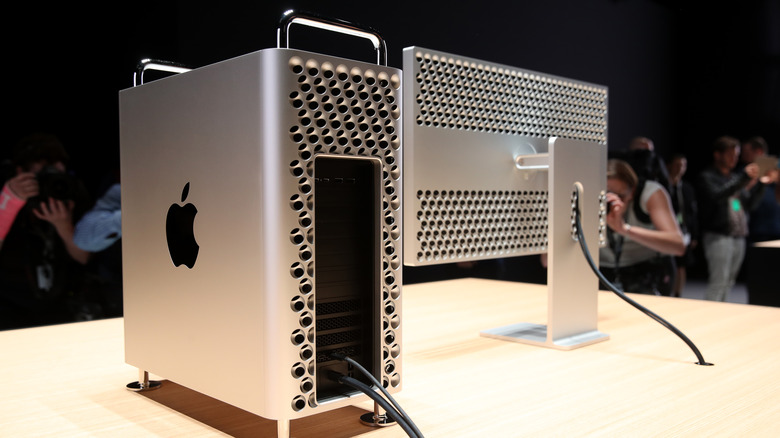
The next Mac Pro, lined up for a 2023 release, is shaping up to be a rather unexciting machine, at least based on the latest leaks. Bloomberg reports that the model will feature the same “cheesegrater” chassis as its predecessor, which isn’t necessarily a bad thing, but the innards will be disappointing for those eagerly waiting for a next-gen iteration. The Mac Pro update will reportedly draw power from the in-house M2 Ultra processor, the successor to the M1 Ultra chip fitted inside the Mac Studio. Yes, it seems very likely that the boundaries between the Mac Studio and Mac Pro will blur unless Apple pulls off something wild in terms of upgrades with the M2 Ultra.
There were rumors that the next Mac Pro will feature a super-powered chip called the M1 Extreme, which was reportedly going to pack a staggering 48 CPU cores and up to 152 GPU cores. Apple reportedly killed those plans, but that’s not all. The latest leak claims that in addition to the relatively minor update to the Mac Pro model, Apple will get rid of one key user-upgradeable feature that likely won’t sit well with buyers.
The next Mac Pro may be a tad disappointing
Justin Sullivan/Getty Images
The base model of the 2019 Mac Pro started at $5,999, which offered a modest 32 GB of RAM, an 8-core Intel Xeon CPU, and a paltry 256 GB of SSD storage. The top-of-the-line configuration offers a 28-core Intel Xeon W processor, a dozen RAM sticks of 128 GB capacity each totaling 1.5TB, 8TB of SSD storage, and a pair of AMD Radeon Pro Vega II Duo graphics cards (via Apple). Adding the $2,000 Afterburner card and the mouse-keyboard combo, the total bill jumped to around $53,000.
Let’s talk about the RAM situation on the current-get Mac Pro. You can cram up to 1.5 TB of RAM inside this machine. Assuming Apple doesn’t make a downgrade on the RAM capacity, we’re looking at a very expensive successor. Apple charges handsomely for RAM and SSD upgrades on its MacBooks, and it isn’t hard to imagine how quickly the price for the upcoming Mac Pro will go up when you add more memory, storage, and GPU cores to the M-series silicon inside its chassis.
Of note, the ability to upgrade the RAM capacity on your own, which is available on the Intel-powered Mac Pro, is going away, at least according to the leak. If true, you will pay quite a premium for more RAM, because the memory channels are fused to the main M2 Ultra motherboard. Bloomberg’s report also claims that nothing particularly exciting will happen this year regarding the Apple Watch, iPad, and MacBook Pro lineup, and neither iOS nor iPadOS will supposedly get any eye-catching upgrades.
We may receive a commission on purchases made from links.
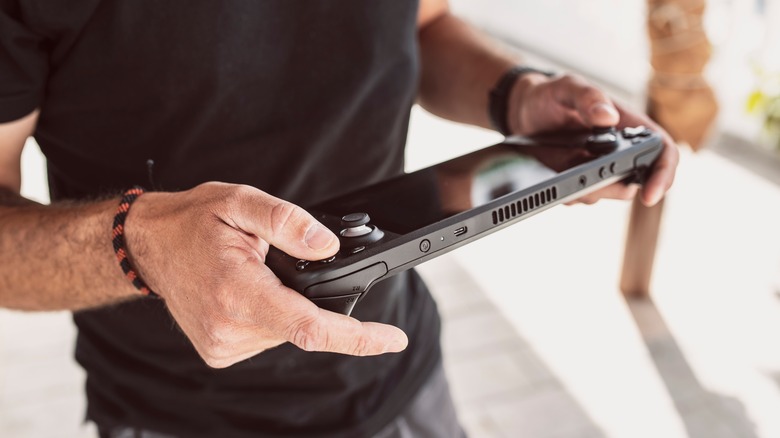
The Steam Deck is a worthwhile gaming platform, which is surprising given Valve’s previous dedicated console attempt, the Steam Machine. All the power of a gaming PC crammed into a portable package. Sure, the Steam Deck doesn’t quite compare to custom-built computers powered by NVIDIA RTX 4090, but Valve’s handheld can still run games like “Horizon Zero Dawn” just fine. And like any gaming console or PC, accessories can elevate the Steam Deck’s already stellar experience.
Every gamer and their grandmother has posted a list of the best accessories for the Steam Deck. These include the normal suspects, such as carrying cases and earbuds, but also surprise inclusions like the Apple AirTag. But what if you don’t want these items? What if you would rather save a few bucks on a cheaper accessory or buy a fancy one? Well, if you’re not careful, you might end up wasting your money. Here is a handy guide on the kinds of accessories you should avoid.
Discount micro SD cards
The Steam Deck comes at three different price points, each of which only affects storage space. The cheapest version sports 64GB, which is enough for games such as “Hades,” but not “Marvel’s Spider-Man.” To play (or store) more games, you need a micro SD card — but with those devices, if you try to save money the wrong way, you will only end up wasting money.
Like the Nintendo Switch, you can only expand the Steam Deck’s storage with micro SD cards. While these tiny cards are generally cheaper than storage solutions for household consoles (e.g., the Xbox Series X’s expansion card), micro SD cards are still hefty investments. For instance, a 512GB card costs around $65, while a 1TB card will set you back around $150. Sure, you can try to be economical by purchasing cheaper cards, but these rarely break 100GB, so they are hardly worth the money, especially if you plan on playing more recent titles. But some micro SD cards are worth even less.
Depending on where you shop, you might see micro SD cards sold at a bargain. For instance, sites like Aliexpress reportedly sell 1TB micro SD cards for as low as $7. That is certainly a steal, but not for the customer. YouTuber ReviewTechUSA tested one of these budget cards and discovered that they not only hold barely a third of their advertised amount, but computers can’t even read their data. If you buy a cheap micro SD card from Aliexpress, you’re asking to get scammed.
WaterField Designs Complete Case
As a handheld console, the Steam Deck is designed to fit in backpacks and carry-ons, but just because it can fit doesn’t mean it’s safe. As a general rule, you should place your Steam Deck in a case before taking it anywhere. Every Steam Deck comes with one for that very reason, but these are basic cases that can only store the console itself. If you want a case with a little more space, you have to buy one.
For the most part, third-party cases are a worthwhile investment. For instance, the Daydayup carrying case can hold a Steam Deck, AC adapter, earphones, HDMI cables, and micro SD cards, all for a measly $20. That’s quite the bargain. But then there are cases like the WaterField Designs Complete Case, which fits all of the above plus a controller, keyboard, mouse, dock, and extra AC adapter. That product sounds like it should cost maybe $60, but instead, it costs an excessive $239.
Unfortunately, WaterField Designs’ other products are also pricey. The company’s “budget” Steam Deck Case, the Slip Case, fits as much as the Daydayup carrying case but is four times as expensive. And WaterField’s CitySlicker costs a staggering $129 despite holding the same amount of stuff. WaterField’s products are, in essence, luxury items, but the prices limit the number of people who would (or could) buy them, especially given cheaper alternatives.
Joy Guardians
Analog stick drift is the bane of modern gamers. This problem, caused by a combination of dust accumulation and wear and tear, might have initially gained infamy due to its prevalence in Nintendo Switch Joy-Cons, but it is an epidemic that affects non-Nintendo controllers as well, including Steam Decks. Nowadays, gamers are more vigilant against stick drift, which has resulted in some questionable solutions.
Third-party accessory manufacturer Glistco offers products for a variety of entertainment-centric items. The company sells replacement PlayStation 5 plates, Nerf dart rails, and Oculus Rift headphone adapters. Glitsco also sells a line of products called “Joy Guardians.” For $12, these simple clamps secure the joysticks on your Xbox Series X controller, Nintendo Switch Joy-Cons (which is probably where the name came from), and the Steam Deck.
According to the Joy Guardians’ item description, the clamps secure analog sticks and “completely prevent any unwanted movement while your [item] is in transit or storage.” And reviews claim the Joy Guardians lock down the analog sticks as advertised, but do they prevent stick drift? Probably not. A recent study by Which? showed that “prevention cowls” don’t keep enough dust out of analog sticks, and the general wear and tear that also contributes to stick drift isn’t the product of just sticks moving while in storage.
Simply put, stick drift is partially a manufacturing problem, and partially the price of entertainment. Joy Guardians are a good idea in theory, but that’s it.
Generic screen protectors
As a general rule of thumb, you should always buy a screen protector. These items take a hit for your phones — and now Steam Decks — and guard your devices against scratches and cracks. But screen protectors aren’t a one-size-fits-all affair, and if you buy one that doesn’t sit flush against your device’s screen edges, what’s the point?
Plenty of companies offer screen protectors designed for the Steam Deck. The most popular examples include dbrand, Benazcap, and amFilm. However, since protectors are made out of tempered glass, they are somewhat pricey — around $20 to $25. If you want to save a bit of money, you can search for sales or even budget screen protectors. But when doing so, research is your friend. Take, for example, LIBIFUN’s generic screen protectors on Amazon. At $10, they sound like a great deal, but then you start reading reviews. According to customers, these panes of glass don’t fit the Steam Deck screen. Instead, they extend past, preventing the protectors from adhering to the screen. Sounds like a real pain.
One might assume this problem would only be limited to one generic item, but customers report that other genericscreen protectors suffer from the exact same issue. Do all of these oversized sheets come from the same factory? Regardless, these items demonstrate that sometimes paying more is worth every penny.
Incompatible power banks
Modern game consoles and controllers are battery hogs, but instead of chewing through AAs (with the exception of Xbox controllers), they rely on rechargeable batteries. It’s a reasonable tradeoff, but what happens when you need to charge a Steam Deck on the go? You use a power bank, which is the go-to solution for charging smartphones when wall sockets aren’t available. But, not just any power bank will do.
According to the Steam Deck website, each console comes with a 45W AC adapter. What does that mean? In layman’s terms, lower wattages are designed for smaller devices and have trouble charging products meant for higher wattages. In the case of Steam Decks, any power bank with less than 45W is generally not worth it. That doesn’t necessarily mean you can’t buy a 35W power bank, just don’t expect it to charge the Steam Deck efficiently, if at all.
When shopping for power banks for your Steam Deck, another important feature to keep in mind is capacity. The official website states the handheld console has a “40Whr battery,” which translates to around 5,200 mAH (milliamp hours), the basic measuring stick for battery capacity on sites like Amazon. The higher a power bank’s milliamp hour capacity, the longer it can charge a Steam Deck, which is ideal for long flights. However, the Federal Aviation Administration restricts power banks to a maximum of 100 watt-hours. Depending on who you ask and the power bank’s voltage, that can be anywhere between 26,800 to 30,000 mAH. So to be safe, avoid power banks with 26,800 mAH or more if you don’t want it confiscated by the TSA.
Bad earbuds and headphones
The Steam Deck is designed to be played on the go, but just because you can play “DOOM Eternal” on full blast while riding a train, doesn’t mean you should. For the sake of everyone around you, you should invest in earbuds.
Since the Steam Deck comes with Bluetooth functionality and a headphone jack, you have plenty of options to ensure only you hear the action. However, not all earbuds and headphones are created equal, and when picking one to get the most out of your Steam Deck, you should research reviews to see which earbuds are worth your time and money.
Earbuds and headphones can be a waste of cash for any number of reasons. For instance, the Beats by Dr. Dre line beats the competition when it comes to sound quality, but they also beat the competition when it comes to burning holes in your wallet. Meanwhile, the House of Marley Exodus combines great sound quality with noise-canceling technology, but the headphones reportedly clamp a little too tight. You can’t use this headset for more than an hour without feeling like your skull is in a vise.
Admittedly, hearing levels and ear/head shapes vary from person to person, so a headphone or earbud that is comfortable for one user might be unbearable for another. When shopping for Steam Deck sound accessories, always research your options. Paying for quality might not be worth it if the headphones give you a headache.
The Official and the Hounyoln Steam Deck Docks
One of the Nintendo Switch’s best accessories is the dock. Each console comes with a dock — unless you buy the Nintendo Switch Lite, which isn’t compatible with docks anyway — that lets them charge, connect to televisions, and wire into the internet. These Switch docks are somewhat plain but functional, and tons of third-party manufacturers produce their own. Unfortunately, Steam Deck owners aren’t as fortunate.
The only way to obtain a Steam Deck dock is by purchasing one. Like the Switch dock, Valve’s official dock charges the console and connects it to the TV and internet. However, this accessory also costs $89, which is quite frankly overpriced compared to most third-party options.
If you want a Steam Deck dock but want to save money, you are better off buying one from other providers. For instance, the premier JSAUX dock only costs $45, but it doesn’t include a DisplayPort 1.4. Still, that’s a small price to pay for paying a smaller price. And if that’s still too much, you can always buy JSAUX’s budget dock, which costs $30 and comes with one less USB port. Amazon is full of similar alternatives, such as the Hounyoln dock. Although, if you buy that item, make sure you’re purchasing the cheaper $28 option, as that company also offers an $80 Steam Deck dock with a built-in 2TB card slot. Unless you plan on spending upwards of $100 on an extra SSD card for said slot, the more expensive Hounyoln dock is a waste of money.
Elite Controller and Dualsense Edge
The Steam Deck might look like a beefier Nintendo Switch, but it lacks the Switch’s detachable Joy-Con controllers. So if you want to play the Steam Deck while connected to a TV via a dock, you will have to supply your own controller.
Since the Steam Deck supports Bluetooth functionality, the console can connect to any accessory that utilizes wireless technology, including modern controllers. Xbox controllers, PlayStation controllers, and even Nintendo Switch Pro Controllers are all viable options, but they lack the back buttons of the Steam Deck. If you want a controller with the same versatility, you will need either the Elite Xbox Wireless Controller 2 or the Dualsense Edge. But at the same time, you also probably shouldn’t buy them for your Steam Deck, either.
Now, to be fair, the Elite Xbox is a fantastic controller, and the Dualsense Edge will probably be as well (it’s still not available at the time of writing). But the Elite Xbox Wireless will set you back $180, and the Dualsense Edge will cost an even heftier $200. That’s a lot for any controller. Sure, you’re getting extra buttons and adjustable analog sticks, but that’s on top of the money you just spent on a Steam Deck. You are probably better off just buying a vanilla Xbox or PlayStation controller for $80 –$200 is just too much, even if it is for the best controller on the market.
Bad keyboards and mice
Most modern consoles have at least some compatibility with mice and keyboards, the Steam Deck included. In fact, you could consider the Steam Deck a tantamount handheld gaming PC. As such, the console can run games consoles can’t, which includes titles built with mice and keyboards in mind. But as with many computer accessories, not all mice and keyboards are built the same.
Since the Steam Deck is a gaming platform, it’s almost second nature to purchase gaming keyboards and mice, and that’s not a bad instinct. But given the sheer number of gaming mice and keyboards out there, research should always precede purchases. For instance, you might think the Ziyou Lang X3 is a great deal, but its sensor input lag is reportedly horrendous, and that’s when the sensor actually works — quick mouse movements literally break its software. Meanwhile, the Glorious Model D-, despite sporting decent performance, is notoriously flimsy and brittle.
Keyboards don’t have a much better track record. For every quality gaming keyboard, you will find three akin to the Redragon K552 Kumara. On the surface, this accessory’s $35 price tag sounds like a great deal, but apparently, the Redragon’s keys wear out in a matter of months. Conversely, you can always buy name-brand products like Razer keyboards, which are generally more expensive, but the devil is so overt it doesn’t need to hide in the details: Razer keyboards are expensive if not downright overpriced. If you can buy them on sale, go ahead, because their quality speaks for itself. Otherwise, look for a less expensive keyboard.
American-made sports cars are a curious category in the overall marketplace. There’s quite a bit of distance between comparatively accessible muscle cars like Mustangs and Camaros and almighty supercars like the Dodge Viper or Ford GT. For various cultural and technological reasons, there’s just not that much in the space between them. That hasn’t been for lack of trying, however. American carmakers have made several attempts to wean U.S. motorists off fuel-guzzling big iron in favor of the fast, economical roadsters that fare so well in European and Asian markets.
None has ever won America’s heart: rather than buying local, U.S. gearheads tend to get their speedy two-seaters from Asia. The Nissan Z-series, Toyota 86, and various models of Mitsubishi and Hyundai, among others, have filled that niche over the years, along with one of America’s most popular foreign models — the Mazda MX-5 Miata.
Dodge/Stellantis
Per official sales stats, the Miata isn’t just an American favorite; it’s one of the best-selling sports cars of all time (per Garage Dreams). That being the case, it’s hardly surprising an American manufacturer tried for a homegrown competitor to run down the mighty Miata. The 2007 Dodge Demon concept was that competitor, designed from the ground up to outperform its Asian rivals at an accessible price. Here’s what happened.
American know-how, Japanese engineering. What went wrong?
Dodge/Stellantis
The Dodge Demon wasn’t the first American ride to challenge the mighty Miata. The Pontiac Solstice and Saturn Sky both slotted into that market segment and enjoyed reasonable buy-in (via IGN). The Demon is important because it went one better. It didn’t intend to play along but actually to outperform the Miata in virtually every respect. Its 2.4-liter V4 put down 172 horsepower and 165 foot-pounds of torque, no small achievement in a car with a curb weight of just 2,600 pounds, as detailed by Stellantis North America in the original press release. When the Demon debuted at the Geneva Car Show, it turned heads, not least because it wasn’t the usual concept car mockup. The model at Geneva was a fully operational vehicle. Several guests even got to give it a spin.
Dodge/Stellantis
In the end, like so many promising concepts, the factors that worked against the Demon were well outside of its control. It was released at the end of the less-than-spectacular DaimlerChrysler era of Dodge’s business when even diehard American drivers had begun to whisper that the glory days of domestic car production were over. With money short after the ill-fated merger and questions about whether demand would ever recoup costs, Dodge eventually elected to save money and keep the Demon in chains.
Dodge/Stellantis
That said, the name at least has gotten a good airing since. Dodge gave the Demon name to the drag-race spec Challenger, a ludicrous 840-horsepower beast with a quarter-mile under 10 seconds (via Motor1). It may not be the common man’s all-around roadster that the 2007 Dodge Demon was meant to be, but at least its name is out there burning asphalt.
Apple’s getting ready to launch its long-rumored mixed reality headset this spring, according to a report from Bloomberg’s Mark Gurman. The company’s reportedly planning to reveal the device ahead of the Worldwide Developers Conference in June and will start shipping it this fall.
The headset, which could cost as much as $3,000, is expected to provide both virtual reality (VR) and augmented reality (AR) experiences using Apple’s new xrOS operating system. Gurman says Apple has already shown off the Reality Pro-branded device to “a small number of high-profile” developers so they can start creating third-party apps for it.
Gurman’s prediction corroborates rumors from Apple analyst Ming-Chi Kuo, who said last week that the development of the headset is delayed “due to issues with mechanical component drop testing and the availability of software development tools.” He added that it “seems more likely” that Apple will announce the headset at a media event in the spring or at WWDC.
But there are still “many kinks to work out” with the device’s hardware, software, and services, Gurman says, and this is slowing down Apple’s other projects. We may see a more low-key year for new releases as a result, and it also may be why Apple missed its goal of transitioning away from Intel-powered chips within two years.
Apple’s also expected to reveal a new HomePod this year, but Gurman says not to “expect anything revolutionary about it.” It may just come with a lower price, an updated touch control panel, and an S8 chip. Other devices, like an updated 24-inch iMac and a new round of iPad Pros equipped with OLED displays, aren’t expected to arrive until next year, while iOS 17 and iPadOS 17 could feature more subdued upgrades.
CES, also known as the Consumer Electronics Show, is the biggest tech trade show of the year, kicking off the first week of January and setting the stage for trends, announcements, and ascendant product categories we’ll see throughout the rest of 2023. The show will give us an early look at the latest developments in TVs and laptops, useful (and sometimes invasive) smart home gadgets, and plenty of phones, monitors, cars, and smart toilets in between.
For 2023, CES runs from January 5th through January 8th. But the news will start coming in before then: Samsung, LG, Sony, and quite a few others will kick things off with a day of press conferences on January 4th. And you can bet that companies eager to get their news out will start sharing announcements even earlier in the week. It’s going to be a busy start to the new year.
The Verge will be covering CES on the ground in Las Vegas. You can follow along here for all the latest news and plenty of hands-on video coverage from the show. After a couple of quieter years — CES 2021 was online-only due to the pandemic, and CES 2022 saw just a quarter of the show’s typical attendance due to omicron concerns — the Consumer Technology Association, which organizes CES, expects this year’s show to be more of a return to form, with busier halls and a lot more news to go around.
Samsung makes it easy to setup Matter devices.
Version 11.1.08.07 of Samsung’s Nearby Device Scanning adds a new ‘Matter EasyPair’ feature (seen via Sammobile) which automatically alerts Galaxy users to nearby Matter-compatible devices for a speedier connection, similar to Fast Pair on Android. The update has started rolling out to some users via the Galaxy Store.
You can finally buy Kohler’s insanely luxurious smart bath and toilet — if you have a really big budget for your bidet.
At CES 2023, Kohler brought the self-filling, voice-activated Stillness Infinity Bath it announced in 2021 to the show floor for the first time. Featuring fog and aromatherapy features, plus recirculating and filtered water, it will set you back around $16,000 and will be available in Q3.
The Numi 2.0 smart toilet has a motion-activated lid and lights and can clean and dry your bottom with a built-in bidet. It will also fill your bathroom with music and light from its Alexa-enabled Bluetooth speakers. Definitely solves the problem of where to put your smart speaker in the bathroom… for about $8,500. It’s available to buy now.
Watch Amazon’s flying indoor security camera in action at CES 2023.
The Ring Always Home Cam promises to fly around your house to keep an eye on things from every angle, but it’s not ready for release just yet — and won’t come out this year.
For CES 2023, Sony shared some footage of its virtual production tools, which include a giant “LED wall” that can display remarkably believable settings that are entirely digital. This type of technology isn’t new — The Mandalorian also uses similar tools — but it continues to blow me away.
Monica’s pure delight at CES nonsense is making me completely miss CES.
I didn’t go this year and now I regret it; watching Monica Chin grin while riding these electric rollerblades and playing with the Lenovo Yoga Book 9i is making me seriously miss being in Vegas. CES is full of nonsense but giggling at tech nonsense is like the best part of this job! That said, all the cars are pure vaporwarenonsense.
Alexa’s got some company. I met Disney’s new voice assistant at CES this week, and it’s pretty cute. Called “Disney’s Magical Companion,” the disembodied voice is born from fairy dust and lives inside Amazon’s Echo smart speakers and displays. Its purpose is to call up various characters — including Disney, Pixar, and Star Wars faves — to help you out with common voice assistant chores (timers, alarms, weather), as well as entertain with stories, games, and other sprinkles of Disney magic.
You conjure the assistant with the phrase “Hey Disney!” — here’s a quick demo I did at CES this week:
One neat thing about the integration is you never know which character will answer your query — it could be Dory from Finding Nemo or Olaf from Frozen one moment, then Mater from Cars or Animal from The Muppets the next.
Currently, “Hey Disney!” is in limited hotel rooms at Disney’s Polynesian Village Resort as part of a phased rollout across Disney’s hotels, where it also helps as a sort of virtual concierge. But the Magical Companion is also coming to your home in 2023, through the Alexa Skills store. No pricing has been announced, but it will be included free with an Amazon Kids Plus subscription.
The rumor mill is spinning once more concerning Apple, and this time we’ve heard spillage on the topic of what Macs will be coming out in 2023 – and to prepare for some disappointments.
This all comes from a renowned source on all things Apple, Mark Gurman. In his latest Bloomberg (opens in new tab) newsletter he touches on what’s next in terms of MacBooks, the Mac Pro, and the iMac (or what isn’t next – at least not this year – in the latter case, as you’ll see). As ever, treat rumors with plenty of caution, even those from more reliable sources.
According to Gurman, we will see new MacBook Pros in the first half of 2023, but they will have exactly the same design and features as the existing 14-inch and 16-inch models, with the only real upgrade being the inclusion of M2 Pro and M2 Max chips. However, even on that front, the performance boost will be “marginal” Gurman asserts.
What could be more exciting is Apple’s apparent plans for a MacBook Air 15-inch laptop, which could be the “saving grace” for the entire Mac range this year, though Gurman doesn’t say what it’ll pack. He also tells us that a previously rumored MacBook 12-inch isn’t coming, or at least it isn’t on the roadmap for the near future.
There will be a new Mac Pro for 2023, but that also disappoints in some respects. Gurman believes that a high-end Mac Pro spin, with a 48-core CPU (toting 152-cores for graphics) has been canceled, and Apple is instead simply pushing out a model with the M2 Ultra chip. That throws some question marks over how it’ll compare to the Mac Studio in terms of value, Gurman notes, and the new Mac Pro will supposedly look the same as the 2019 version, too.
There’s further disappointment in an apparent change that means the system RAM won’t be upgradable by the user, because the memory will be soldered directly onto the motherboard.
To round off the rather lackluster state of affairs, a larger iMac Pro which has been mulled by Apple as a possibility – popping on and off the product roadmap, according to Gurman – now looks unlikely to appear. Gurman observes: “I would be surprised at this point if it arrives in 2023.”
As for a revamped iMac 24-inch, that won’t go ahead until the M3 SoC is ready apparently, so that’s likely to be 2024 or perhaps at the end of this year.
Analysis: A rather bleak but not unexpected rumor dump
If all this makes for somewhat bleak reading – which it does in the main – then we must remember that this is just informed speculation, and Gurman could be wrong on some (or many) counts. Even if he’s right, what Apple is thinking now may change going forward.
At any rate, assuming the above rumors are correct, it’s no real surprise to hear the MacBook Pros won’t be much of a change from the current incarnations. Although the way Gurman couches the step up in performance from current models as “marginal” doesn’t exactly spark excitement.
We were expecting those refreshes to arrive late in 2022, if you recall, and when it became clear that wasn’t happening, the rumored launch timeframe became Q1 of 2023. Now, Gurman is saying the first half of the year, which seems to indicate that a first quarter release may not happen – another slight disappointment.
We didn’t see the Apple silicon-powered Mac Pro at CES 2023, as we hoped to do, and perhaps we now know why – things are still up in the air with the machine, maybe. However the Mac Pro turns out, presumably Apple must make it fit and seem like a sensible proposition within its own line-up – though the mention of a possible step back in terms of non-upgradable RAM is an unwelcome thought. With a pricey PC like this, restrictions on component upgrades are a frustration to say the least.
Still, we do have that MacBook Air 15-inch still potentially inbound for 2023, which could make up for much of the rest of the Mac range hitting the shelves this year being light on differences compared to existing models, or underwhelming in other respects. A bigger MacBook Air has long been rumored, and never actually appeared, but perhaps now is the time – there are certainly some big fans of the idea of a 15-inch version of the laptop (and equally, some folks who are more cautious about it).
Sign up to get breaking news, reviews, opinion, analysis and more, plus the hottest tech deals!
Darren is a freelancer writing news and features for TechRadar (and occasionally T3) across a broad range of computing topics including CPUs, GPUs, various other hardware, VPNs, antivirus and more. He has written about tech for the best part of three decades, and writes books in his spare time (his debut novel – ‘I Know What You Did Last Supper’ – was published by Hachette UK in 2013).
“Nobody wants to look like the guy who just stepped off the Starship Enterprise,” Paul Travers, the president of AR eyewear maker Vuzix tells me.
He’s being polite here, so I’ll say what he won’t: It’s hard to wear current VR and AR headsets for more than an hour. They’re heavy! Microsoft’s Hololens is really neat, but at a pound and a half, it’s a lot of headgear to wear around. And Magic Leap is cool, sure, but they look odd when you’re wearing them.
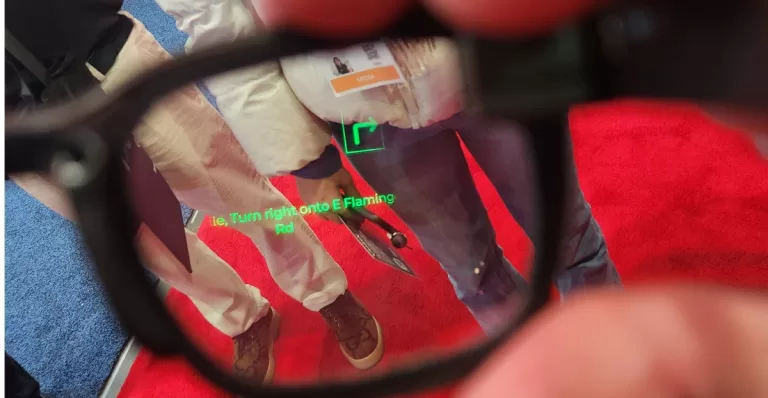
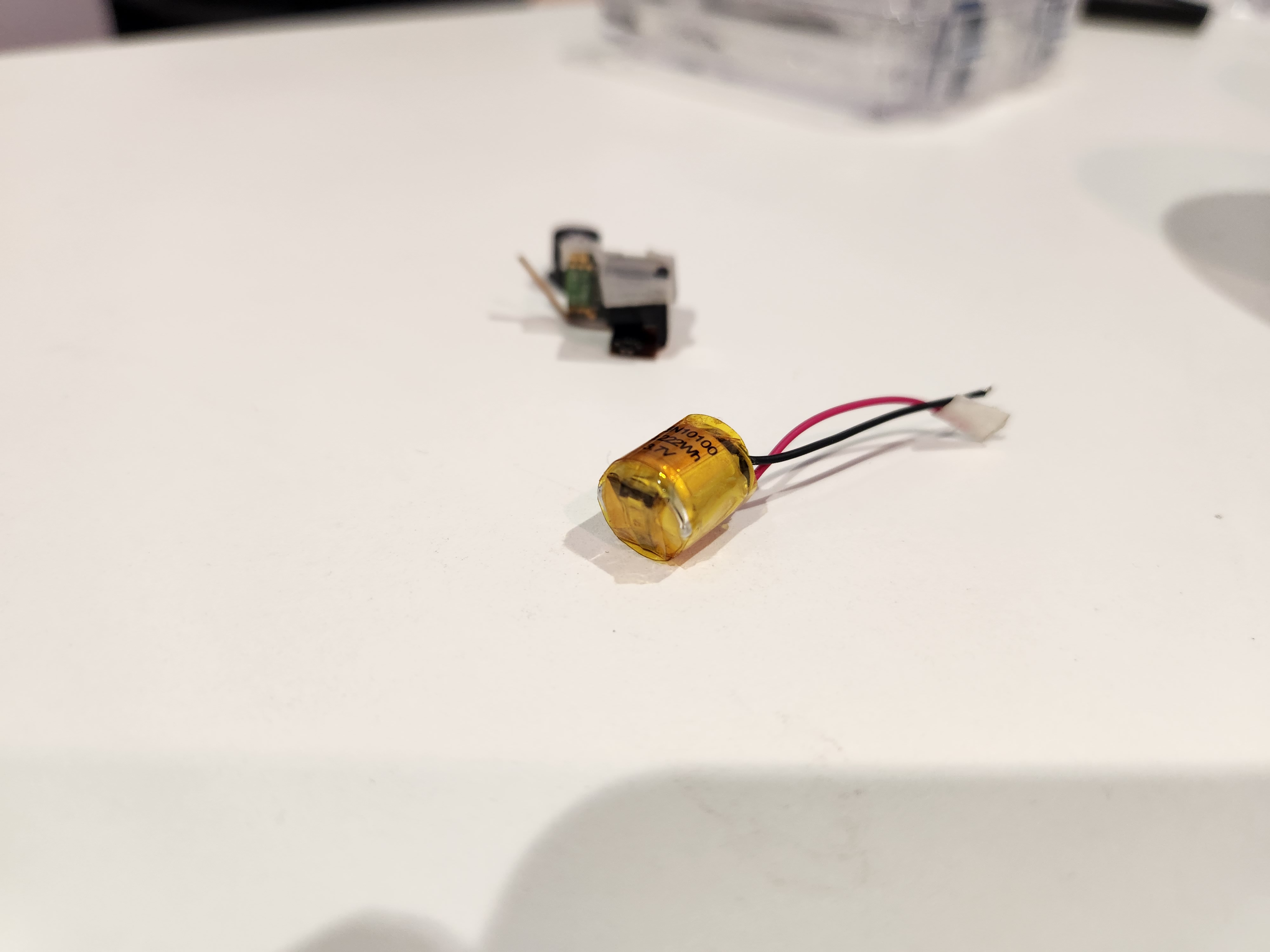
Vuzix has the answer. At CES 2023, the company unveiled new Ultralite AR glasses, ordinary-looking plastic frames with a tiny projector tucked in one stem and a tiny battery and Bluetooth radio in the other. Combine that with Vuzix’s waveguides – a layer in the glasses that bends the projector’s light into your line of sight – and you’ve got ordinary-looking glasses that do the extraordinary.
The author wearing sunglasses enhanced by Vuzix Ultralite technology — proof that AR glasses clan look like ordinary glasses and still do the extraordinary. (Image credit: Jeremy Kaplan / Future)
I put on the Vuzix Ultralite, and saw in the corner of the right lens a line of green text, the sort you’d see on old mainframe computers in the movie War Games. It was sharp, perfectly readable, and bright as day. It was a real-time transcription of what another Vuzix staffer was saying; the device is equally adept at displaying directions, with arrows to indicate where you should travel, workout status, text messages, and so on.
This is not, to be clear, 30 fps full-color video. That technology also exists, from an Israeli company called Lumus. But it’s at least two years out, the company told me, and due to costs, when it arrives it’s likely to show up in a monocular application. (Meaning a single lens of your glasses, although if you’re into monocles, I suppose they could make one.)
But the Vuzix Ultralite is here today, and it is exactly what I’ve been looking for. It doesn’t have a massive battery pack (or a cord to a battery you shove in your pocket) because it works directly with your phone, thanks to a simple Bluetooth connection. It’s not passing a great deal of video across that connection, so there’s no need for that cable either. It’s just a pair of ordinary-looking glasses that tap into the power of your phone.
A tiny battery and a tiny projector are all that Vuzix Ultralites require — beyond the waveguide on the lens, of course. (Image credit: Jeremy Kaplan / Future)
“This phone has amazing capabilities,” Travers points out. Why try to recreate that? “For instance, speech-language translation. You could be speaking French and I’ve got the glasses on and it’s all in English in the lenses.” Stick a microphone in the lenses and you can completely interact with your phone as well.
“We’ve been at this for 26 years,” Travers told me. His company has been doing waveguides forever and manufacturing them here in the United States at a facility in Rochester, New York. “Back in the day, the Special Forces guys asked us, ‘Can you make Oakley-style sunglasses with computers in them?’ Because we want that and we call it the Oakley Gaze. Half the U.S. military would buy these things if you could do that … So that’s been a focus for us.”
The US government recently gave Microsoft a half-billion-dollar contract for Hololens. Meanwhile, this exists. Perhaps the government should have held out?
Check out all of TechRadar’s CES 2023 coverage. We’re bringing you all the breaking tech news and launches, everything from 8K TVs and foldable displays to new phones, laptops and smart home gadgets.
Sign up to get breaking news, reviews, opinion, analysis and more, plus the hottest tech deals!
After 25 years covering the technology industry, Jeremy Kaplan is a familiar face in the media world. As Content Director for TechRadar, he oversees product development and quality. He was formerly Editor in Chief of Digital Trends, where he transformed a niche publisher into one of the fastest growing properties in digital media. Before that, he spent half a decade at one of the largest news agencies in the world, and cut his teeth in magazine business, long before the birth of the iPhone. In 2019, he was named to the FOLIO: 100, which honors publishing professionals making an industry-wide impact.
The driving force behind this is the hardware, and CES 2023 was packed with it. There was a lot of it on the floor – so many AR glass companies, unafraid to jump into the risky breach that once gobbled up Google Glass.
But the real leaders are Meta, Magic Leap, and HTC. While the once-secretive and now newly open Magic Leap was on the show floor at the metaverse space encouraging everyone to whip through a series of enterprise scenarios, Meta and Vive were offering invite-only demos of their latest gear at nearby hotel ballrooms.
(Image credit: Future)
I started with a Magic Leap visit where I met company CTO Julie Larson Green, a once-retired Microsoft Windows legend who is helping steer Magic Leap’s transition from inscrutable and over-promising wunderkind to a practical and purpose-drive AR headset for industry, factories, disaster response, and more.
As we talked inside the packed booth about Magic Leap’s early promise, Green told me, “The tech was too early, and the consumer scenarios were not as clear.”
Enterprise though is a different story. Industry, factories, and even medical theater, “They’re used to wearing things on their faces.”
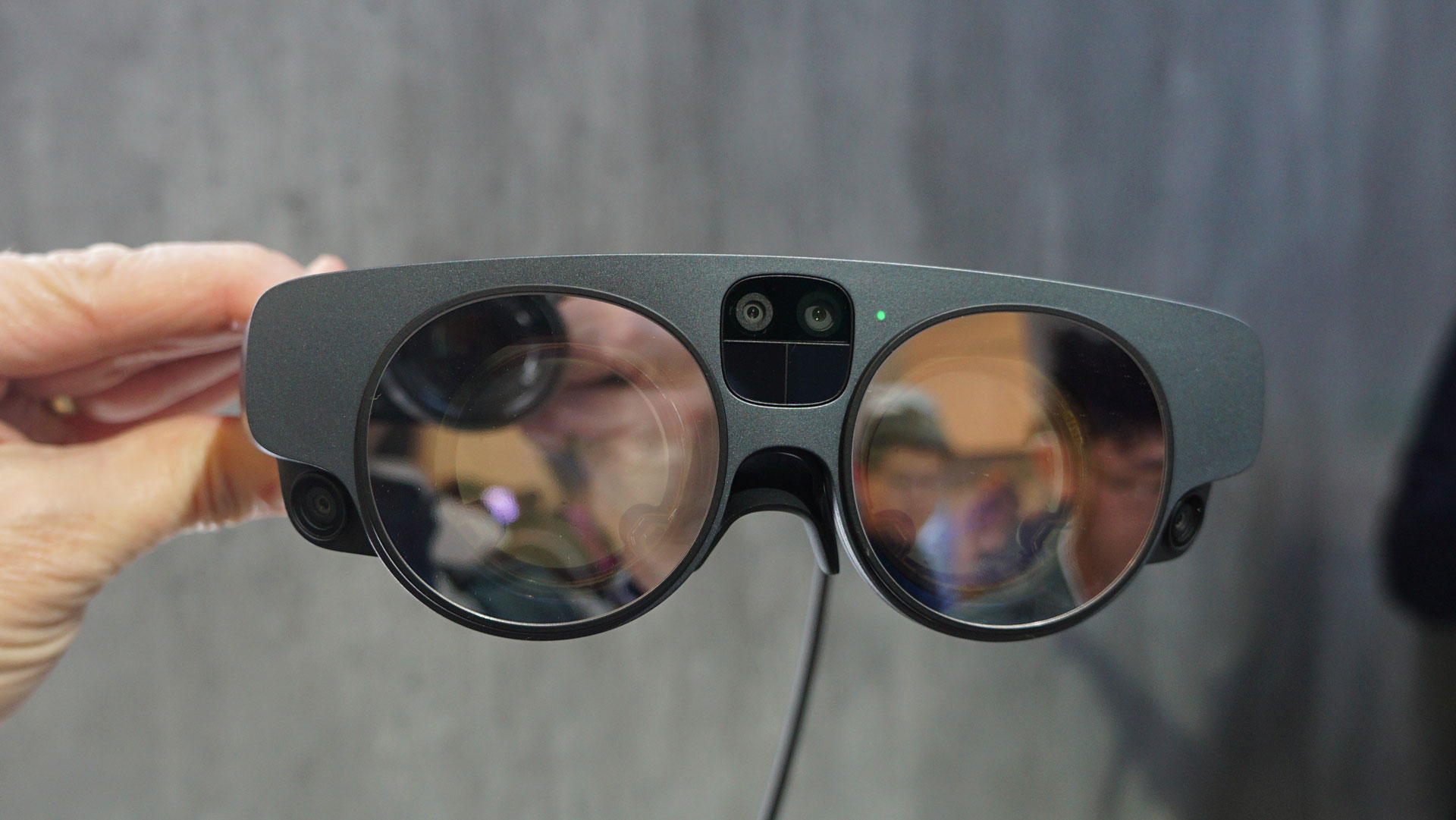
Green encouraged me to suit up with the latest headset, the Magic Leap 2, which Is 50% lighter and smaller than the original. It also has a powerful new custom AMD SoC.
(Image credit: Future)
Unlike the new HTC Vive XR Elite and the Meta Quest Pro, Magic Leap 2 retains its svelte figure by putting the battery and processor in a separate puck that you can wear on your belt. This has the effect of making the headgear lightweight and quite comfortable to wear. It also means you’ll have a cable running from the puck to your head, and I could feel the puck on my hip.
As promised, the Magic Leap 2 headset was comfortable to wear. I tried a scenario in which I was standing in a replica of the Hoover Dam, and we were gaming out our emergency repose to an explosion. The graphics were good, and the -70-degree field of view meant the slightly cartoonish dam appeared to be all around me. Using the controller, I placed police cars and officers all around the virtual landscape. All the while, I could still see my real world.
Larson said Magic Leap is working with NVIDIA on its “Omniverse” idea, but buzzwords aside, the partnership has helped bring ray tracing support to the headset.
While the original Magic Leap was often discussed in hushed, awe-filled tones and only a chosen few had seen the demos in person, this version of the company and its new leadership is all about utility. Based on my experience, I think they’re nailing the useful part and, even at $3,299, it might have a chance in the enterprise.
Where Magic Leap has shed its wizard’s clothing for a suit, HTC is at the bleeding edge of immersive and augmented experiences for everyone.
(Image credit: Future)
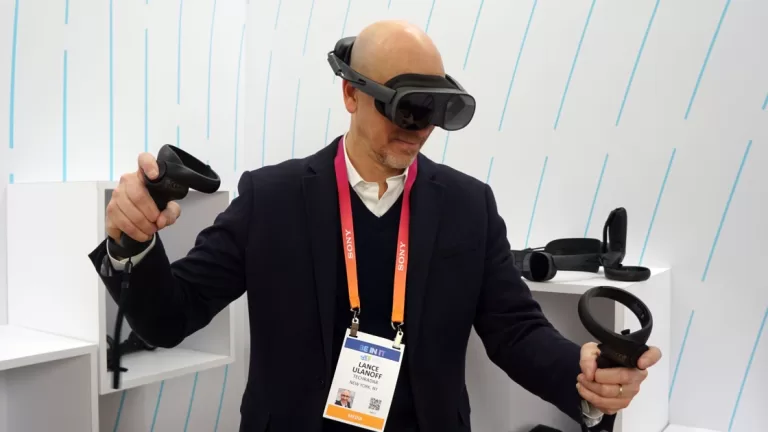
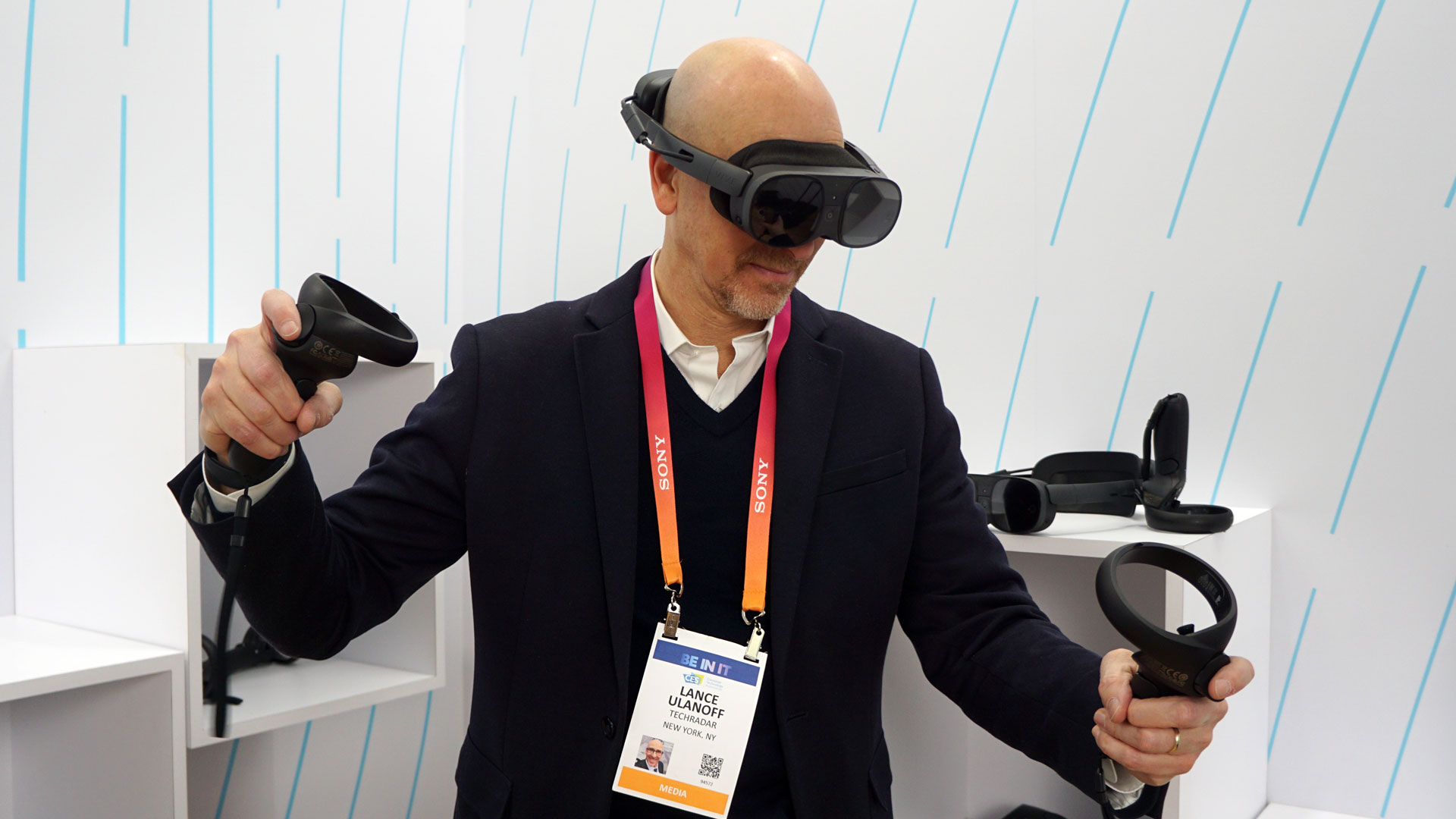
It had been a little while since I’d worn a Vive VR headset. The original device I tried was VR-only and needed beacons placed around a room to know your position; the HTC Vive XR Elite is fully self-contained. It’s also redesigned to be lighter and support AR as well as VR.
HTC set up a half dozen experiences for me to try, but first I had to get acclimated to the new headgear, which now looks more like goggles attached to a cushiony head ring. You tighten it on your head with a big knob in the back. As with the Magic Leap headset, I had to remove my glasses to use it. There are in the HTC Vive XR Elite little dials around the lenses that let you adjust focus, and you can slide the eyepieces apart or closer together to match your own pupillary distance. In the display, you see a green grid visual that helps you position the lenses properly.
None of this was hard or took more than a moment. For further headset support, there’s a thin rubber band that runs over the top of your head. I found the fit extremely comfortable.
The demos did an excellent job of highlighting the HTC Vive XR Elite’s specs and capabilities.
I captured this image of Maestro by putting my iPhone up to one HTC Vive XR Elite lens. The orchestra hated me. (Image credit: Future)
I used both the included dual controllers and my hands to interact with the games. During something called Maestro in which I conducted an orchestra, one hand held a remote which I used to grip, tap, and wave a virtual baton. My other hand was free, and I used it to point, on queue, at various sections of the orchestra. I was surprised to see that the Vive XR Elite recognized the movement of all five fingers on my free hand. I’m sure the four cameras and 3D depth sensor play a role here.
I played a game called Hubris which was most notable for how intuitively the system read my swimming, grabbing, and climbing motions.
All the AR enemies appeared to come through AR holes in the very real walls. (Image credit: Future)
In the AR realm, I played Yuki, a game in which aliens emerge from holes in the walls. I did my best to shoot them all down with one hand because the other one in the game was inexplicably useless. The mixed reality effect was quite compelling.
I also drew in three dimensions with Gesture AR, which was a lot like Tilt Brush.
I can kayak…in VR, at least. (Image credit: Future)
My favorite was Kayak. For this experience, they had me sit on a chair, handed me a real kayak oar equipped with trackers near each yellow paddle, and then let me paddle around. Again, the effect and motion capture made me think I could kayak in the real world.
Part of the reason everything looks so good is the HTC Vive XR Elite’s 2K per eye LCD screens. It also gets points for having an excellent pass-through camera that helped make the AR experiences more compelling.
Me celebrating my HTC Vive XR Elite experience. (Image credit: Future)
At two hours, battery life is surprisingly good, but I was more impressed that the battery is hot-swappable. When you pull it, the device stays on because there’s a small, 10-minute backup battery hardwired into the system.
When the system ships in February at $1,099, it will beat its nearest rival Meta Quest Pro by a few hundred dollars, but then that system has a lovely charging dock and remotes that no longer need the LED ring around them.
Look I’m still not ready to say the Metaverse is a thing, but VR and AR are making substantial leaps every year if not every six months. The hardware is getting lighter and more powerful all the time and the software is keeping pace with evermore convincing and immersive experiences.
Check out all of TechRadar’s CES 2023 coverage. We’re bringing you all the breaking tech news and launches, everything from 8K TVs and foldable displays to new phones, laptops and smart home gadgets.
Sign up to get breaking news, reviews, opinion, analysis and more, plus the hottest tech deals!
A 35-year industry veteran and award-winning journalist, Lance has covered technology since PCs were the size of suitcases and “on line” meant “waiting.” He’s a former Lifewire Editor-in-Chief, Mashable Editor-in-Chief, and, before that, Editor in Chief of PCMag.com and Senior Vice President of Content for Ziff Davis, Inc. He also wrote a popular, weekly tech column for Medium called The Upgrade.
Lance Ulanoff (opens in new tab) makes frequent appearances on national, international, and local news programs including Live with Kelly and Ryan, Fox News, Fox Business, the Today Show (opens in new tab), Good Morning America, CNBC, CNN, and the BBC.