Optavia is a fairly new diet program that has taken off on social media. The company says it can help you adopt healthy habits and apply them to your everyday life.
Founded in 2002, Optavia is owned by parent company Medifast, popularly known for selling weight loss and health-related products, often through multilevel marketing.
To learn more about Optavia’s weight loss plans and offerings, I tested the products and spoke with a nutritionist. Here’s what I found.
What is Optavia?
Optavia is a diet company that sells bars, shakes, snacks and easy-to-prepare recipes. It places emphasis on both good eating and good living. The company’s message is that if you learn healthy habits, you can lead a healthy life.
Screenshot by Caroline Igo/CNET
Optavia first caught people’s attention on Instagram in 2018 when TV’s Cake Boss, aka Buddy Valastro, shared his weight loss success. In a post on his profile he wrote, “A lot of people have been asking me how I’ve slimmed down lately … I’ve used the Optavia program. I think everybody is different and you should do whatever suits you but this is what I’m doing and I’m very happy with the results so far!” He says he is not sponsored.
Let’s jump into how Optavia helped the Cake Boss lose weight.
How does it work?
The diet company relies on meal replacements called “fuelings,” which are branded products designed to keep you full until your next fueling. No matter which meal plan you choose, you’ll be eating a meal every two to three hours, resulting in six meals a day. However, one to three (depending on your plan) meals will be a dish you make at home using fresh ingredients. The program also recommends avoiding alcohol, sugary drinks and desserts, high-calorie condiments, starchy vegetables and whole grains.
Each fueling product contains around 100 to 150 calories. Optavia’s minimal-calorie diet has clients consuming about 800 to 1,100 calories a day, depending on the plan and number of homemade meals. According to the USDA’s dietary guidelines for adults, women should consume 1,600 to 2,400 calories per day, and men 2,200 to 3,200 calories.
This calorie deficit causes rapid weight loss at the start of the diet. Health professionals recommend a 500-calorie deficit for healthy weight loss. Always consult with your doctor before making changes to your diet to ensure you’re consuming enough calories.
Optavia meal plans
Optavia offers three meal plans:
Optimal Weight 5-and-1 Plan (five fuelings and one lean-and-green meal a day)
Optimal Weight 4-and-2-and-1 Plan (four fuelings, two lean-and-green meals and one snack a day)
Optimal Health 3-and-3 Plan (three fuelings and three lean-and-green meals a day)
Optavia fuelings
Optavia
Optavia’s fuelings are the bulk of every meal plan — they include bars, shakes, brownie and pancake mix, snack sticks, cereals, pasta, potatoes, soups and pudding. Each product is said to be high in vitamins and minerals, probiotics and protein, and doesn’t contain any artificial colors, flavors or sweeteners. The meal plan you choose will determine how many fuelings you’ll receive.
While not all fueling products are available in every meal plan, you do have the option to customize your fuelings kit.
Lean-and-green meals
Optavia
The meal plan you choose will determine how many lean-and-green meals you eat a day. Unlike fuelings, these meals are not included in your meal kit. That means extra grocery shopping and cooking is required, but each meal is completely up to you. Optavia does provide recipes.
Each lean-and-green meal you prepare on your own must include:
5 to 7 ounces of lean protein (for example, chicken, salmon, tofu)
Three servings of nonstarchy vegetables (for example, cauliflower, collard greens, broccoli)
Up to two servings of healthy fat (for example, avocado, eggs, nuts)
Personal coaching
Losing weight is hard, and it’s even harder if you do it alone. A personal coach can help to motivate and ease the stress of beginning a weight loss journey. You can connect with Octavia’s personal coaches through text, email or in person if distance allows.
A majority of Optavia’s coaches were clients themselves. After training provided by the company, you can become a paid coach to newcomers. While the training session that Optavia provides seems to be extensive, coaches don’t go through professional training. This is where aspects of its parent company, Medifast, come in — multilevel marketing to bring in new clients and coaches.
Is Optavia food any good?
I was sent eight bars, two snack sticks, four shake packets, four potato packets, four pancake mixes and one box of chocolate brownie mix (containing seven packets). This was a small sample of what to expect in either the Optimal Weight 4-and-2-and-1 Plan or the Optimal Weight 5-and-1 Plan.
Caroline Igo/CNET
I’m not a professional food critic, but I did put myself in the shoes of someone on the Optavia diet. I made sure to pay special attention to taste, texture, nutritional value, portion sizes and the effort it took to prepare the meals.
Fuelings
I started my trial run of Optavia with one of the eight bars in my package. Out of the wrapper, one bar is about the size of my pointer finger. It contains 110 calories, 11 grams of protein, 3.5 g of fat and 25 vitamins and minerals. I thought the bars tasted great, similar to cereal bars I would eat as a kid. There are also various flavors including peanut butter, s’mores, chocolate mint cookie and raisin oat cinnamon. If you’re not a fan of chocolate, there are plenty of other flavors to try.
Caroline Igo/CNET
I wasn’t as impressed with the other fuelings in the box. Although the brownie was easy to prepare (add water and microwave), it didn’t have much flavor and was pretty dry. It had the consistency of chocolate cake, yet it was bitter. The brownie contains yogurt chips which was the tastiest part of the fueling. It contains 110 calories, 11 grams of protein and 8 grams of sugar.
Caroline Igo/CNET
Mashed potatoes are another common fueling in both Optimal Weight meal plans. I only needed to add water and microwave them, like making Idahoan instant potatoes. I tried the sour cream and chive flavor, although there are more to choose from if you’re picky. Each packet of potatoes contains 100 calories, 11 grams of protein and 0.5 grams of fat.
Caroline Igo/CNET
As pictured above, the portion is small. However, I think the potatoes are filling due to the amount of protein. As for taste, the chive flavor is strong but not strong enough to cover up the processed flavor. The texture is similar to homemade mashed potatoes, but the consistency is too dry.
Caroline Igo/CNET
Lastly, I tried the honey mustard and onion sticks. They’re similar to flavored pretzel sticks, and contain 100 calories, 11 grams of protein and 1.5 grams of fat. It’s hard to consider them a fueling, because they look more like snacks to me. The honey mustard sticks were bland, dry and heavily processed.
Shakes
Shakes are considered a fueling, but they are very different from the other fuelings offered. They contain higher amounts of protein and fat. These traditional protein diet shakes contain around 100 calories, 14 grams of protein and 0.5 to 1 gram of fat.
Caroline Igo/CNET
I tried one of the chocolate shakes first. The drink tasted similar to chocolate milk and there wasn’t an overwhelming chalkiness like other protein shakes I’ve tried. You can add extra water to adjust thickness. You can choose other flavors including mocha, caramel macchiato, vanilla, peanut butter and strawberry.
A day on the Optavia diet
Here’s an example of a day’s meals on the 5-and-1 Plan. Keep in mind that you would eat every two hours.
Golden chocolate chip pancakes
Wild strawberry shake
Homestyle chick’n noodle soup
Honey mustard and onion sticks
Salmon, broccoli with lemon, thyme, and ginger (lean-and-green meal)
Creamy double peanut butter crisp bar
Pricing
Each meal plan contains enough food items for 30 days.
Optimal Weight 4-and-2-and-1 Plan:$423 (includes 18 boxes of essential fuelings and two boxes of snacks)
Optimal Health 3-and-3 Plan: $20.75 box/$249 case (you have the option between a box and a case of two fuelings or two shakes)
What do nutritionists say?
I spoke with Dr. Melina B. Jampolis, a physician nutrition specialist and host of the podcast Practically Healthy by Dr. Melina,to further understand the safety of diet programs such as Optavia.
“As a weight loss doctor, I completely understand why people turn to diets like this, as we have to make several hundred food and beverage decisions each day,” Jampolis said. “So, trying to ‘diet’ can quickly lead to decision fatigue and leave people making the wrong choices.
“Most people state that lack of time preparing the right foods is a factor in their diet failure and eating out is very challenging as portion sizes are generally much larger than needed, and you honestly have no idea what goes into recipes when eating out,” Jampolis said.
Diet programs attempt to simplify this process by providing easy-to-make meals with built-in portion control, so you don’t need to guess how much fat, protein or fiber you need each day.
However, Jampolis said her concerns with diet programs that are made up of highly processed foods. “They may not be as naturally satiating as whole foods closer to their natural form, and they certainly are not as healthy,” she said. In addition, most diet programs “don’t teach people how to navigate their diets on their own so once they stop ordering the food, they could simply go back to their old ways.”
On the other hand, Jampolis points to studies. “Research definitely shows that meal replacements do help with both weight loss and weight maintenance, so if people want to use this to kick-start their weight loss they just need to make sure to apply the principles for continued weight loss-weight maintenance. So, perhaps, they could find a healthier meal (with whole grains and vegetables) to replace lunch or dinner on occasion or have a smoothie or protein bar for breakfast or a snack to build in portion control.”
Potential drawbacks
You’ll need to pay for the diet program and grocery store items for lean-and-green meals.
The most common complaints about Optavia on Better Business Bureau include terrible customer service, constant billing issues, unexpected weight gain after the program and feeling bloated and sick.
Is Optavia for you?
Caroline Igo/CNET
Optavia has helped people lose weight, but it isn’t healthy for everyone. Any diet program can have devastating effects like triggering disordered eating or yo-yo dieting. Consult with a physician before starting Optavia or any other weight loss program.
You should try Optavia if
You don’t mind meal replacements such as protein shakes
You’re looking to learn how to make easy-to-prepare meals
You want a program that gives you access to a community of people also on a weight loss journey
You should seek other weight loss options if
You’re looking for fresh or prepackaged meals
You don’t want to pay for both a weight loss program and grocery store trips
You’re looking for a way to keep weight off long-term
The information contained in this article is for educational and informational purposes only and is not intended as health or medical advice. Always consult a physician or other qualified health provider regarding any questions you may have about a medical condition or health objectives.
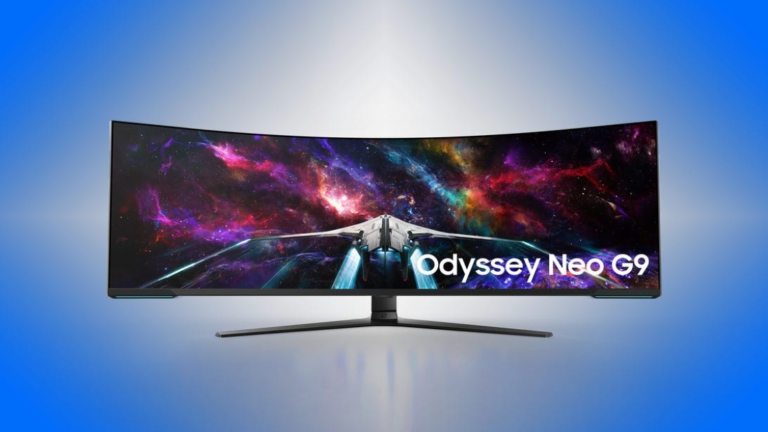
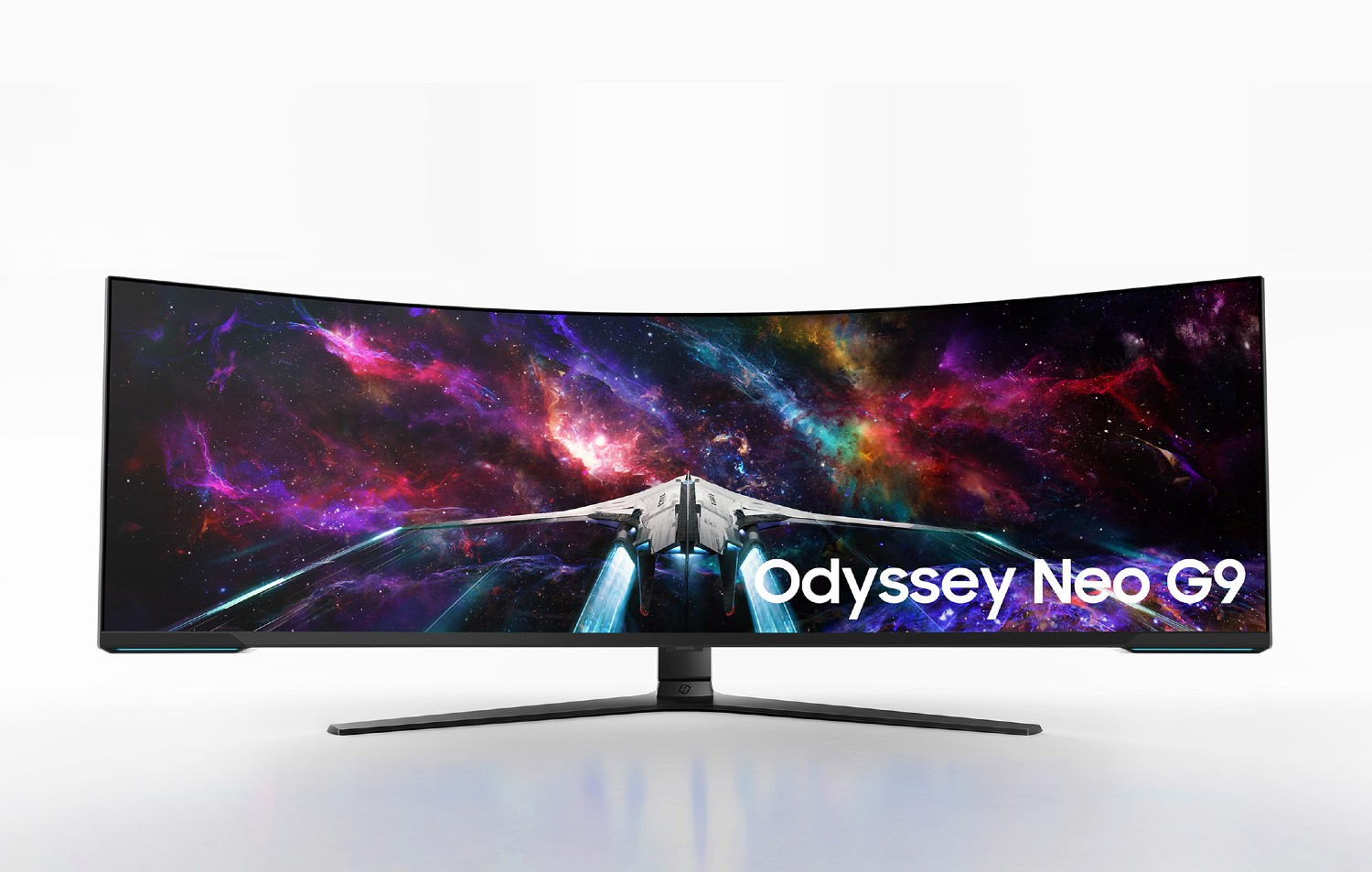
CES is when gaming monitor companies bring out the big guns — and few are bigger than the new 57-inch Odyssey Neo G9, a curved, DisplayHDR 1000 model. Teased by AMD during its RX 7000-series GPU launch in November as the first monitor announced with DisplayPort 2.1 support, the Neo G9 has 7,680×2,160 resolution. The high resolution plus HDR and fast 240Hz refresh rate make the high-bandwidth DP 2.1 essential, even though it’s not a full 8K (it’s a 32:9 aspect ratio).
Unfortunately, there’s still a bit of a disconnect between this level of resolution and GPU performance; at the moment, the only GPU that can handle it with all the frills is probably the Nvidia GeForce RTX 4090, but Nvidia hasn’t leveled up to DP 2.1 (HDMI 2.1 can support it but only at 60Hz). AMD’s RX 7900 XTX does have DP2.1 connections, but isn’t quite up to that level, or might be but just under limited circumstances.
It’s slated to ship later this year, but we don’t know how much this bad boy is going to cost.
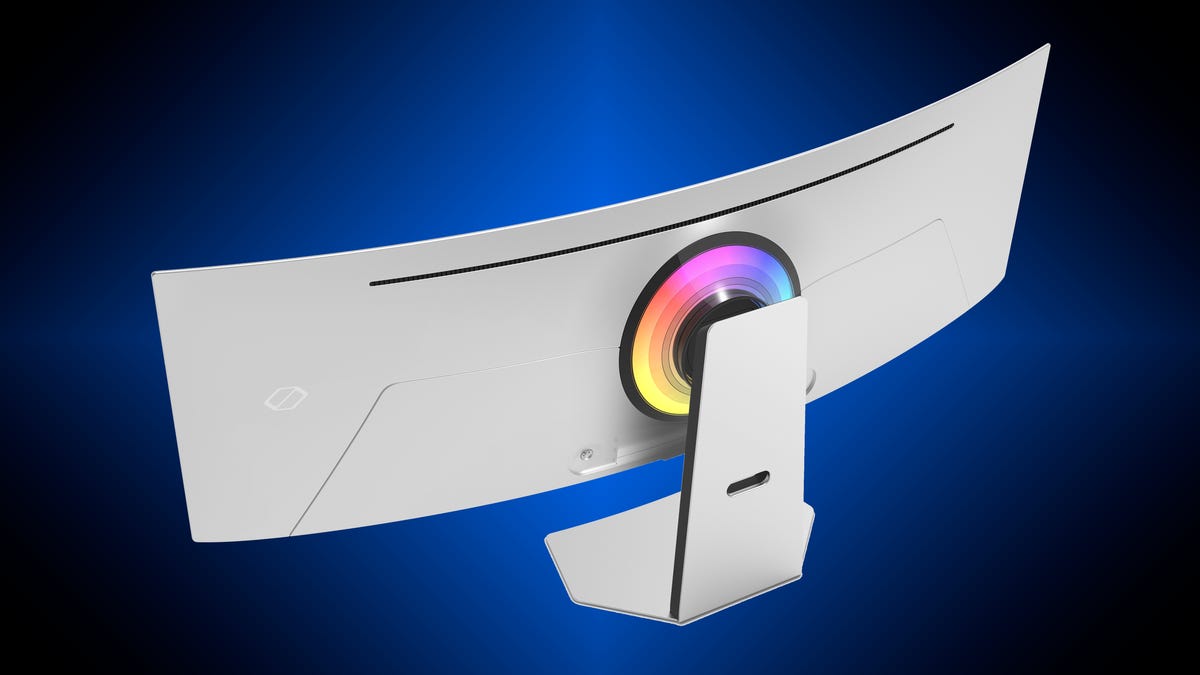
The back of the Odyssey OLED G9
Samsung
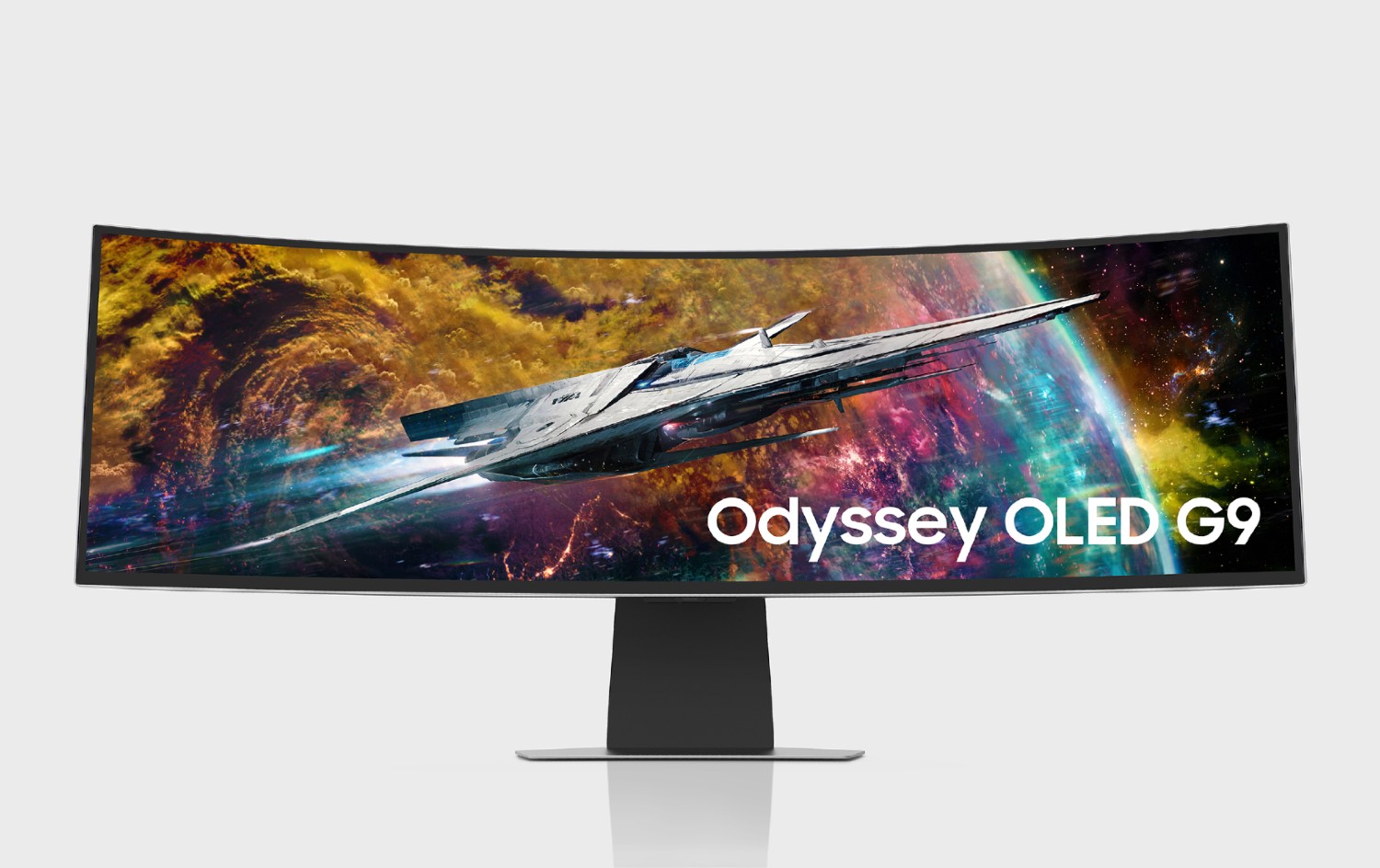
The 49-inch Odyssey OLED G9 (G95SC) isn’t the company’s first Quantum Dot OLED monitor announcement; it unveiled a 34-inch G8 model similar to the Alienware 34 QD-OLED at IFA in August which was supposed to ship by the end of 2022 but that’s been bumped to “very soon.”
In addition to the QD-OLED panel, the G9 has 5,120×1440 resolution — essentially 32:9 1440p but with a better pixel density than the typical 21:9 3,440×1,440 — and is DisplayHDR True Black 400 certified. It also has a faster-than-Alienware’s 240Hz refresh rate and incorporates Samsung’s Gaming Hub for cloud gaming. Samsung opted to go with mini DisplayPort instead of full-size DisplayPort for this model, in addition to HDMI and USB-C with 65w power delivery.
Samsung expects to ship it later this year, and has yet to give us pricing.
A little more mundane, if you consider 43-inch monitors have reached that level of commonplace, the flat Odyssey Neo G7 goes a little sleeker and more gaming-slash-entertainment hybrid than its predecessors. The 144Hz Quantum Dot, DisplayHDR 600-compliant monitor has integrated stereo speakers and comes with a remote and all the streaming-and-gaming apps Samsung’s Hubs can include.
It’s scheduled to ship by the end of March in the US, for as-yet unspecified dollars.
The show kicks off on Wednesday, Jan. 4, and we’ll get episodes each week until March 29. Star Wars fans’ Wednesdays will be packed in March, since The Mandalorian season 3 begins that month.
The Bad Batch season 2 episode release dates and times
Here’s the full release schedule for The Bad Batch on Disney Plus, and we’ll adjust this if the company announces any changes or breaks. New episodes generally arrive at 12 a.m. PT (3 a.m. ET/8 a.m. GMT/7 p.m. AEST).
Where does The Bad Batch sit in the Star Wars timeline?
The show occurs between Revenge of the Sith and A New Hope, in the early days of the Empire’s reign. In terms of animated series, it takes place between The Clone Wars and Rebels (it also happens before live-action show Obi-Wan Kenobi).
All the Star Wars movies and shows are on Disney Plus, so you can catch up as you wish.
Should I watch The Clone Wars before The Bad Batch?
The Bad Batch picks up several plot threads from The Clone Wars’ seven seasons, so you may occasionally find yourself perplexed when characters who clearly have long histories appear. However, you’ll still be able to follow the main stories of the core clone squad, Omega and Crosshair.
You should definitely watch season 1 before jumping into the second — there are 16 episodes, and they’re all available on Disney Plus.
2023’s Best TV and Streaming Shows You Can’t Miss on Netflix, HBO, Disney Plus and More
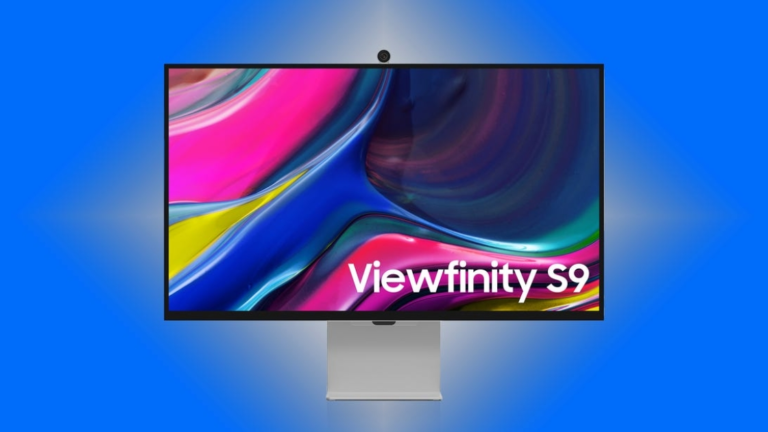
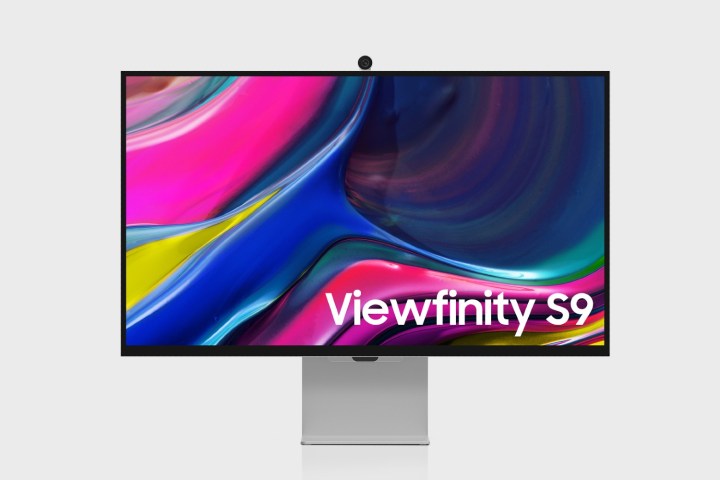
There aren’t a lot of third-party monitors attempting to compete with Apple’s Studio Display, despite that monitor’s shortcomings when you need to use it with different platforms or need multiple or traditional input connections. Samsung’s giving it a go, though, with its new ViewFinity S9 (S90PC), a 5,120×2,880 27-inch model the company says offers “professional-level display performance” (for an unknown level of professional).
It certainly looks similar to the Studio Display, and ships with Samsung’s 4K SlimFit webcam (no speakers as far as I can tell, though). It’s got a full DCI-P3 color gamut, factory calibrated to delta E less than or equal to 2, albeit for unspecified color space(s) — one would assume P3, but that’s not always true. The Samsung Smart TV provides apps for streaming and more.
But it offers some perks over Apple’s model; you don’t have to use a generic VESA mount in order to be able to rotate it to use in portrait orientation; it supports HDR (DisplayHDR 600); and it has HDMI and DisplayPort connections in addition to USB-C/Thunderbolt 4. DHDR 600 support implies it has some level of local dimming for the IPS panel’s backlight. It’s also got a matte screen, which doesn’t cost extra.
The big question for me is how — and how well — the color calibration process works. Samsung says you make adjustments using its SmartThings app or a phone camera in conjunction with a its “built-in Color Calibration Engine.” That’s a big can of ambiguity. Phone cameras are not designed to specifications and tolerances that qualify them as precision colorimeters, among other things. Its color calibration app has been used for TVs, which have different requirements than color-critical monitors. And even then it’s been suggested that you calibrate your phone first — with an expensive colorimeter. The answers to “how” and “how well” usually lie somewhere between what’s suggested by my jaded cynicism and by the marketing pitch.
There’s also the “when” and “how much,” the answers to which are early this year and we don’t know yet.
Samsung also launched a 27-inch version of its Smart Monitor M8 (M80C) to join the existing 32-inch model. It’s essentially the same, with a few tweaks. The SmartThings app now lets you use a mouse, the SmartThings Hub will support the Matter and Home Connectivity Alliance standards starting sometime this year, and when it’s near your phone it will be able to connect via Bluetooth and display the types of things you’d show on a phone’s always-on lock screen. It’s also got an upgraded SlimFit camera jumping a tiny bit from 1080p to 2K.
The first day of CES 2023 is right around the corner, but Samsung isn’t waiting to introduce the world to its new lineup of smart home appliances. Specifically, the Bespoke lineup is now on full display, with new smart refrigerators, smart ovens, and smart washers making an appearance.
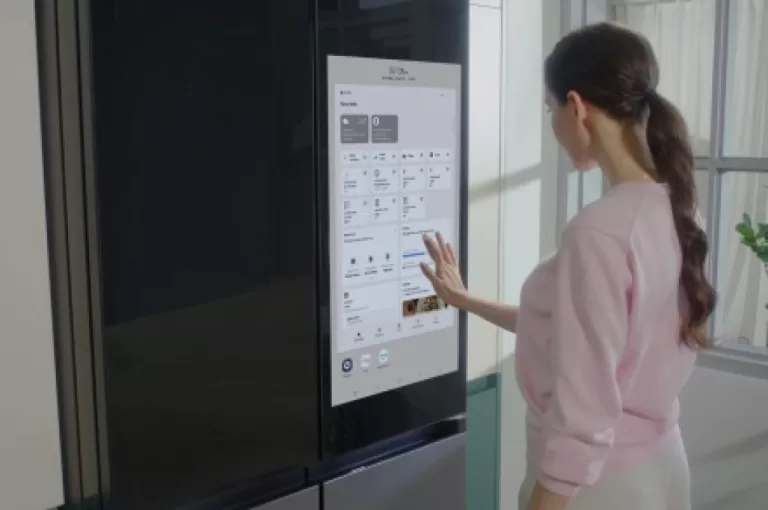
Samsung’s Bespoke lineup has long been a premium choice for smart home shoppers — and that trend looks to continue throughout this year. One of the biggest upgrades is for the Bespoke 4-Door Flex Refrigerator with Family Hub+, which now offers a massive 32-inch touchscreen (up from a 21.5-inch display) that’s embedded directly into its glass panel door. The screen will support the new Family Hub software, allowing you to stream your favorite shows, share photos, or check the status of connected devices.
Other notable features include a Beverage Center hidden away in the top-left door that produces filtered water along with a dual icemaker. There’s even a suite of fancy AI-powered cameras that track your inventory and lets you know when it’s time to restock.
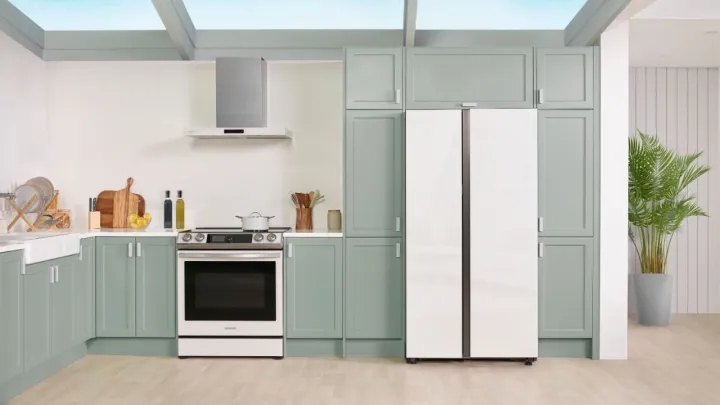
This year’s CES also brought us Samsung’s first Bespoke Side-by-Side Refrigerator, which offers a flat panel design, a Beverage Center similar to the one found in the 4-Door Flex, touch sensors to assist with opening and closing the doors when your hands are full, and complete support for the SmartThings platform.
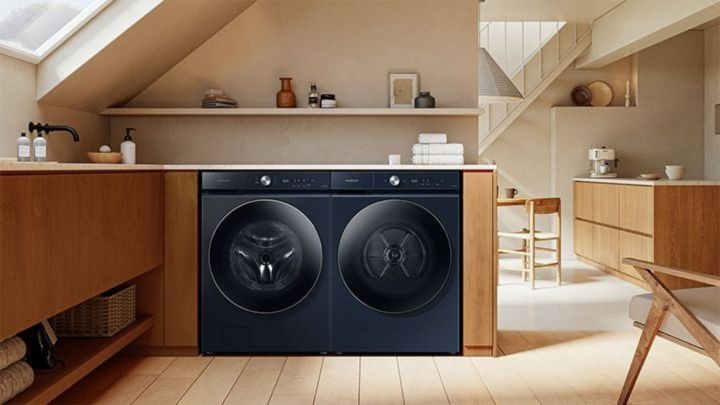
Rounding out the smart home appliance announcements are a Bespoke AI Wall Oven with a 7-inch LCD display, a Bespoke Wall Mount Hood that ventilates up to 700 cubic feet per minute, and a Bespoke Washer and Dryer Pair that use AI to optimize your temperature settings and determine the ideal amount of detergent for each load.
The Bespoke 4-Door Flex Refrigerator is expected to launch in the first half of 2023, while the Side-by-Side will arrive in the first quarter of 2023. If you’re looking to add the Bespoke AI Oven to your smart kitchen, you’ll need to wait until the third quarter of 2023. Expect to hear more about Samsung’s new Bespoke products as CES 2023 continues through the week.
“The Galaxy Z Flip 4 may not be a revolutionary year-over-year upgrade, but it stands tall as one of the best folding smartphones you can buy in 2022. It’s sleeker, faster, and more reliable than ever.”
Pros
Flatter design looks and feels fantastic
Bespoke customization is unmatched
Excellent main display
Blazing fast performance
Good, fun cameras
Cons
Battery still only lasts a day
Limited cover screen functionality
The Samsung Galaxy Z Flip 4 is one of the best folding smartphones you can buy in 2022. Simultaneously, it’s also one of the most boring compared to its predecessor. It’s a fascinating place for the foldable niche to already be. Over the span of only three years, foldables have gone from a breakthrough niche to “just another” smartphone option you can buy. Samsung, specifically, has already gotten so good at the folding formula that it doesn’t have to reinvent the wheel every year. It just has to keep doing what worked the year before.
This year’s Galaxy Z Fold 4 and Z Flip 4 perfectly embody this. But where our Galaxy Z Fold 4 review found some fairly significant changes, that sense of repetition is especially prevalent with the Flip. Compared to the Flip 3, there’s not much new with the Flip 4. It has a slightly tweaked design, a camera that’s a little better, a newer chipset, and a marginally larger battery. It all makes the phone sound quite dull on paper. However, after using the Galaxy Z Flip 4 as my daily driver for the past few days, “dull” is the last word I’d use to describe it.
Is the Galaxy Z Flip 4 a substantial improvement over the Flip 3? No. But is it one of the best foldable phones you can buy today? Absolutely.
Samsung Galaxy Z Flip 4 design
Joe Maring/Digital Trends
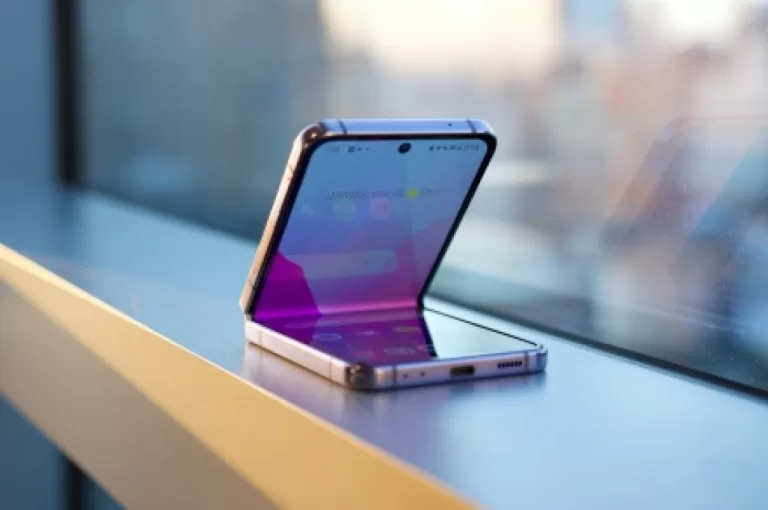
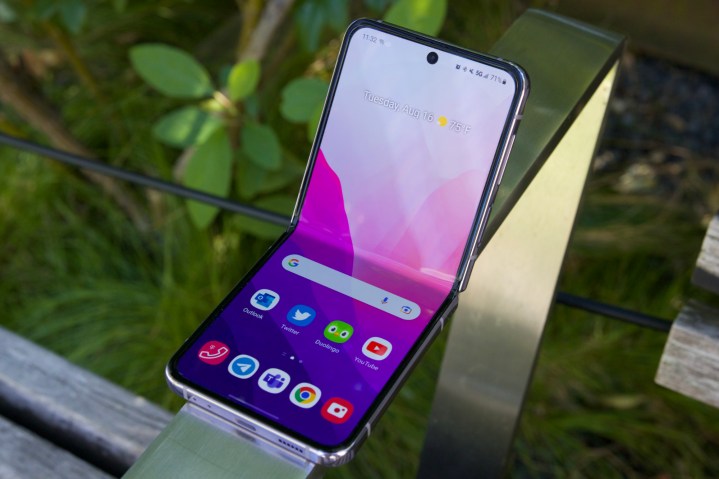
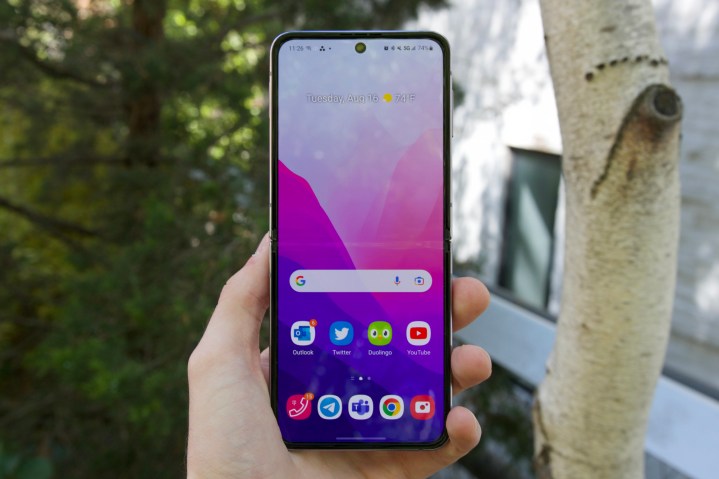
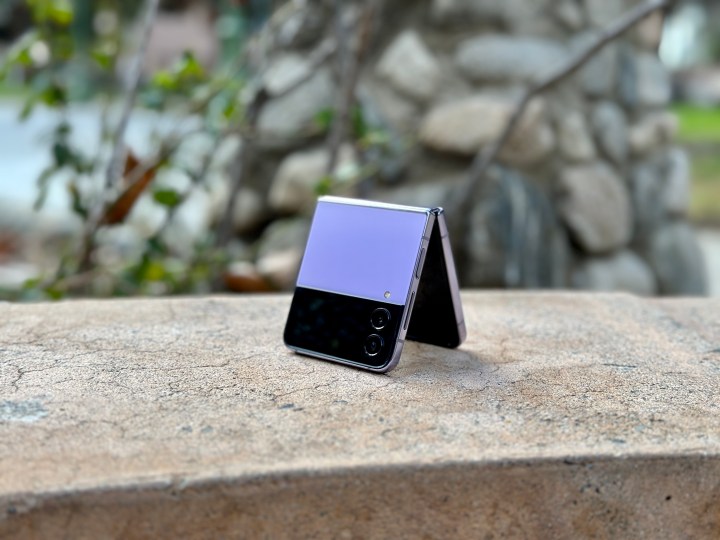
If you’ve seen the Galaxy Z Flip 3 before, you’ll be right at home with the Galaxy Z Flip 4. If you haven’t seen a Flip 3, the Flip 4 is essentially a reimagining of the flip phone for the modern era. When it’s open, the Flip 4 looks like any other smartphone — touting a large display, centered hole-punch camera cutout, and slim bezels. But the magic happens when you close the Flip 4. Snap the phone shut, and its hinge mechanism turns it into a compact square you can slide into the tightest of pockets and the smallest of bags.
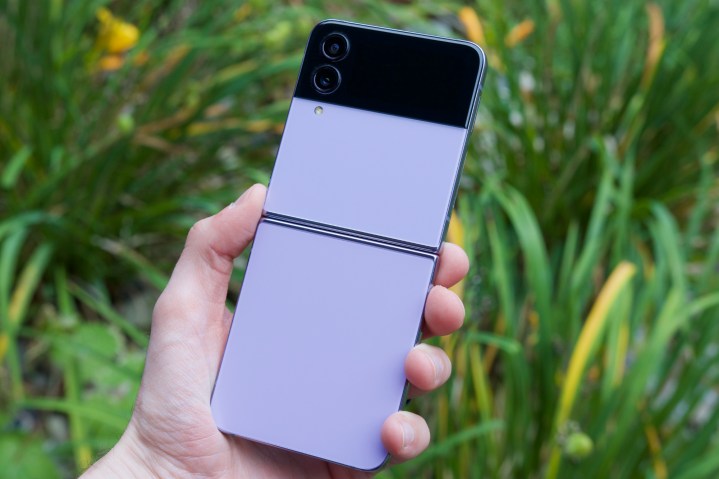
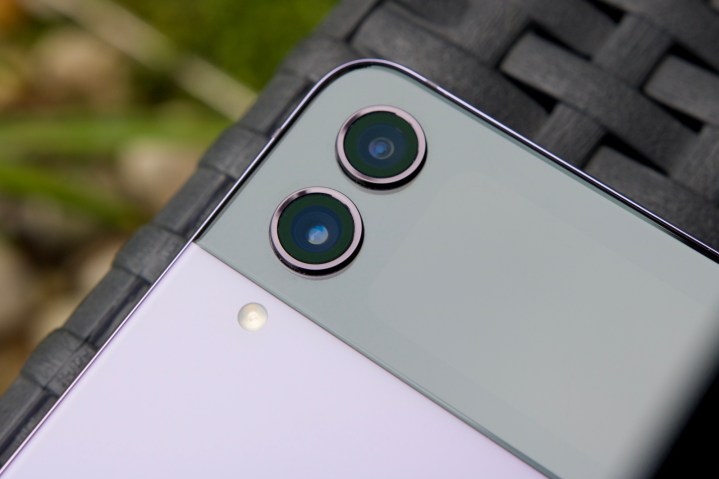
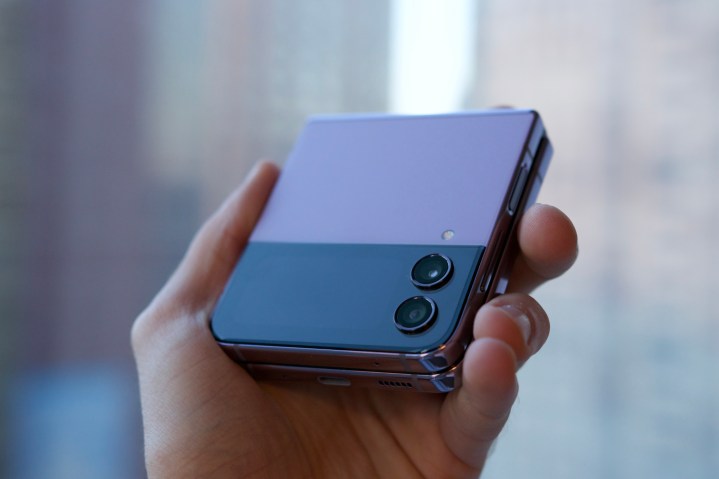
Samsung made a handful of design improvements this year, starting with the Flip 4’s aesthetics. The rear glass panels have a frostier, matte finish compared to the Flip 3, the frame is flatter, and the hinge holding the phone together is slightly smaller than before. On paper, these changes sound like peanuts. But in practice, they take the Flip 3’s already excellent design and make it even better. The matte glass panels feel luxurious while hiding fingerprints, the flat frame gives the Z Flip 4 an even more distinctive look, and the new hinge — as marginal as it is — does give the Flip 4 a smaller overall footprint.
Joe Maring/Digital Trends
Speaking of the hinge, it feels every bit as sturdy and reliable as it did on the Flip 3. Like that phone, Samsung says the Z Flip 4 should survive over 200,000 folds during its lifetime — equating to about 100 folds per day throughout five years of use. While I can’t yet speak to how the hinge will feel after a year or two of constant usage, it’s been a champ during my time with the phone.
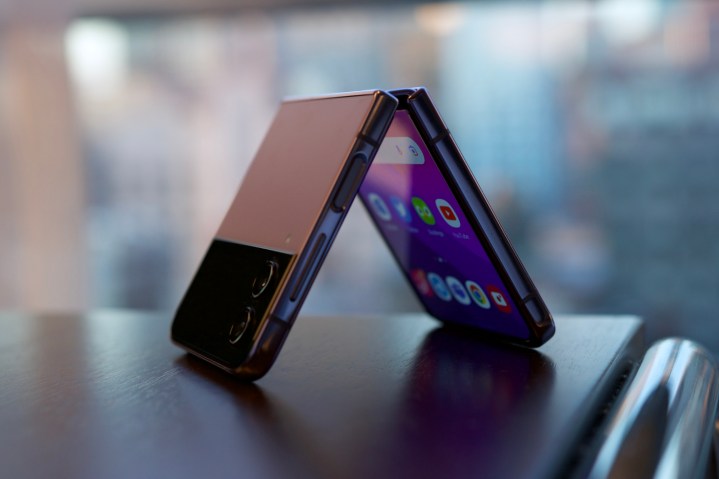
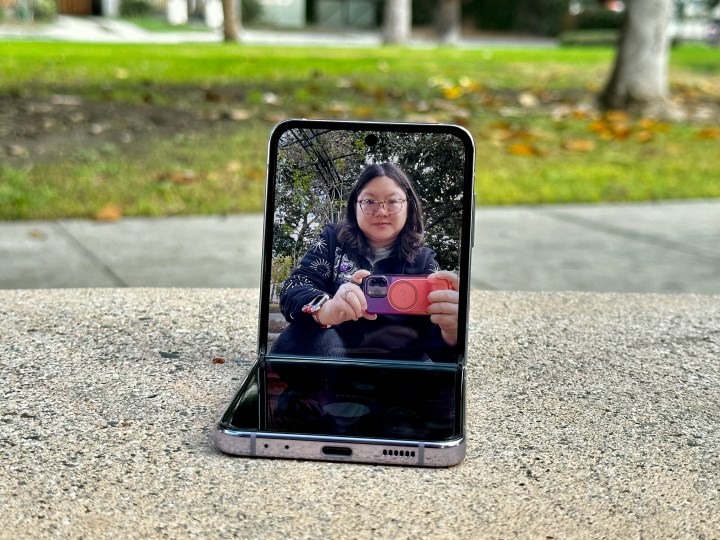
It opens and closes smoothly, though with enough resistance that it doesn’t feel flimsy. The hinge is also strong enough to be propped up at almost any angle, allowing you to sit the Z Flip 4 on a table with the screen up and facing at you — perfect for hands-free movie watching, video calls, etc.
As for the rest of the phone’s durability, the glass panels and cover screen are covered with Corning Gorilla Glass Victus, the frame is Samsung’s own Armor Aluminum concoction, and the entire device is protected by an IPX8 water-resistance rating (enough to submerge it in up to 1.5 meters of freshwater for up to 30 minutes). There’s still no dust resistance, but for a folding phone, the Galaxy Z Flip 4 is about as durable as it gets.
After two weeks of regular use as my go-to handset, the Galaxy Z Flip 4 has held up just as well as any of my non-folding phones. From the glass panels, cover screen, and main display, everything appears to be in tip-top shape. And that’s without babying the phone at all. I’ve tossed it on coffee shop tables, used it while out in a light drizzle, and (frequently) whipped it open with a flick of the wrist. Just like its predecessor, the Z Flip 4 isn’t a phone you have to baby.
The four main colors for the Z Flip 4Andrew Martonik/Digital Trends
As much as I appreciate the Flip 4’s durability, my favorite design trick is its emphasis on style. By default, Samsung’s website and third-party retailers carry the phone in four hues: Bora Purple, Blue, Pink Gold, and Graphite. Bora Purple is the color Samsung sent me, and I think it’s my favorite of the bunch. It’s a muted lavender color that’s distinctive without being obnoxious, and it contrasts beautifully with the black cover screen. Plus, it looks phenomenal next to the Bora Purple Galaxy Buds 2 Pro.
Different panel options for the Bespoke Z Flip 4Joe Maring/Digital Trends
But if none of those colors catch your eye, Samsung’s website also lets you design the Flip 4 using its Bespoke Studio. Here, Samsung lets you pick and choose the exact colors you want for the Flip 4’s front panel, back panel, and frame – resulting in over 70 possible combinations. It’s unlike anything else available today in the smartphone world and is arguably one of the Flip 4’s best features.
This is some of the most fun I’ve had with a phone all year.
Furthermore, there’s the fun factor that naturally comes with a device like the Galaxy Z Flip 4. It’s not something I can measure with benchmarks or technical analysis, but I can confidently say that this is some of the most fun I’ve had with a phone all year.
From snapping it shut after using an app, propping it up on the counter to watch a YouTube video while I cook dinner, or taking a phone call with the phone slightly bent to resemble the handsets of yesteryear, there are so many unique qualities about the Flip 4 that simply can’t be replicated on a non-folding counterpart. That may not mean anything to some people, but to me, it’s made using the Z Flip 4 an experience I look forward to every time I take it out of my pocket.
Galaxy Z Flip 4 screens
Joe Maring/Digital Trends
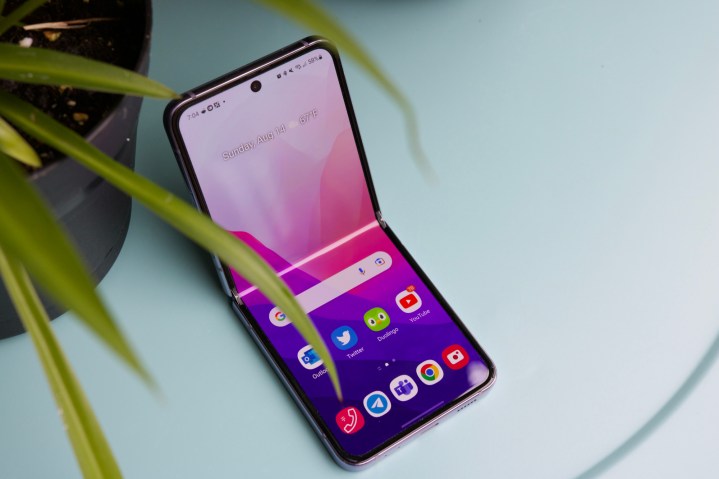
We have two screens on the Galaxy Z Flip 4 to judge, but we’ll start with the one you’ll spend the most time with. When opened, the Z Flip 4 treats you to a 6.7-inch Dynamic AMOLED 2X panel. It’s a screen with a 2640 x 1080 resolution, HDR10+ support, 1,200 nits of peak brightness, and a variable refresh rate that scales up to 120Hz and all the way down to 1Hz.
In practice, the screen on the Z Flip 4 looks outstanding. Colors are lusciously vibrant, viewing angles are excellent, and it gets very bright when you need it. Samsung flagships are famous for having some of the best smartphone screens on the market, and even with the foldable form, the Z Flip 4 is no different.
Joe Maring/Digital Trends
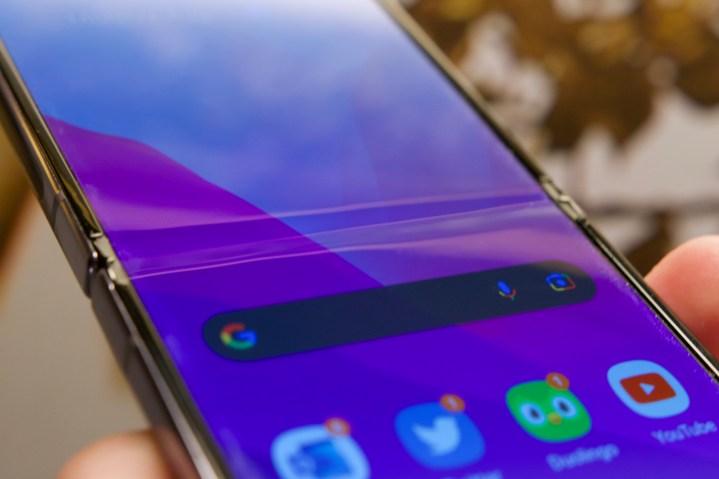
But what about the crease? Every Z Flip handset has a noticeable crease in the middle of the screen where the hinge folds shut, and despite changes to its hinge, the Z Flip 4 is no different — despite what rumors suggested. The crease is still there. You can clearly see it in certain lighting conditions, and you’ll feel it when swiping your finger across it.
But after just a few hours of use, the crease becomes something you subconsciously ignore (just like the notch on an iPhone). I still see it with direct sunlight and feel it when doom-scrolling Twitter, but it’s not something that ever gets in my way of using the Flip 4.
Joe Maring/Digital Trends
And we have the cover screen. Despite rumors of Samsung enlarging the Flip 4’s cover screen, it’s the same 1.9-inch Super AMOLED 512 x 260 resolution screen that we had on the Flip 3. And that means the functionality is mostly the same, too. You swipe right to see notifications, swipe up to access cards in Samsung Wallet, swipe down to adjust a handful of quick settings, and swipe left to view a variety of widgets.
For checking notifications, sending quick replies to text messages, viewing upcoming calendar appointments, or enabling SmartThings scenes, the cover screen on the Flip 4 is great. It also serves as a handy viewfinder, allowing you to take photos/videos of yourself with the main and ultrawide cameras and see what’s in your shot. But I can’t help but wish there was more I could do.
I’d love to be able to reply to Telegram or Microsoft Teams messages, show QR codes/boarding passes stored in Samsung Wallet, view conversations from my messaging apps, etc. Trying to replicate your home screen and all of your apps on a 1.9-inch canvas would be a bad idea, and Samsung’s right not to have done that. But even with the limited real estate, I think there’s still room to grow here. I love using the Flip 4’s cover screen for fast interactions, and I’d love to see it expand a bit more than what’s currently available.
Galaxy Z Flip 4 performance
Joe Maring/Digital Trends
The Galaxy Z Flip lineup has never had a problem regarding internal horsepower. The original Z Flip donned a Snapdragon 855+, the Z Flip 5G had an 865 5G+, and the Z Flip 3 shipped with a Snapdragon 888 — all top-of-the-line Qualcomm chips for their time. The Galaxy Z Flip 4 is no different, coming with Qualcomm’s latest Snapdragon 8+ Gen 1.
As we’ve seen from other phones with the 8+ Gen 1, the Galaxy Z Flip 4 has all of the performance you could ask for. Apps open instantly, menus scroll flawlessly, and graphically demanding games like Call of Duty: Mobile play without a hitch. The Z Flip 4 can heat up during more demanding tasks (such as long gaming sessions or multiple hours of hotspot use), but it never gets to the point where it’s uncomfortable to hold. For a foldable phone this slim, it’s pretty impressive.
The Galaxy Z Flip 4 has all of the performance you could ask for.
The only potential irritant is the Z Flip 4’s available RAM. Just like last year (and the year before), the Galaxy Z Flip 4 has 8GB of RAM for all storage models. It’s enough to juggle a handful of apps at a time, but if you want to be a multitasking champ with a dozen or more apps open at once, 8GB may be a touch too limiting. And if you’re that concerned about multitasking, you’re probably better off with the phone/tablet form factor provided by the Galaxy Z Fold 4 anyway.
Galaxy Z Flip 4 cameras
Joe Maring/Digital Trends
Next, let’s talk cameras. The Galaxy Z Flip 4 has a fairly basic offering in this department — including a 12MP primary camera, a 12MP ultrawide camera, and a 10MP selfie camera. Those are all the same megapixel counts as what you’ll find on the Flip 3, but Samsung says the primary camera on the Flip 4 is 65% brighter this generation.
That’s all to say that the camera experience on the Z Flip 4 is a very minor improvement over the Flip 3. It’s a solid camera package and should serve most people just fine, but this also isn’t a camera system that’ll be dethroning the Pixel 6 Pro or iPhone 13 Pro any time soon.
In typical Samsung fashion, photos straight out of the Galaxy Z Flip 4 are very saturated with big, vibrant colors. They aren’t always the most true-to-life, but they’re eye-catching and ready to share on social media — no editing required. Sometimes this works in the Z Flip 4’s favor, turning what would otherwise be a dull shot into something that pops.
But it can also work against the phone. I’ve noticed that, especially with greens and yellows, the Z Flip 4 has a tendency to oversaturate them to the point that they look artificial.
What about lowlight photography? Thanks to the 65% brighter sensor, the Galaxy Z Flip 4 handles nighttime photos quite well. The photos below were all taken around 9:20 p.m. and well past sunset. Even so, the Galaxy Z Flip 4 manages to brighten the scene so you can clearly make out the green grass, evening sky, and details in the road in the second photo. The third photo of the flowers is a bit soft with the details, but the colors look great.
As for the ultrawide camera, I’ve been mostly happy with its performance. You lose some of the finer detail you’d otherwise get with the 12MP primary sensor, but the 123-degree field of view is convenient, and color reproduction is very similar to the primary shooter — saturated and full of vibrancy. It’s not the most dazzling ultrawide sensor I’ve ever used, but it’s consistent, reliable, and a welcome addition to the Flip 4.
Finally, there’s the 10MP selfie camera. It’s a perfectly adequate sensor and works well for selfies and video calls. But on the rare occasions I wanted to snap a photo of myself, I found I was ignoring the 10MP selfie camera and instead using the 12MP primary camera. Thanks to the Flip 4’s folding design and cover screen, you can easily take photos and videos from the 12MP main and ultrawide cameras and preview them directly on the cover screen. And new this year, you can view the full preview of the photo in its actual aspect ratio, not just a cropped-in version like on the Flip 3.
1.
Photo from Z Flip 4’s 10MP selfie camera
2.
Photo from Z Flip 4’s 12MP main camera
Side by side, the difference in quality between the 10MP selfie camera and the 12MP main camera is easy to see. Both photos were taken seconds apart from each other and in Portrait mode on the Flip 4. The photo from the 10MP camera is fine, but it also has an unpleasing haze throughout and noticeably softer details on my face. By comparison, the selfie from the 12MP main camera has better colors, detail, and was easier to capture while holding the Flip 4 closed.
Andrew Martonik/Digital Trends
And that’s just scratching the surface of how the Galaxy Z Flip 4’s camera system stands out from competing handsets. You can also prop up the Flip 4 on a table or other flat surface and easily capture hands-free photos no iPhone or Pixel can come close to mimicking. On vacation with your partner and want a cute photo together? Just use open the Flip 4 and place it on something in front of you — no hunting for a random stranger to be your photographer required.
It’s because of these unique use cases that I’m less bothered by some of the technical shortcomings of the Z Flip 4’s camera. It’s not the very best out there, but it churns out good-looking photos, handles lowlight situations well, and comes with unique shooting modes none of my other phones have.
Galaxy Z Flip 4 battery life and charging
Joe Maring/Digital Trends
One of the weakest aspects of the Z Flip 3 — if not the weakest — was its battery life. The Galaxy Z Flip 3 was a one-day phone at its best and often required you to look for a charger before the day was over. Hearing the battery complaints loud and clear, Samsung made a couple of key changes with the Z Flip 4. In addition to the more power-efficient Snapdragon 8+ Gen 1 chipset, the Z Flip 4 also comes with a 3,700 mAh dual-cell battery, a 500 mAh upgrade over the 3,300 mAh unit in its predecessor.
The good news? Battery life on the Galaxy Z Flip 4 is markedly better than it was on the Flip 3. The bad news? It’s still only good enough for one full day of use. One of my better days with the Flip 4 saw me end the day at 10:53 PM with 23% battery still left in the tank. That was following 14 hours of total use time with 3 hours and 42 minutes of screen on time — including over an hour of YouTube, 30+ minutes of browsing Twitter, 16 minutes of Reddit scrolling, a 10-minute Duolingo session, etc. Another day saw the phone reach 14 hours and 52 minutes of use time with 15% battery remaining. That was following 2 hours and 23 minutes of screen time consisting of a 30+ minute Teams video call, 30 minutes of Twitter, calling and tracking a Lyft ride, and frequent use of the Delta app while jumping on a couple of flights.
You can more comfortably get through a full day on the Flip 4 than you ever could with the Flip 3, but a single day of use is still where the phone tops out. If you need a phone to last a day and a half or two days per charge, you’ll want to steer your attention towards devices like the Asus ROG Phone 6 and Zenfone 9.
You can more comfortably get through a full day on the Flip 4 than you ever could with the Flip 3.
Also improved on the Galaxy Z Flip 4 is wired charging. Where last year’s Flip 3 maxed out at 15W wired charging speeds, the Flip 4 cranks things up to 25W. It’s a far cry from phones like the OnePlus 10T delivering up to 150W charging, but it’s a welcome improvement nonetheless. 10 minutes of charging takes the Flip 4 from 5 – 23% battery, 25 minutes gets you from 5 – 47%, and going from 5% remaining to a full 100% battery takes about an hour and 16 minutes. And if you aren’t in a hurry, the Galaxy Z Flip 4 also supports 10W wireless charging (plus 4.5W reverse wireless charging).
Galaxy Z Flip 4 software
Joe Maring/Digital Trends
The Galaxy Z Flip 4 ships with Android 12 and Samsung’s One UI 4.1.1 interface layered on top. It’s also backed by Samsung’s usual update promise, meaning you can expect four major Android updates and five years of security patches.
If you’ve used a modern Samsung phone within the last couple of years, you’ll be right at home with the software experience on the Flip 4. Samsung’s One UI aesthetics aren’t my personal favorite, but the interface is fast, fluid, and keeps everything feeling snappy. And as is the case with all Samsung phones, there are ample features/settings to keep you preoccupied. You can change the shortcuts that appear on the lock screen, enable Edge panels for handy app shortcuts, use Link to Windows for seamless device syncing with your PC, add custom shortcuts for the power button, run apps in a windowed view on your screen, etc.
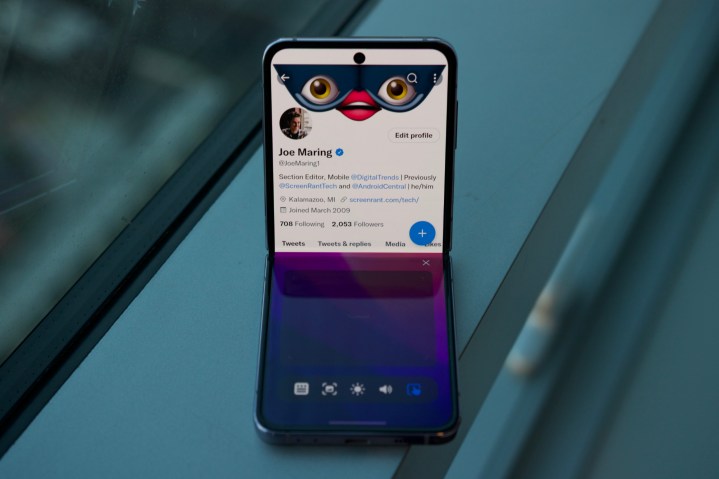
In addition to the usual array of Samsung features, there are also a few tricks exclusive to the Z Flip form factor — the most notable being the “Flex mode panel.” If you enable Flex mode for an app and open that app with the Z Flip 4 propped upright, the app moves to the top portion of the screen and leaves the bottom half available for various controls. From the bottom half of your screen, you can view the notification panel, take a screenshot, change the brightness/volume, or use the bottom part of the screen as a trackpad for navigating the app shown above.
Joe Maring/Digital Trends
Not every application formats nicely in Flex mode, but I do love that Samsung lets you try it with any app you have to see what works and what doesn’t. It’s not something I use all the time, and the practicality of the feature is often questionable at best, but I still like that it’s there. Plus, for certain applications like YouTube and the camera app, they’ll automatically shift UI elements around when half-folding the Flip 4. The Fold 4 remains the go-to foldable for anyone trying to make the most out of their device’s screen real estate, but I do appreciate Samsung putting these tools at your disposal so you can really do whatever you’d like with the Flip 4’s unique design.
A second opinion on the Samsung Galaxy Z Flip 4
Christine Romero-Chan / Digital Trends
As someone who has been an iPhone user most of her life, Digital Trends’ Mobile Staff Writer, Christine Romero-Chan, has been enjoying her time with the Samsung Galaxy Z Flip 4. In fact, though she has been skeptical of folding phones before, her time with the Galaxy Z Flip 4 has turned her into a believer, and she’s excited about all the possibilities a folding phone can bring.
She thinks that the Samsung Galaxy Z Flip 4 is the perfect compact size, as it can fit nicely in her front pockets (women’s clothes are notorious for tiny pockets) when closed. It makes more sense than a foldable that opens up into a small tablet size, at least. However, she does think that it’s a little difficult to open up the Flip 4 with one hand and use it single-handedly when one has smaller hands. Of course, the crease can be irksome since it’s always visible, and you’ll feel it when you touch the screen, but that’s a problem with most foldables — at least until the technology for folding displays improves, like on the Oppo Find N2.
Christine Romero-Chan / Digital Trends
Still, one of her favorite things about the Samsung Galaxy Z Flip 4 is the ability to use it half-open in Flex mode, which is perfect for photography. Since one of the things Christine does most with her phone is taking pictures, being able to prop the camera up without the need for third-party accessories is a huge advantage. Flex mode is great for hands-free photography, and you can even use the 1.9-inch cover screen as a viewfinder for selfies, which is also incredibly handy. Speaking of the cover screen, she’s a fan of how informative it can be, despite the minimalism, allowing you to get information in a quick view without having to open the device.
The Samsung Galaxy Z Flip 4 is not perfect by any means, but it is a great foldable phone for anyone who is intrigued and willing to give it a try.
Samsung Galaxy Z Flip 4 price and availability
The Samsung Galaxy Z Flip 4 starts at $1,000 in the U.S. for the base model with 128GB of storage. You can upgrade to 256GB or 512GB if you need more room, but doing so will set you back $1,100 and $1,220, respectively. The phone is available for purchase now.
As the story often goes with Samsung phones, however, the retail price isn’t what you’ll end up paying. Whether you buy the Z Flip 4 direct from Samsung, through your carrier, or from a third-party retailer like Amazon or Best Buy, chances are you’ll find some sort of promotion to make the phone considerably more affordable.
The Samsung Galaxy Z Flip 4 is the foldable you should buy
Joe Maring/Digital Trends
I understand why some people have dismissed the Galaxy Z Flip 4 as a “boring” phone this year. It’s about as iterative as a yearly update gets. Other than a slightly tweaked design, an upgraded chip, a larger battery, and a faster charger, it’s effectively the same Z Flip that Samsung released last year. But that’s precisely why the Z Flip 4 works so well.
Of the ‘fold’ and ‘flip’ foldable designs that the industry has seemingly settled on, the Galaxy Z Flip 4 is the best damn version of the latter you can buy. The refreshed design looks and feels as good as I could have hoped for, the hinge feels fantastic, the processor has more power than you could ever need, and the display looks amazing. I wish Samsung could have extended battery life even more and really taken the cover screen to the next level, but even without those things, the Z Flip 4 is still a joy to use.
If you want a flagship with industry-leading cameras, multi-day battery life, or lightning-fast charging, there are plenty of other options for you to choose from. But if you’re OK sacrificing some of those things for a design unlike anything else, the Galaxy Z Flip 4 is the best in its class. It’s not the most technically impressive phone in every single category, but it’s stylish, adorable, and fun in ways that traditional slab smartphones will never be able to match. And the areas where the Flip 3 struggled — such as battery life and charging — are noticeably better on the Flip 4. Combine that unique approach with precision execution in so many categories, and the Galaxy Z Flip 4 stands tall as one of my favorite smartphones of the year. No matter how boring it’s supposed to be.
Samsung today unveiled a brand-new high-spec monitor, just ahead of the beginning of CES 2023. The Viewfinity 5K is the latest release in the Viewfinity range and boasts a number of eye-catching specs that could appeal to demanding, pro-level users — especially those that might be considering an alternative to Apple’s Studio Display.
As the name suggests, this monitor comes with a 5K resolution, making it one of the company’s most pixel-heavy displays. Its 16:9 panel is fitted inside a slimline 27-inch metal frame and features IPS technology for strong viewing angles and color accuracy. Speaking of which, the Viewfinity 5K has a wide color gamut (99% DCI-P3), which lends itself to color-accurate work.
There’s even a way to bring your smartphone into play thanks to the monitor’s Smart Calibration feature. This lets you point your phone’s camera at the display and use Samsung’s companion app to calibrate the monitor in order to score the perfect image quality.
Given its high-end spec sheet — and the rivalry between Samsung and Apple — comparisons to Apple’s Studio Display seem apt. Both are 5K, include a webcam, and feature some very slim bezels.
The Viewfinity 5K’s HDR rating of 600 means it can get plenty bright too, though it’s not clear yet if that is an official VESA specification or not. At the time of writing, we also don’t know the Viewfinity 5K’s contrast ratio, but since this is a conventional IPS panel, don’t expect anything that can compete with OLED.
It’s also a little disappointing that Samsung isn’t offering a mini-LED or OLED option. Sure, that would have pushed the price up considerably, but when it comes to image quality, nothing else compares. While the panel in the Viewfinity 5K still sounds impressive, we would have loved to have seen it switch out the IPS for something even better, as the company is doing with its new Odyssey gaming monitors.
Interestingly, the Viewfinity 5K has a matte finish rather than a glossy one. Matte screens tends to reduce how bright and clear monitors appear, but gives you the advantage of reducing glare and reflections.
Still, there are plenty of options if you want to hook up peripheral devices. The Viewfinity 5K comes with support for Thunderbolt 4, USB-C, DisplayPort and HDMI 2.1, and can support 96W of Power Delivery, meaning it can juice up most laptops. It can also comes with lots of adjustability, including the ability to flip vertical into portrait mode.
There are other handy extras, including a detachable 4K webcam that can automatically center subjects in the frame, and the Viewfinity 5K doubles up as a smart TV platform too.
Right now, pricing hasn’t been announced, but we expect this to be a fairly expensive monitor. Samsung says it will be available sometime in early 2023.
In addition to the Viewfinity 5K, Samsung has also announced an update to its TV-like Smart Monitor M8, which made its own splash last year at CES. The new model, the M80C, comes in a new 27-inch size (the original was 32 inches) and updates some of its smart features. All without a PC connected, a new feature called “My Contents” brings photos, schedules, and weather to the screen’s ambient display, while a SmartThings Hub has also been embedded for controlling smart devices from the monitor.
Pricing and availability for the Smart Monitor M80C has not yet been announced.
Samsung’s CES 2023 gaming monitors range from curved QD-OLEDs to 8K behemoths
Samsung is convinced you need a bigger gaming monitor — or at least, that’s what its CES 2023 lineup suggests. The company introduced four new monitors to its Odyssey gaming line, ranging from a 34-inch ultrawide monitor up to its 8K 57-inch monster.
It’s an interesting move considering CES is also bringing the first 27-inch OLED monitors from LG that have been the talk of tech for the past couple of months. But for now, Samsung has just two Odyssey OLED monitors it’s introducing: a 34-inch model and a 49-inch model.
Unlike the surge of new 27-inch OLED gaming monitors, Samsung’s first OLED monitors use its own QD-OLED panels, first introduced in the Alienware 34 QD-OLED, which launched last year. QD-OLED is Samsung’s long-awaited answer to LG OLED, and so far, it’s proven to be a serious contender.
The SamsungOdyssey G95SC 49 is the most interesting of all these new monitors. It takes the form factor of the Odyssey Neo G9 and throws an OLED panel into the mix. That means it’s a 32:9 super-ultrawide monitor with an 1800R curve that essentially stacks two 1440p monitors side-by-side (what Samsung calls “dual QHD”), for a total resolution of 5120 x 1440. It comes with the same 240Hz refresh rate as the Odyssey Neo G9 as well.
The Odyssey OLED 34 is a little tamer — a 21:9 ultrawide monitor with a 175Hz refresh rate. According to Samsung, both monitors come with a 0.1ms response time and HDR True Black 400. All this matches what we saw on the Alienware 34 QD-OLED, which is no surprise. Samsung didn’t mention if this is an official DisplayHDR certification or not, though. The company skirted that certification process with last year’s Odyssey Neo G8.
Beyond just a new panel, these new OLED monitors feature a refreshed design too. The stand is wider, and the base shouldn’t take up quite as much space as with the G8. The branding on the rear is a bit less bombastic too. The simpler design looks much cleaner, as does the circular RGB ring at its center.
Samsung Odyssey Neo G9 8K monitor
Although Samsung has a new monitor in the 49-inch 32:9 category, the Odyssey Neo G9 isn’t going anywhere. This monitor was teased by AMD last November as one of the first 8K monitors on the market, and it’s even crazier than what our first look suggested.
Obviously, the 8K resolution is the stand-out feature, enabled by the DisplayPort 2.1, which doubles data transfer speeds to allow for the bandwidth to do 8K. Whether or not your PC can handle that many pixels is another question, though, especially since only AMD’s latest GPUs support the feature.
The Odyssey Neo G9 is a 57-inch 32:9 monitor with a 1000R curve that puts two 4K displays side by side, for a total resolution of 7680 x2160. Even with the boosted resolution, Samsung is maintaining a super-high 240Hz refresh rate and 1ms response time. It’s not OLED, but the updated new Odyssey Neo G9 does use mini-LED backlighting, which Samsung says gives it a contrast ratio of 1,000,000:1.
Wide aspect ratios are the staple of Samsung’s new Odyssey lineup, short of the Odyssey Neo G7. The 2023 model uses a traditional 16:9 aspect ratio, but it’s 43 inches big. Samsung seems to be targeting this more as a TV, as it includes a 2.2-channel speaker system and Samsung’s smart TV operating system.
The Odyssey Neo G9 is certified by VESA for Display HDR 1000, and Samsung says delivers “superior imaging in any game environment, from shadows to bright scenes.”
Both the Odyssey Neo G9 and Odyssey OLED G9 include adaptive sync and AMD FreeSync Premium. They both also comes with Samsung Smart Hub and Game Hub. That gives you direct access to streaming video apps like Prime Video, Netflix, and YouTube without even connecting to a PC. Similarly, Game Hub let’s you stream games from Xbox and Nvidia GeForce Now.
Both monitors also include USB-C charging up to 65 watts.
Samsung says the Odyssey Neo G7 will be available in the first few months of 2023, while the Odyssey Neo G9 will come later in the year. It’s not clear exactly when we’ll see the two OLED monitors, but Samsung says they’ll come some time later in 2023.
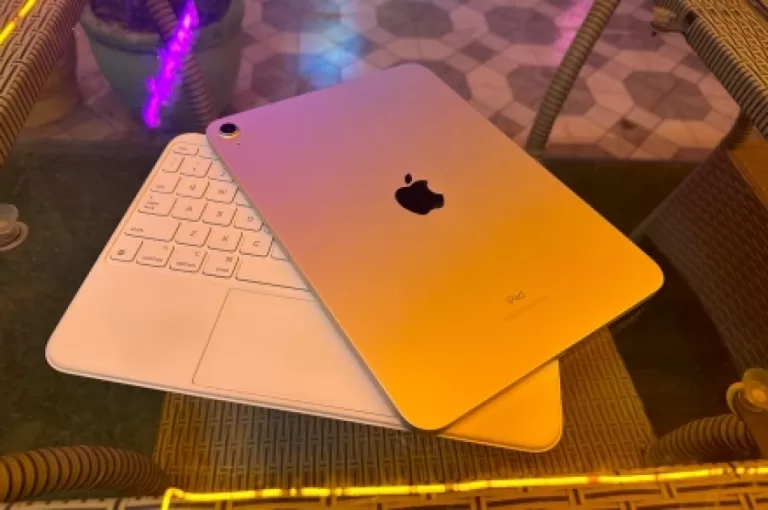
I love using the iPad as my primary computer. No self-respecting digital nomad should be allowed to say those words. At least not in 2022, when iPadOS is still miles behind macOS, primarily because of Apple’s walled-garden approach to the iPad app ecosystem.
But after spending well over $800 on the whole kit with the new Magic Keyboard Folio and Apple Pencil, maybe I’ve downed the bitter potion of its cons and learned to love it. Or, to put it more accurately, be at peace with its limitations. Whatever way you put it, this sleek tablet is impressive, and infuriating, to the same measure.
Performance champ, middling execution
Nadeem Sarwar / DigitalTrends
I’ll start with the performance aspect, which has pushed the 10th Gen iPad towards a maddeningly weird bottleneck from various directions. On the Geekbench 5 benchmark test, it actually finished the test before the Samsung Galaxy S22 Ultra with the Snapdragon 8 Gen 1 and scored far higher.
The A14 Bionic – a two generations-old processor – put up 1,594 (single-core) and 4,187 (multi-core) in the CPU tests. Samsung’s best could only muster 900 and 3018 points on the single-core and multi-core tests, respectively.
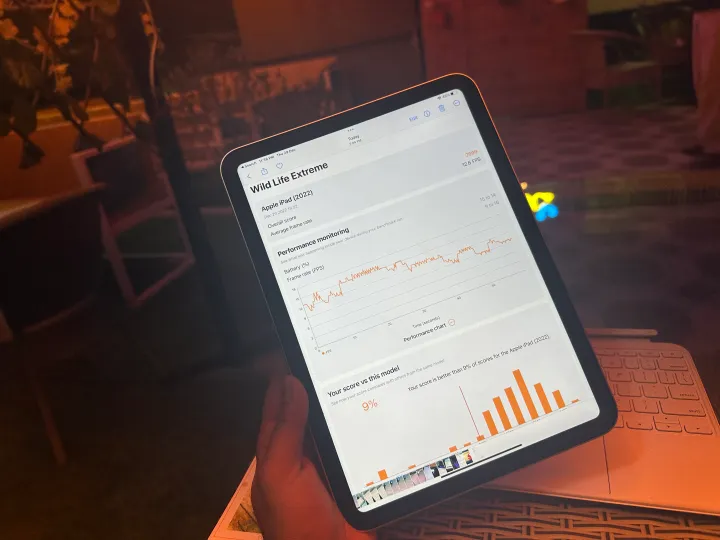
The performance gulf is also visible on the graphics processing side of things. On the 3D Mark Wild Life Extreme test, the iPad again edged past the Snapdragon 8 Gen 1-powered Galaxy Tab S8, at both the overall graphics score and frame rate. metrics.
More importantly, it proved to be significantly better at retaining high frame rates under stress with a less drastic dip in performance. In simple words, you will come across fewer stutters and frame drops while gaming on the iPad compared to an Android tablet.
Nadeem Sarwar / DigitalTrends
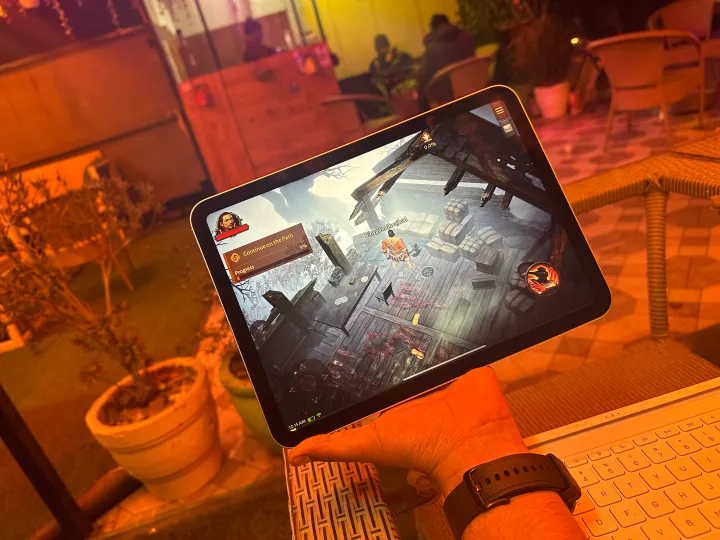
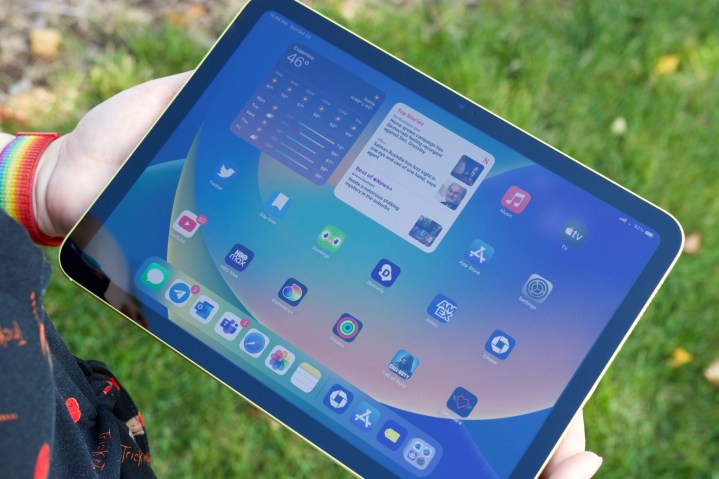
The iPad (2022) has all the firepower in the world to crush every single game and even handle video editing apps like DaVinci resolve. I had my video editor friend try some quick vertical video edits on the iPad, and he remarked that this $450 tablet has no right to be able to do that.
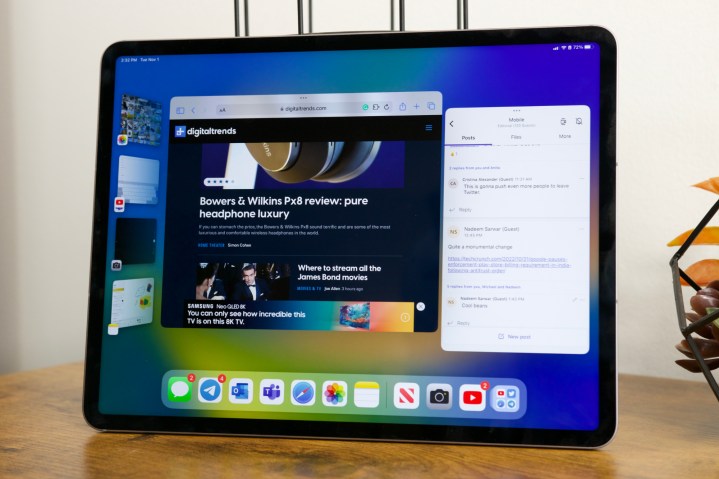
That makes me wonder — why is Apple serving a watered-down version of iPadOS 16 on the 10th Gen iPad, compared to the Air and Pro models? For example, you don’t get Stage Manager on the iPad, because it’s exclusive to the M1 and M2-powered tablets. It’s another day’s debate that even on those iPads, it’s not a very rewarding experience.
I am not sure what exactly the compute and graphics requirements are for Stage Manager, and for the ability to use it by connecting to an external display, but it seems strange to me that the A14 Bionic isn’t powerful enough to handle it. I clearly remember WWDC 2020 when Apple proudly showcased a Mac based on the A12Z Bionic processor, powering its shift away from Intel to its M-series silicon.
Stage Manager running on the iPad Pro (2022)Joe Maring/Digital Trends
This company pulled off a monumental computing ecosystem transition and used the 2020 iPad Pro’s A12Z chip to show off its silicon chops, but claims that the A14 Bionic can’t run a certain feature called Stage Manager. Alright, maybe external display support is asking too much for a $450 tablet.
But at least Apple should’ve offered a diluted version of Stage Manager by limiting the number of apps you can run in the background, cutting down on the animation work, and a few other tweaks. Apple already plays this game with the camera capabilities on its Pro and non-Pro iPhones.
Implementing something similar on the software side for the iPad doesn’t sound implausible. I’d much rather have the user decide whether an experience is good or bad enough for them, instead of never experiencing it in the first place.
Samsung Galaxy Tab S8 offers a far more versatile window management experience despite packing a weaker processor.Nadeem Sarwar / DigitalTrends
Stage Manager, however, isn’t the only forbidden fruit for the 10th-gen iPad. With Stage Manager out of its reach, one of the most troubling iPadOS 16 limitations also comes to the forefront — poor window management. There’s no free-form window resizing ability or overlapping windows.
There’s no concept of a focus app or quick access to those running in the background. The iPad so happily trounces the Samsung Galaxy Tab S8 at raw performance, and yet, the Samsung tablet handles window management and split-screen multitasking astronomically better than its Apple rival.
Pricey, yet lacking goodies
Joe Maring/Digital Trends
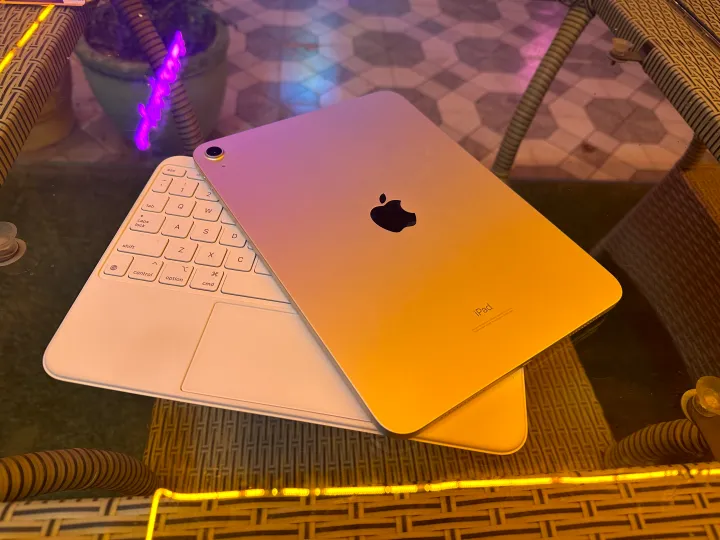
Why build a whole ecosystem of computing products, such as a far better keyboard folio with a godsend function key row, when the software itself struggles to keep up? Plus, that hardware doesn’t come cheap, in typical Apple fashion. Apple wants you to pay $249 for its Magic Keyboard Folio case, while the excellent Logitech Combo Touch costs just $160.
Despite being cheaper by a healthy $90, the Logitech keyboard races ahead in a few meaningful ways. First, this keyboard is backlit. Second, the kickstand offers more degree of angle adjustment. Third, it has a rubber grip around the tablet part, offering much better protection.
Plus, there’s a neat loop at the top to hold the stylus. By the way, if you also buy Logitech’s cheaper (by $30) Crayon stylus, you will be saved from Apple Pencil’s $9 dongle hell, too. Actually, let’s forget the computing sins of the iPad, and focus on the more tangible side of things.
Hobbled hardware
Joe Maring/Digital Trends
This is still the good ol’ iPad; a reliable video-watching machine. Unfortunately, I don’t know a lot of people that watch a movie on an iPad with its speakers blasting at full volume, not at home with people around, and certainly not in public places.
A 3.5mm headphone jack seems fundamentally crucial to the “perfect multimedia machine” image of the iPad, and yet, it’s missing. I know we live in the era of Bluetooth earbuds, but only the expensive ones can last you about four, or more, hours on a single charge.
But even these pricey earbuds have a very real battery degradation problem. My two-year-old AirPods can barely last two hours on a single charge, which is not enough to watch a James Cameron movie, and definitely not worthy of a Netflix binge-watching session.
Should you then spend $179 to get new, longer-lasting AirPods 3 to justify the iPad’s “media consumption machine” creds? I would advise against doing that. Bring back the era when I could plug in my $30 JBL earphones into my phone, tablet, and PC!
Let’s talk a bit about the display, too. It’s bigger this time, but it’s non-laminated. There’s a gap between the top glass layer and the display elements underneath. It feels plasticky, and there’s a noticeable flex when you press it as you inch closer to the center. I haven’t noticed such quality compromises on a $300 Android tablet from a Chinese brand.
Joe Maring/Digital Trends
A non-laminated display also delivers a sub-par stylus experience. You might not feel it right away, but once you experience the fluid feel of scribbling on the iPad Pro or Air, you will notice a sense of lag and trailing while sketching on the 10th-gen iPad. Also, the stylus compatibility is limited to the first-gen Apple Pencil, and the charging situation here is absolutely horrendous.
The lack of a good anti-glare coating means it’s a little too reflective, and that’s really annoying. Plus, the raw brightness output isn’t high enough to compensate for that. Moreover, it’s easy to notice the brightness shift when looking at the screen from different angles.
This could have been a great tablet
Nadeem Sarwar / DigitalTrends
I’ve extensively used the iPad over the past few weeks, pushing it in every way I can. But despite all its goodness, the compromises and wilful omissions made by Apple keep me from loving and recommending this machine. Of course, Apple likely sold it by the bucketload this holiday season, but it’s getting harder to recommend the vanilla iPad with each passing generation.
For all its promises, Apple appears to be the 10th-gen iPad’s own worst enemy. The hardware situation can’t be fixed, but I dearly hope that Apple can redeem it in the coming months with some meaningful software-side upgrades.
What just happened? Elon Musk can claim many things: the world’s second-richest person, owner of Twitter, CEO of several multi-billion-dollar companies. But there’s one title he’s unlikely to want; Musk is the first person in history to see $200 billion erased from their net worth.
In 2021, Musk became only the second person ever to amass a personal fortune of $200 billion—Amazon’s founder and former CEO Jeff Bezos beat him to that milestone. The Tesla boss continued to see his value climb that same year, reaching a peak of $340 billion in November 2021, one month after Tesla’s market cap hit $1 trillion.
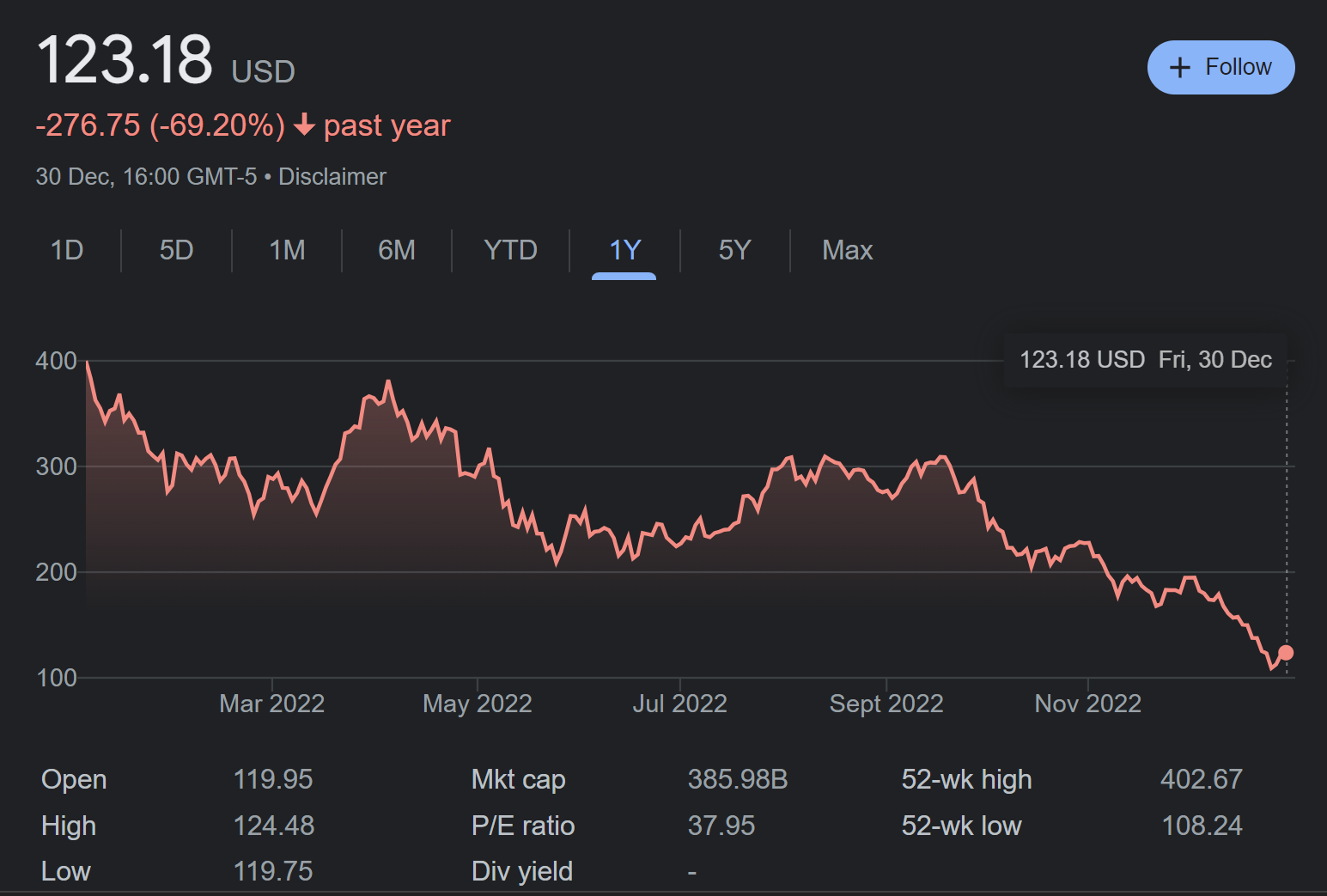
But Musk’s fortunes have taken a downturn in recent times. Much of his wealth is tied to ownership of Tesla shares, which have fallen from $381 in April to their current price of $123. It meant Musk lost his title of the world’s richest person to Bernard Arnault, chairman of French luxury conglomerate LVMH, in December. And as Bloomberg notes, Musk’s current fortune of $137 billion means his wealth has dropped by $200 billion, the first time in history this unwanted feat has happened.
Many Tesla investors are placing the blame for the company’s falling share price firmly on Musk and his preoccupation with Twitter. The CEO has sold almost $40 billion of his Tesla shares over the last 12 months, despite promising not to offload more on several occasions. The selloffs mean his SpaceX shares ($44.8 billion) are now worth more than his Tesla stock ($44 billion).
Tesla’s tumbling share price over the last 12 months
It appears that Musk is trying to distance himself from the day-to-day running of Twitter by appointing a new CEO—one of his recent polls saw more people vote in favor of him stepping aside—though he’s still trying to find someone “foolish enough” to take the job.
Unsurprisingly, Musk has been dismissive of reports about Tesla’s falling stock price. He’s also criticized the federal reserve for raising interest rates. “Tesla is executing better than ever!” Musk tweeted last month. “We don’t control the Federal Reserve. That is the real problem here.”