

With Nearby Share Beta, quickly transfer photos, videos, documents, audio files or entire folders between your Android device and Windows PC.
How do I send files between my computer and my Android device?
Once the Windows app is installed, make sure it’s visible to your Android device, then start sharing. Nearby Share uses Bluetooth, Bluetooth LE, WebRTC, and peer-to-peer Wi-Fi to allow users to share files and links between devices.
How do I install Google Nearby Share on my Android device?
Nearby Share is already installed on all modern Android devices. For Windows PCs, you need to download and install the Nearby Share app so you can transfer files more easily between the two platforms.
Can I use Nearby Share to send files to other Google accounts?
Yes, you can send files to anyone that has Nearby Share turned on, with their devices discoverable to you.
How secure is Google Nearby Share?
Before receiving a file you will always be asked to confirm the transfer. As a receiver, you will always have full control over who can discover and share any file with you. According to Google, all Nearby Share transfers are protected by end-to-end encryption.
Features
Share how you want.
- Nearby Share Beta for Windows was designed with safety and privacy in mind. That means you have control over who can discover your device and send files, whether it’s everyone, only your friends and family or just your own devices.
View on a bigger screen.
- Whether you want to edit your photos on a larger screen or organize your digital folders, it’s easy to transfer your files straight to your PC.
- Securely transfer photos, videos, documents and more straight to your PC.
- You can even send entire folders with just a few taps.
Take your files on the go.
- Make emailing yourself a thing of the past. Securely transfer files from your PC to your Android device and take them on the go.
- Send photos, screenshots, videos and documents to your Android device using Nearby Share Beta.
- Easily send via drag-n-drop or right click and select “Send with Nearby Share”.
Start sharing.
- Step 1. Download the app, then install it to your Windows PC.
- Step 2. Sign into your Google account and set your Device Visibility preferences to choose who can share with you.
- Step 3. Send and receive content effortlessly across your Android device and Windows PC.
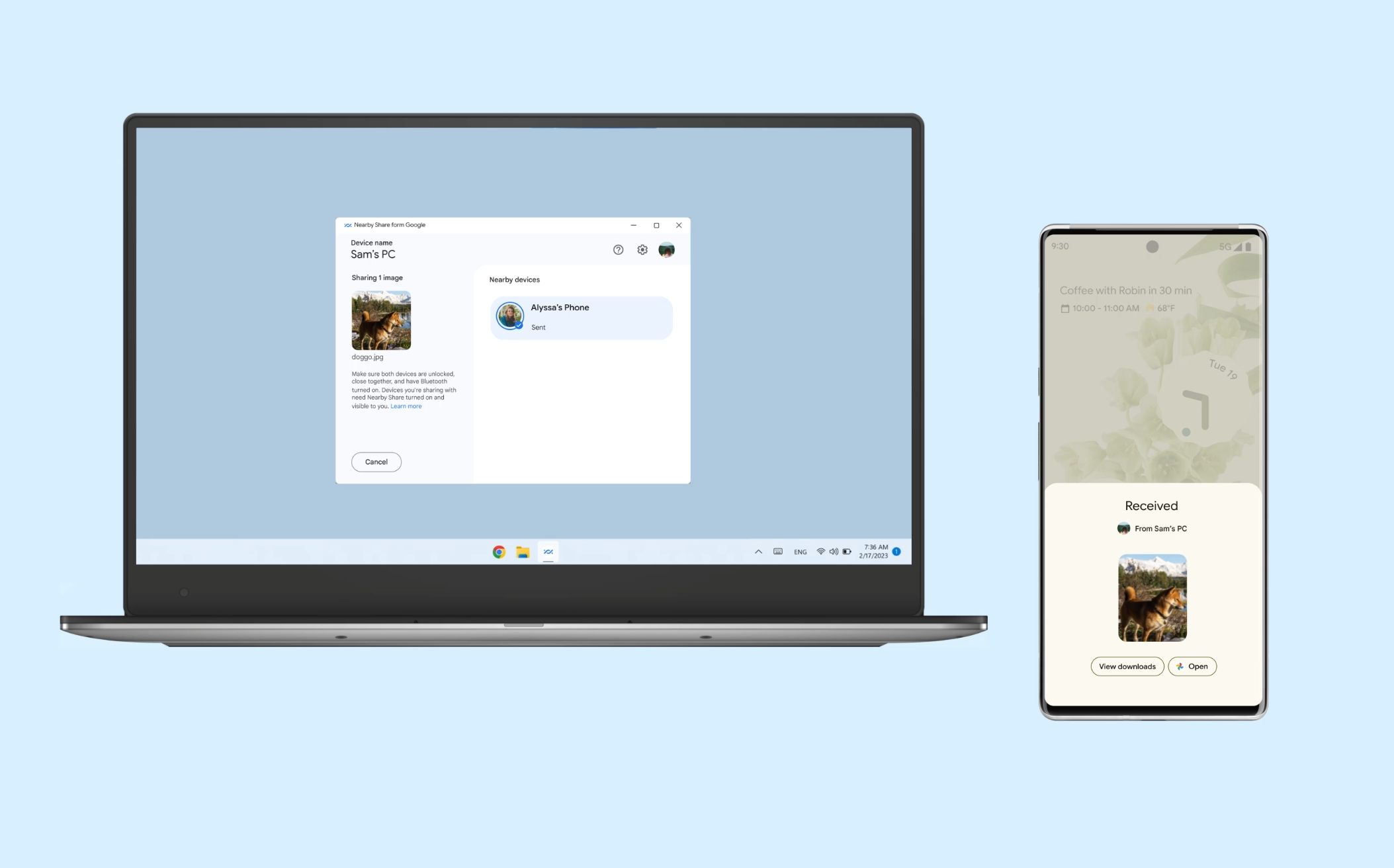
To get started, install Nearby Share Beta for Windows to your PC. Send yourself the link to download it.
- For Windows computers running a 64-bit version of Windows 10 and up. ARM devices not supported.
- Bluetooth and Wi-Fi required.
Read More
Nancie Wiers