A large 2-in-1 with bags of stamina. With the IdeaPad Flex 5 16, Lenovo is offering a large 16-inch 2-in-1 which even includes a stylus and all for under $1,000. Internally, the AMD Ryzen 7 7730U is based on an old processor, however, despite this, performance is still competitive.
Andreas Osthoff, ???? Andreas Osthoff (translated by Andrew Dickson), Published ????????
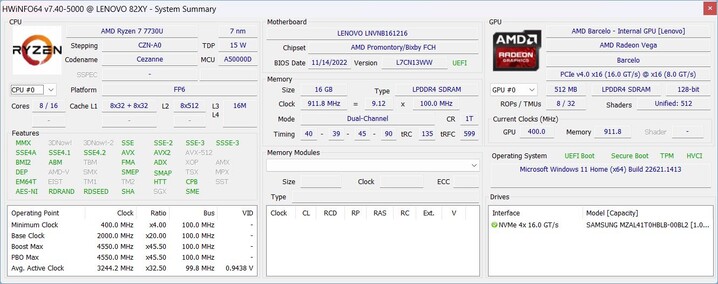
With its IdeaPad Flex series, Lenovo offers entry-level, 2-in-1 devices and also this year the new G8 generation comes with Intel as well as AMD processors. Every model has a reflective, 16:10 format, Full HD touchscreen. Our review machine is equipped with the AMD Ryzen 7 7730U paired with 16 GB of RAM and a 1 TB SSD. With an RRP of $999, this makes it their top-of-the-range model but devices fitted with the smaller 512 GB SSD can currently be had for under $750. Although the AMD processor has a new name, it is effectively the two-year-old Ryzen 7 5825U.
Processor
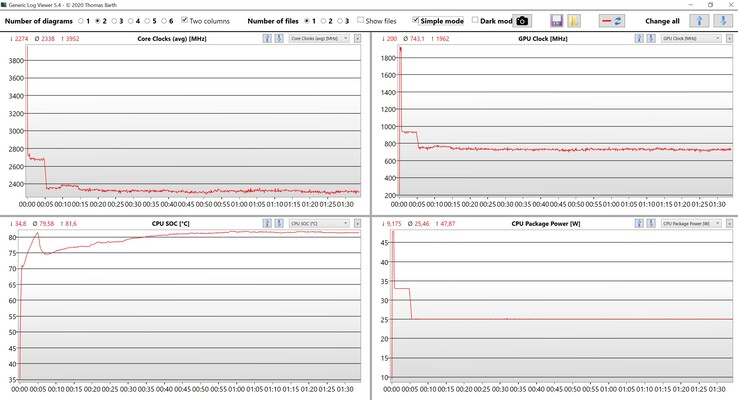
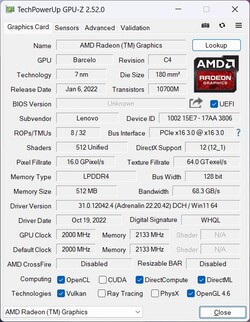
AMD Ryzen 7 7730U 8 x 2 – 4.5 GHz, 48 W PL2 / Short Burst, 25 W PL1 / Sustained, Barcelo R
Memory
16 GB
, LPDDR4X-4266, Dual-Channel, onboard
Display
16.00 inch 16:9, 1920 x 1200 pixel 142 PPI, capacitive, native pen support, LEN160WUXGA, IPS, glossy: yes, 60 Hz
Mainboard
AMD Promontory/Bixby FCH
Soundcard
AMD Zen – Audio Processor – HD Audio Controller
Connections
2 USB 3.0 / 3.1 Gen1, 1 USB 3.1 Gen2, USB-C Power Delivery (PD), 1 HDMI, 1 DisplayPort, Audio Connections: 3.5 mm, Card Reader: SDXC, 1 Fingerprint Reader
Networking
Realtek RTL8852BE (b/g/n = Wi-Fi 4/ac = Wi-Fi 5/ax = Wi-Fi 6/), Bluetooth 5.1
Size
height x width x depth (in mm): 18.7 x 357.8 x 253.9 ( = 0.74 x 14.09 x 10 in)
Battery
52.5 Wh Lithium-Ion
Operating System
Microsoft Windows 11 Home
Camera
Webcam: 1080ß
Primary Camera: 2 MPix
Additional features
Speakers: Stereo, Keyboard: Chiclet, Keyboard Light: yes, 65W PSU, Lenovo Pen, 24 Months Warranty
Weight
2.023 kg ( = 71.36 oz / 4.46 pounds), Power Supply: 348 g ( = 12.28 oz / 0.77 pounds)
Note: The manufacturer may use components from different suppliers including display panels, drives or memory sticks with similar specifications.
Color-wise, the IdeaPad Flex 5 16 is available in either Artic Gray or Deep Sea Blue. The device has a plastic base unit and only the display lid is made from aluminum. In terms of looks, our gray review device looks especially understated, and, apart from both Lenovo logos, the 2-in-1 possesses no visual accents. Its inconspicuous looks mean it can be used in the office without drawing undue attention to itself. The 16:10 panel’s display bezels are also pleasingly slim.
The base unit is decently sturdy and only the middle of the top area can be visibly flexed. However, this presents no problems when typing. The display lid is very stable and we were only able to produce slight flex as a result of a lot of selective pressure. Both hinges are very tight making it difficult to open the lid with one hand but, at the same time, the display bobs about quite a bit also when you move it. Being a 2-in-1, the whole display can be folded. In doing so, the input devices are automatically deactivated. With a weight of a little over 2 kg, the device isn’t particularly comfortable when used as a tablet. The supplied stylus cannot be stored inside the device but, thanks to a small adapter it can be fixed to one of the USB-A ports (although this also blocks the other ports).
There can be no complaints concerning the build quality of our review device (in terms of the case itself) and, overall, the quality is good considering the price. No more and no less.
In terms of ports, the basic requirements are covered by USB-A and USB-C (which can also be used for video output and charging) as well as an HDMI output. In addition, on the right side of the device, Lenovo has installed a fully functioning card reader which performs well thanks to transfer rates of more than 80 MB/s when paired with our reference card, the Angelbird AV Pro V60. The Wi-Fi module supports Wi-Fi 6 and 160 MHz (1×1) which limits the maximum transfer rate to almost 1 GBit/s. The results are very stable and more than sufficient for everyday use, besides, the competition isn’t any faster. The 1080p camera, complete with a mechanical shutter, does its job but even in reasonable lighting conditions, it fails to produce particularly good images.
| Networking | |
| Lenovo IdeaPad Flex 5 16ABR G8 Realtek RTL8852BE | |
| iperf3 transmit AXE11000 |
|
| iperf3 receive AXE11000 |
|
| Dell Inspiron 16 7620 2-in-1 Intel Wi-Fi 6E AX211 | |
| iperf3 transmit AXE11000 6GHz |
|
| iperf3 receive AXE11000 6GHz |
|
| Lenovo Yoga 7 16IAP7 Intel Wi-Fi 6E AX211 | |
| iperf3 transmit AXE11000 6GHz |
|
| iperf3 receive AXE11000 6GHz |
|
| Samsung Galaxy Book Pro 360 15 NP950QDB-KC3DE Intel Wi-Fi 6E AX210 | |
| iperf3 transmit AX12 |
|
| iperf3 receive AX12 |
|
| Samsung Galaxy Book3 Pro 360 16, i5-1340P Intel Wi-Fi 6E AX211 | |
| iperf3 transmit AXE11000 |
|
| iperf3 receive AXE11000 |
|
| iperf3 transmit AXE11000 6GHz |
|
| iperf3 receive AXE11000 6GHz |
|
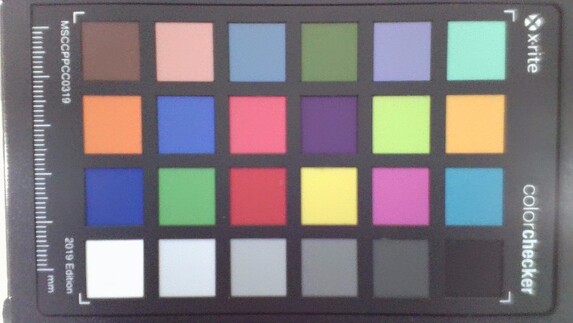
11 ∆E
11.6 ∆E
14.4 ∆E
17 ∆E
12.2 ∆E
12 ∆E
12.5 ∆E
13.4 ∆E
14.4 ∆E
9.4 ∆E
14.6 ∆E
11.5 ∆E
9 ∆E
14.7 ∆E
13.5 ∆E
12.4 ∆E
11.3 ∆E
15.2 ∆E
2 ∆E
8.5 ∆E
9.6 ∆E
9.7 ∆E
7.7 ∆E
7.8 ∆E
The base case cover is secured by a few Torx T5 screws and can be easily removed. Inside, you then have access to the battery, the fan, an M.2 SSD as well as the Wi-Fi module. The RAM is soldered and can, therefore, not be expanded.
Lenovo has equipped the IdeaPad Flex 5 16 with a backlit keyboard which includes a dedicated numerical keypad. The quality is the sort we’ve gotten used to in the IdeaPad, offering an average typing experience. Although we didn’t encounter any problems during our tests when typing extensively, there are clearly better (and often more expensive) alternatives. In terms of quality, the ClickPad is poor as it is not fitted level (it is somewhat lower on the right side) and is also a little shaky. In addition, click noises are very loud and have a low-quality sound to them. Also, with the ClickPad sitting directly below the space bar and, therefore, somewhat left of center, this is something that could initially take some getting used to.
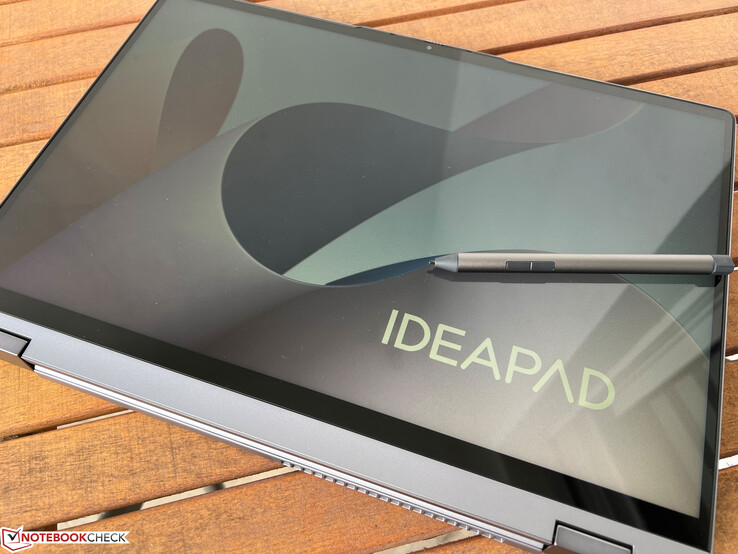
As standard, the device comes with the Lenovo Digital Pen 2 which has 4,096 pressure sensitivity levels. With a diameter of 9.5 mm and the same shape as a normal pen, it is much more comfortable to use than a smaller stylus which could be stored away inside the case. In our tests, the input pen worked well and overall the capacitive touchscreen responded very quickly – something you would, however, expect from a modern touchscreen.
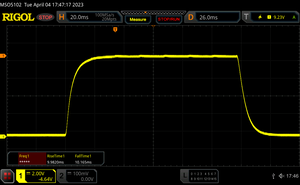
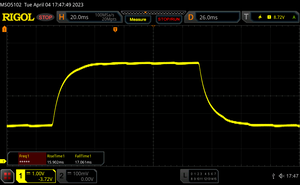
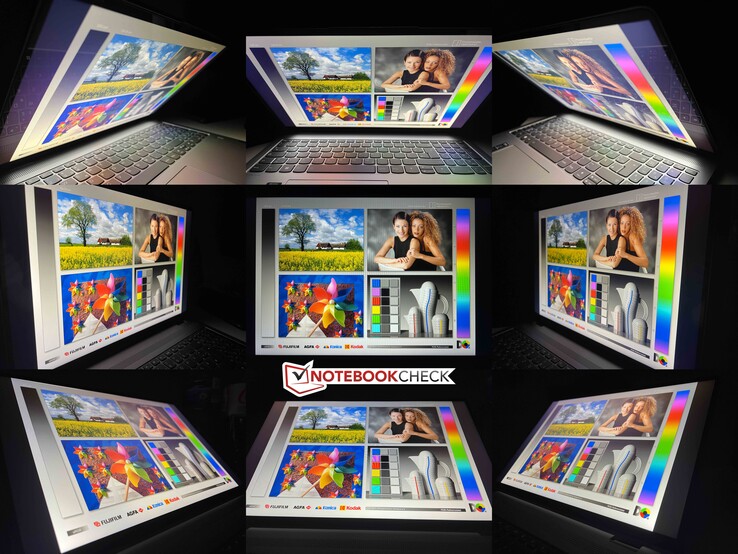
Lenovo offers two different, 16:10 format, IPS touchscreens. In addition to the Full HD model found in our review device, there is also a higher resolution 2.5K variant. The Full HD panel made a poor first impression as images appear very grainy. However, that is only due to Lenovo’s poorly chosen standard wallpaper. From a subjective point of view, the image quality as well as the response times are quite decent. On top of that, PWM flickering is absent and only a slight light bleed can be seen at the edges.
The average brightness sits at around 370 cd/m² and, as such, can be considered to be on a reasonable level when compared to our group of competitors. At the same time, the black levels are pleasingly low at 0.25 and lead to a very good contrast ratio of more than 1500:1.
| 350 cd/m² | 370 cd/m² | 354 cd/m² | ||
| 370 cd/m² | 392 cd/m² | 384 cd/m² | ||
| 375 cd/m² | 359 cd/m² | 387 cd/m² | ||
Distribution of brightness
LEN160WUXGA
X-Rite i1Pro 2
Maximum: 392 cd/m² (Nits) Average: 371.2 cd/m² Minimum: 10 cd/m²
Brightness Distribution: 89 %
Center on Battery: 392 cd/m²
Contrast: 1568:1 (Black: 0.25 cd/m²)
ΔE Color 7.3 | 0.55-29.43 Ø5.2, calibrated: 5.4
ΔE Greyscale 6.5 | 0.57-98 Ø5.4
41.3% AdobeRGB 1998 (Argyll 2.2.0 3D)
57.6% sRGB (Argyll 2.2.0 3D)
40% Display P3 (Argyll 2.2.0 3D)
Gamma: 2.29

 , med:
  , max: