


Sorbis/Shutterstock
For a lot of people, “work from home” doesn’t necessarily mean they’re working at home. You might take your laptop and set up shop at a Starbucks, or in a cozy corner of your favorite local café. But there’s another option you may not have considered: McDonald’s. It’s got all the advantages of those other places, plus those delicious hash browns. And the best part? McDonald’s Wi-Fi is free.
The fast food chain has been offering complimentary Wi-Fi since 2010, using AT&T as its provider. The service is currently available at most of its 14,000 locations nationwide. If you want to double-check if your local McDonald’s is one of those connected locations and learn more about that specific restaurant’s Wi-Fi policy, you can do so on McDonald’s website. It only takes a few easy steps to connect to McDonald’s Wi-Fi. There are also a few things you can try if you’re having issues with its wireless internet, though that shouldn’t be too often — the company’s Wi-Fi is typically more reliable than its ice cream machines.
How to find McDonald’s stores that have Wi-Fi

Shawn.ccf/Shutterstock
With most of the country’s 14,000 McDonald’s restaurants offering free Wi-Fi, there’s a very good chance there’s at least one in your neighborhood where you can connect online. Fortunately, McDonald’s makes it very easy to find a location near you (or near somewhere you plan to visit) and confirm if it has Wi-Fi.
By using the McDonald’s Restaurant Locator on its official website, you can quickly find McDonald’s locations in your area by searching zip code, city, or state. You can also turn on your device’s location services to find the nearest ones in your actual proximity. To make things easier, you can set a range of five to 50 miles.
The McDonald’s Restaurant Locator comes with a handful of useful filters, including which locations offer Wi-Fi. By selecting this filter, you’ll immediately see all your options if you’re looking to dine at a connected McDonald’s. There’s also a filter to see which locations are open 24/7, in case you plan on burning the midnight oil and using their internet to get some work done overnight.
How to connect your device to McDonald’s Wi-Fi
goffkein.pro/Shutterstock
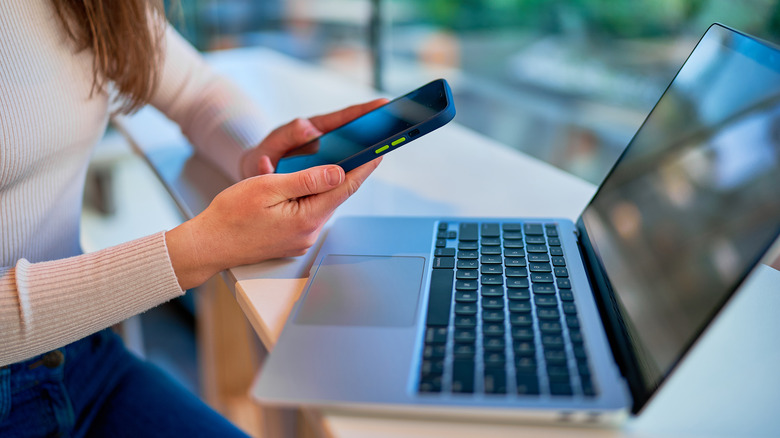
Whether you’re using a laptop, Android device, or iOS device, the process for connecting to McDonald’s Wi-Fi is the same. The name of the Wi-Fi network will usually be “McDonald’s Free Wi-Fi,” though sometimes it could be “AT&T,” “wayport_access,” or some variation of one of these. Follow these steps to join McDonald’s network and get online.
- Open Wi-Fi settings on your device.
- Find and select the network named “McDonald’s Free Wi-Fi,” “AT&T,” “wayport_access,” or something similar.
- Once connected, open your web browser.
- Your browser should open to the McDonald’s Wi-Fi connection page, where you can find the terms and conditions of internet service. You may need to refresh or open a new page if this doesn’t automatically load.
- Click or tap the “Get Connected” button, which is usually in red and easy to find. Once that’s done, you’ll have internet access.
The entire process should take you less than a minute, and you can be online before your Big Mac is even ready.
Troubleshooting and using McDonald’s Wi-Fi safely
Justin Sullivan/Getty Images
If you’ve followed these steps but are having issues accessing McDonald’s Wi-Fi, there could be a few different reasons. Some online content is blocked or inaccessible on McDonald’s Wi-Fi, including torrent sites and adult content. Make sure the website you’re attempting to access is allowed by McDonald’s internet terms and conditions. Also, make sure you accept those internet terms and conditions in the first place. If you skipped this step when connecting to the network, you won’t be able to load outside web pages. If your device prompts you to “Authorize Connection,” make sure you click or tap the button.
If your connection is slow or spotty, you can try sitting in a different location. Some McDonald’s restaurants are pretty big or have second floors, or have eating areas tucked away in various nooks and crannies that make it hard for the Wi-Fi signal to reach your device. The internet router is likely located in an employee-only section of the restaurant, so sitting closer to these or in a more open space may give you a stronger signal. When all else fails, restarting your device and reconnecting to the Wi-Fi will often do the trick.
Remember that using any public Wi-Fi always poses some safety risks to your device and privacy. Your OS and any apps you’re using should be updated to better protect you from known security flaws in the software, as should your antivirus software if you’re using a laptop or Android device. If possible, use a VPN for an added layer of safety. Finally, try and make sure you don’t get any ketchup on your device while you’re surfing the web. It’s not a good look.
Read More
Leigha Latson