

If you’ve finally jumped into the smart home world by picking up a Google Nest Hub or other Google Home-compatible gadgets, you might think setting up Routines is something to postpone until you become an expert. After all, coming to terms with your new smart home might take a few days — and Routines can often sound like a complex feature that’s best saved for a rainy day.
However, that couldn’t be further from the truth. Routines are shockingly easy to use, and they allow you to harness the full power of your smart home. Here’s a look at what Routines are, how they work, and why you’ll want to start using them as soon as possible.
What are Google Home Routines?
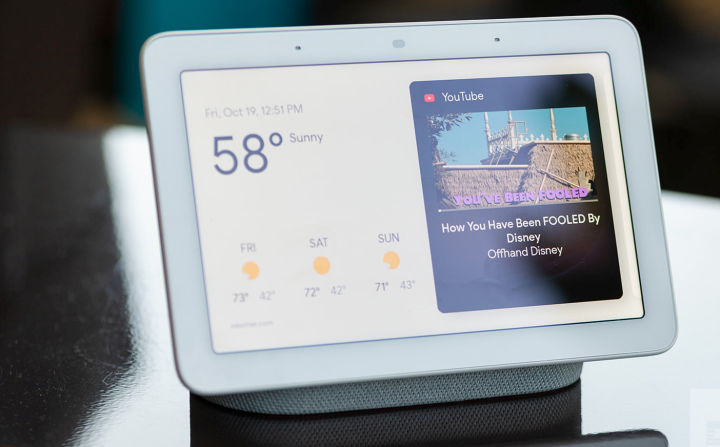
Routines are simply a number of commands and skills grouped together and triggered by a single command. There are many smart plugs, light bulbs, spotlights, speakers, and thermostats that are Google Home-enabled. By creating a Routine, you can activate or interact with these devices with a simple voice command or have them launch automatically when a defined event (like sunset or a door opening) occurs.
In other words, Routines let you activate (or deactivate) a number of smart home products at once. This makes them incredibly powerful — and they only become more beneficial as the number of smart home gadgets in your house continues to grow.
What can Routines do and should you use them?

Routines can save you time and effort by having a number of commands launch simultaneously, tied to a single action. There are some pre-defined routines on the Google Home app. They include Bedtime, Commuting Home, Commuting to Work, Good Morning, and others. Google has added “Starters” (the action or actions that launch the routine) and “Actions,” the thing that happens when you launch a Starter.
The Good Morning Routine is set to launch when you say, “Good morning,” “Tell me about my day,” or “I’m up.” When you say one of those phrases to your Google Assistant, it triggers five actions: It will tell you about the local weather, tell you what’s on your calendar for the day, give you any reminders you’ve set, tell you if your phone battery is low, and play the news.
Instead of asking your Google Assistant five different questions, you simply have to say one of the phrases. You can also change the phrases, change the Actions that launch when you use the phrases, or have the whole thing launch at a specific time (more on that below).
What can I control with Routines?

As well as getting updates and information from your Google Assistant, you can also set up Routines that include any Google Home-compatible smart devices, plugs, or lights. Assuming you have the necessary Google Home-compatible devices, you could create a Routine that triggers when you say “soft jazz.” The Routine could include playing a soft jazz playlist on Spotify while turning on a specific light, dimming it to low, and setting the bulb’s color to light blue.
You could have a morning Routine that turns your light on at 6:45 a.m., starts to play a wake-me-up track, and turns on the coffee maker.
Another option is to create an “emergency” Routine that flashes lights and turns on a siren noise. You can activate that by voice command or have it trigger if a door or window sensor is tripped during certain hours. Tech-savvy parents could set up a Routine to flash a smart light in their bedroom when a window or door is opened after bedtime to keep tabs on when their teenagers arrive home.
Are Google Routines easy to set up?

Near the top of the screen in your Google Home app is a purple button called Routines. Clicking that brings you to the Routines screen, which will allow you to start building your options. You can choose one of Google’s preset Routines and go with the actions that will follow, or you can customize any of them to your own preferences. For a more in-depth how-to, read how to set up Google Home Routines.
The basics are easy enough for anyone to handle, but there’s enough flexibility in the system to let experts develop some truly powerful automations.
How do I customize the Good Morning Routine?
As just one example, you can customize Google Home’s Good Morning Routine by following the instructions above, then clicking on that Routine. You can change the words or phrase that triggers the Routine, adjust the Actions, and choose which lights or smart home devices will respond and exactly what they’ll do. Google will also suggest other logical or fun actions.
The bottom line is that Google Home Routines can save you time and lots of talking to your digital assistant by taking just a few minutes to set them up.
Editors’ Recommendations
-
Tackle dirt and dust with DEEBOT T10 OMNI’s state-of-the-art A.I. technology -
Ring Battery Doorbell Plus offers improved battery life and new aspect ratio -
Anker is launching an iceless cooler that can chill food for 42 hours -
Anker finally admits to Eufy security camera issues -
Samsung SmartThings gets Matter support on iOS
Blink Wired Floodlight Camera offers heaps of features and an affordable price tag

Blink, an Amazon-owned company that produces a wide variety of smart home gadgets, today announced the Blink Wired Floodlight Camera. The affordable device clocks in at just $99 yet manages to offer 1080p video capture, 2,600 lumens of LED lighting, motion detection, and several other premium features.
While Blink’s catalog is comprised of several indoor and outdoor cameras, this is the company’s first true floodlight. Previously, homeowners needed to purchase a Floodlight Mount for the Blink Outdoor Camera, and even then they would only benefit from 700 lumens of LED lights. The Blink Wired Floodlight Camera, meanwhile, is a standalone product that doesn’t require a secondary purchase — pick it up for $99, and you’re ready for installation.
Apple finally activates HomePod Mini’s hidden temperature/humidity sensor
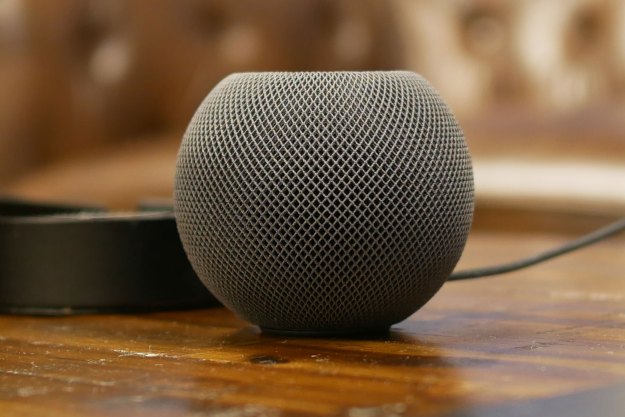
Apple recently revealed its second-gen HomePod, which is set to become the company’s flagship smart speaker in 2023. Featuring the S7 chipset, spatial audio, Matter compatibility, and tons of fancy room-sensing tech, the device is certain to be a hit when it launches in February. It’ll also feature a temperature and humidity sensor. Oddly enough, so does the existing HomePod Mini — except Apple has only just activated the feature.
Apple has kept the temperature and humidity sensor deactivated for years, although now, with the launch of a new HomePod around the corner, the company has finally gone ahead and turned on the instrument in its existing Home Mini lineup. Once your HomePod Mini receives the update, you’ll be able to use it to track both the temperature and humidity in your home, then use that information to create various automations through Apple Home.
Apple reportedly working on a new iPad-like smart home display
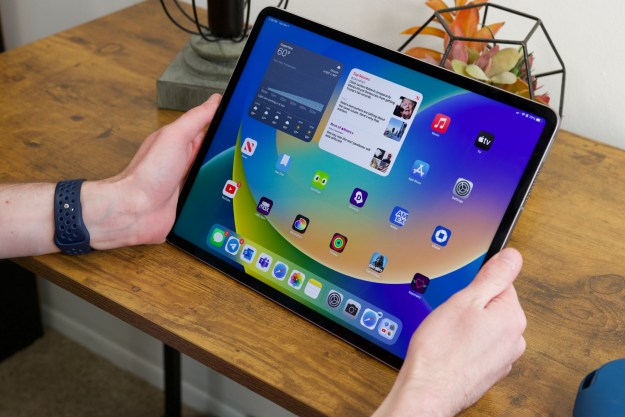
Apple recently announced a new HomePod with support for Matter, but it seems the company might have bigger smart home plans for the rest of 2023. According to the latest report from Bloomberg, Apple is allegedly working on an iPad-like device that could directly compete with Amazon’s Echo Show and Google’s Nest Hub Max.
Details on the rumored product are scarce, but it seems the device would feature a touchscreen and function similar to an iPad. Magnets would allow it to be mounted to a wall, and HomeKit would give it access to all your smart home products. It’s unclear at this time if the device would feature a stand, allowing it to sit on your countertops like the Echo Show and Nest Hub. What is clear, however, is that Apple wants to gain a stronger foothold in the smart home market — and this could serve as a great alternative to using the HomePod Mini as a HomeKit hub.
Read More
Erin Lawrence