Debut for the AMD Zen4 Ryzen 9 7945HX. Asus refreshes its ROG Zephyrus Duo 16 and uses the best components you can currently get. The new GeForce RTX 4090 Laptop is supported by AMD’s Ryzen 9 7945HX, the fastest mobile CPU right now. The manufacturer also replaces the 4K screen with a new WQHD Mini-LED panel with 240 Hz, which is supported by a secondary 4K screen. Update: sRGB profile is included
Andreas Osthoff ???? (translated by Andreas Osthoff), Published ???????? ????????
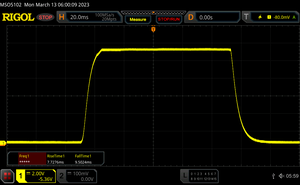
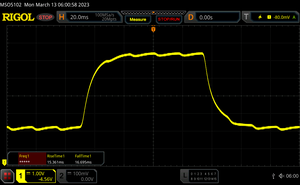
Asus continues the concept of the ROG Zephyrus Duo 16 with its two screens in 2023 and uses the best technologies you can currently get for laptops. In addition to the brand-new mobile graphics cards from Nvidia, the GeForce RTX 4080 Laptop and GeForce RTX 4090 Laptop, Asus once again uses HX processor from AMD. It is actually one of the first laptops in our editorial office with the new AMD Ryzen 9 7945HX, which offers 16 Zen4 cores against Intel’s Raptor Lake HX CPUs. Asus also upgraded the display: The resolution drops from 4K to WQHD, but it is a matte Mini-LED panel with a refresh rate of 240 Hz and fast response times.
The classification of the laptop is actually not that simple, because the Zephyrus Duo could be a gaming laptop, a machine for content creator or even a mobile workstation. However, the concept with two screens is definitely not interesting for every user. There are currently four different configurations and our review unit with the RTX 4090 Laptop, 32 GB RAM and 2 TB SSD storage retails for 4999 Euros. The SKU with the smaller 1 TB SSD as well as the GeForce RTX 4080 Laptop will be available soon for 4299 Euros.
Processor
AMD Ryzen 9 7945HX 16 x 2.5 – 5.4 GHz, 130 W PL2 / Short Burst, 120 W PL1 / Sustained, Dragon Range (Zen4)
Memory
32 GB
, DDR5-4800, Dual-Channel, max. 64 GB
Display
16.00 inch 16:10, 2560 x 1600 pixel 189 PPI, capacitive, NE160QDM-NM4, MiniLED, glossy: no, HDR, 240 Hz
Mainboard
AMD Promontory/Bixby FCH
Storage
SK hynix PC801 HFS002TEJ9X101N, 2048 GB
, 1900 GB free
Connections
4 USB 3.1 Gen2, USB-C Power Delivery (PD), 1 HDMI, 2 DisplayPort, Audio Connections: 3.5 mm, Card Reader: microSD
Networking
Realtek RTL8125 2.5GBe Family Ethernet Controller (10/100/1000/2500MBit/s), MediaTek RZ616 (a/b/g/n = Wi-Fi 4/ac = Wi-Fi 5/ax = Wi-Fi 6/ Wi-Fi 6E 6 GHz), Bluetooth 5.2
Size
height x width x depth (in mm): 29.7 x 355 x 266 ( = 1.17 x 13.98 x 10.47 in)
Battery
90 Wh, 5675 mAh Lithium-Polymer
Operating System
Microsoft Windows 11 Home
Camera
Webcam: 1080p
Primary Camera: 2 MPix
Additional features
Speakers: 6 Speakers, Keyboard: Chiclet, Keyboard Light: yes, 330W PSU, ROG Backpack, rubberized palmrest, 24 Months Warranty
Weight
2.666 kg ( = 94.04 oz / 5.88 pounds), Power Supply: 1.149 kg ( = 40.53 oz / 2.53 pounds)
Note: The manufacturer may use components from different suppliers including display panels, drives or memory sticks with similar specifications.
The chassis design did not change compared to the previous model. The laptop is actually rather subtle when the lid is closed and only the ROG logo is colored compared to the otherwise matte black finish. There is no crazy chassis lighting, either. The quality of the laptop leaves a good impression, only the plastic bottom cover falls a bit short.
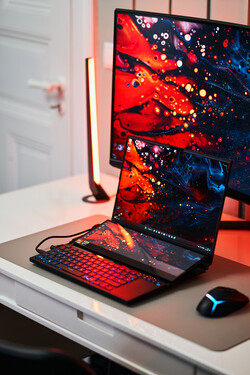
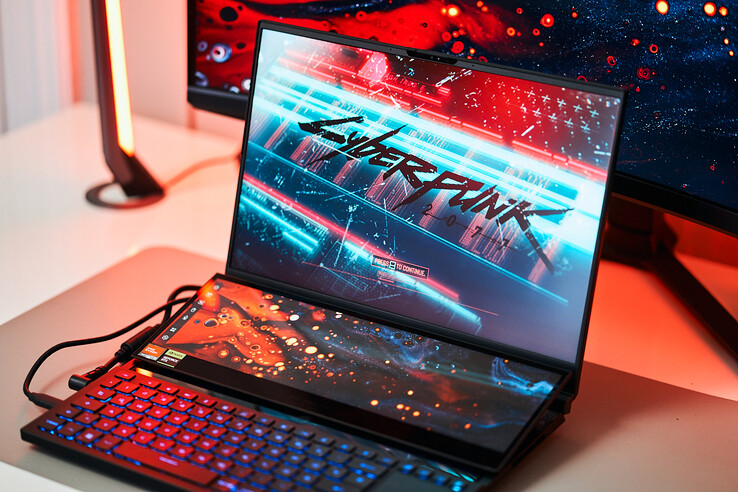
Once you open the lid, however, you will immediately see that this is not a regular laptop. Depending on the opening angle of the main screen, the secondary screen is slightly raised (to ~15 degrees) and shifted towards the back, which uncovers a transparent cover above the keyboard where you can even glimpse inside the chassis at the corners. The angle of the secondary screen cannot be changed, but it works well in practice. The lifting mechanism is also very sturdy and there are no movements. The stability is very good in general, only the maximum opening angle of the lid is a bit limited at ~130 degrees.
Our size comparison shows that the 17-inch MSI Titan GT77 has a much bigger footprint, but it also shows that the ROG Zephyrus Duo 16 is by far the thickest device in our little comparison group. This is obviously caused by the secondary screen, which requires additional space. It is also one of the heaviest 16-inch models at almost 2.7 kg and you also have to consider the bulky 330W power supply, which tips the scale at more than 1.1 kg.
The rear area of the base unit is almost completely occupied by the cooling, which is why there are only three ports (Ethernet, HDMI, USB-A) in the center of the rear. The majority of the remaining ports is located at the front of the left side, which is also the case for the angled power connector. The cable from the PSU is pretty short, so the power cable can block the USB-A port depending on the orientation. There is one more USB-C port at the left side.
In addition to the somewhat inconvenient port layout, we are surprised that Asus did not include USB 4 support. The AMD processor supports USB 4 in general, but requires an additional USB controller, and it seems Asus did not want to spend the money.
There is a microSD card reader at the left side and SD cards sit flush with the chassis. The transfer rates in combination with our reference card (Angelbird AV Pro V60 128 GB) are excellent and we measure up to 270 MB/s and more than 180 MB/s when we copy jpeg image files.
You get a 2.5 Gbps Ethernet jack at the rear and the Wi-Fi module (RZ616) also supports the modern Wi-Fi 6E standard for 6 GHz networks. We had no issues to use the corresponding 6 GHz Wi-Fi network with our reference router from Asus and the transfer rates were both very high and stable. Bluetooth 5.2 is supported as well.
| Networking | |
| Asus Zephyrus Duo 16 GX650PY-NM006W MediaTek RZ616 | |
| iperf3 transmit AXE11000 6GHz |
|
| iperf3 receive AXE11000 6GHz |
|
| MSI Titan GT77 HX 13VI Killer Wi-Fi 6E AX1690i 160MHz | |
| iperf3 transmit AXE11000 |
|
| iperf3 receive AXE11000 |
|
| Lenovo Legion Pro 7 16IRX8H Killer Wi-Fi 6E AX1675i 160MHz Wireless Network Adapter | |
| iperf3 transmit AXE11000 |
|
| iperf3 receive AXE11000 |
|
| Razer Blade 16 Early 2023 Intel Wi-Fi 6E AX211 | |
| iperf3 transmit AXE11000 |
|
| iperf3 receive AXE11000 |
|
| iperf3 transmit AXE11000 6GHz |
|
| iperf3 receive AXE11000 6GHz |
|
| Asus ROG Zephyrus Duo 16 GX650RX MediaTek Wi-Fi 6E MT7922 160MHz Wireless LAN Card | |
| iperf3 transmit AXE11000 |
|
| iperf3 receive AXE11000 |
|
| Apple MacBook Pro 16 2023 M2 Max Broadcom 0x14E4, 0x4388 WiFi 6E AirPort | |
| iperf3 transmit AXE11000 6GHz |
|
| iperf3 receive AXE11000 6GHz |
|
Asus upgraded the webcam and now uses a 1080p sensor. This has a positive effect on the sharpness of images compared to the previous model, but the color accuracy is still not very good. The ROG Zephyrus Duo 16 does not offer a mechanical shutter.
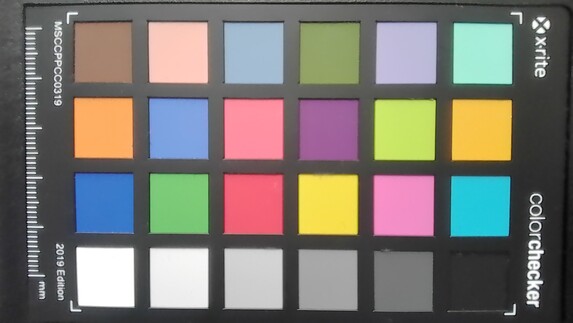
19.9 ∆E
14.8 ∆E
21.2 ∆E
20.9 ∆E
18.1 ∆E
12.6 ∆E
13.5 ∆E
26 ∆E
18.4 ∆E
18.6 ∆E
10.4 ∆E
9.1 ∆E
22.3 ∆E
16.5 ∆E
21.6 ∆E
6.1 ∆E
17.5 ∆E
19.8 ∆E
2.3 ∆E
8.9 ∆E
12.5 ∆E
15.1 ∆E
14 ∆E
2.1 ∆E
Every version of the ROG Zephyrus Duo 16 is shipped with a rubberized palm rest as well a dark ROG backpack, which leaves a pretty good quality impression. The more expensive units with Windows 11 Pro, 64 GB RAM and 2 or 4 TB SSD storage also include the ROG Fusion II 300 headset as well as the gaming mouse ROG Gladius III Mouse P514.
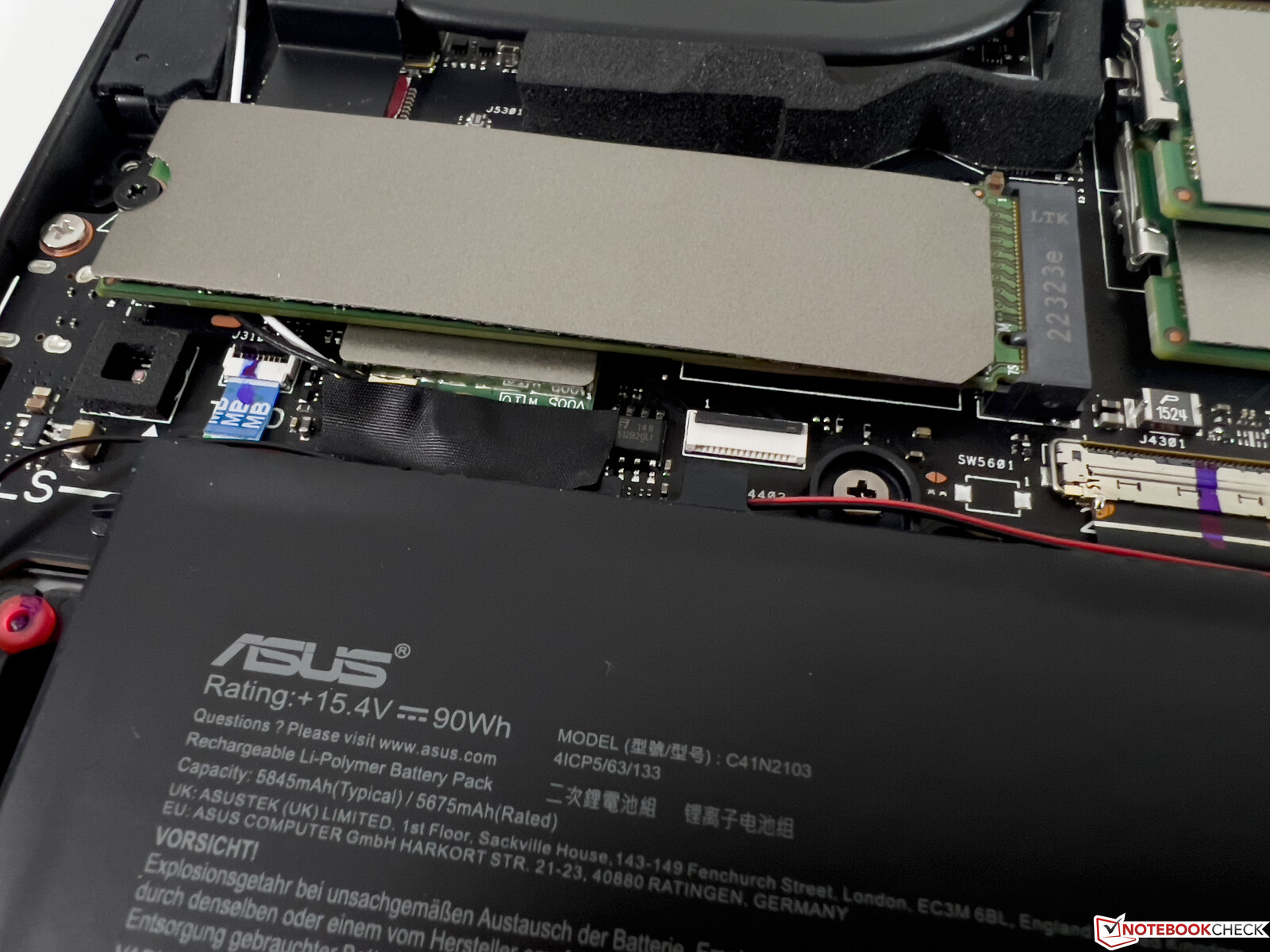
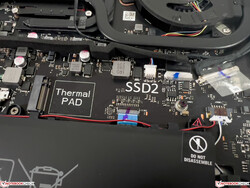
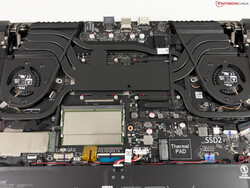
The bottom cover is secured by several Torx screws (TR6), but there is also an additional screw hidden in the center underneath a glued rubber pad, which makes it unnecessarily complicated to access the internals. Inside you get two SO-DIMM slots as well as two M.2-2280 slots for SSDs. It is also possible to replace the Wi-Fi module, but you will have to remove the SSD first.
The additional screen requires a shift towards the front of the base unit for the keyboard, which is obviously not ideal for the ergonomics. Asus knows this as well and ships every unit with a rubberized palm rest. It works well on your desk at home, but it is no help when you are on the road. The keyboard itself offers a comfortable typing experience with a shallow, but also quiet key travel. The keyboard is illuminated and you can use the Armoury Crate software to set the color for every key individually (if you want).
The touchpad in portrait orientation is sitting right next to the keyboard and even standard cursor movements can be challenging and require multiple attempts due to the narrow form factor. You can also use the touchpad as a numeric keypad (activated by tap in the upper left corner), which works well.
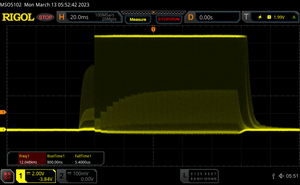
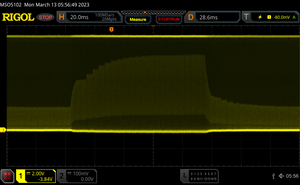
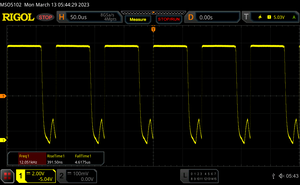
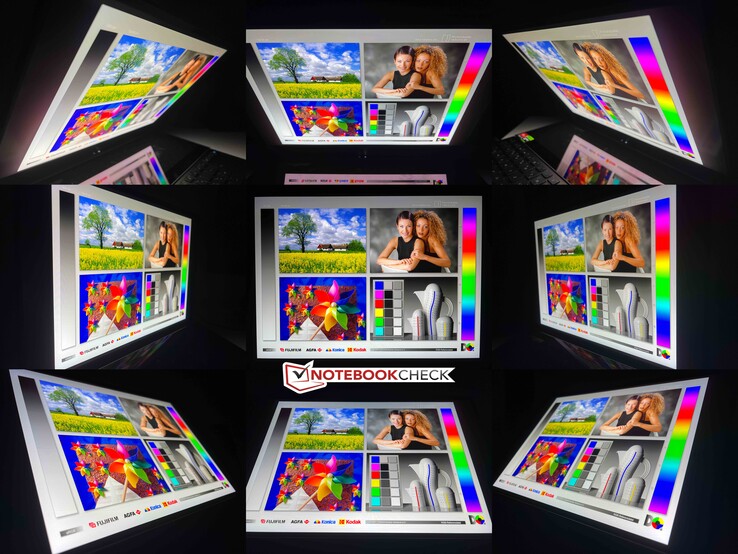
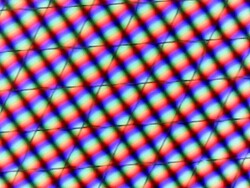
The 16-inch Mini-LED panel is one major upgrade over the previous model. It offers the WQHD resolution (2560 x 2600 pixels, 16:10) and a refresh rate of 240 Hz. The matte panel offers an exceptional image quality with razor-sharp contents and rich colors. Asus advertises a brightness of up to 1100 nits, but you have to differentiate between SDR and HDR contents.
The test results are very good and while the Mini-LED panel of the MacBook Pro 16 only reaches 500 nits for SDR contents, wen can measure up to 700 nits for the review unit. It even manages almost 1400 nits with HDR contents, and it does not matter if you only have a small area or a full picture. The HDR implementation of Windows on the other hand is still cumbersome and requires a manual settings change.
The black value is extremely low and results in an excellent contrast ratio. Mini-LED panels also do not have any issues with clouding or backlight bleeding.
| 692 cd/m² | 690 cd/m² | 693 cd/m² | ||
| 724 cd/m² | 712 cd/m² | 709 cd/m² | ||
| 701 cd/m² | 710 cd/m² | 693 cd/m² | ||
Distribution of brightness
NE160QDM-NM4
X-Rite i1Pro 2
Maximum: 724 cd/m² (Nits) Average: 702.7 cd/m² Minimum: 85 cd/m²
Brightness Distribution: 95 %
Center on Battery: 713 cd/m²
Contrast: 10171:1 (Black: 0.07 cd/m²)
ΔE Color 1.7 | 0.59-29.43 Ø5.2, calibrated: 1.2
ΔE Greyscale 2.8 | 0.57-98 Ø5.4
90.8% AdobeRGB 1998 (Argyll 2.2.0 3D)
100% sRGB (Argyll 2.2.0 3D)
99.4% Display P3 (Argyll 2.2.0 3D)
Gamma: 2.21

 , med:
  , max: