Creator? Gamer? CreAmer. Using a slightly modified design, new connections and new hardware grounded in an Intel Gen 13 and a Nvidia RTX 4070, the Aero 16 OLED seeks to win over gamers and creators alike. We put the laptop through its paces to find out what the case change and hardware upgrades bring to the table.
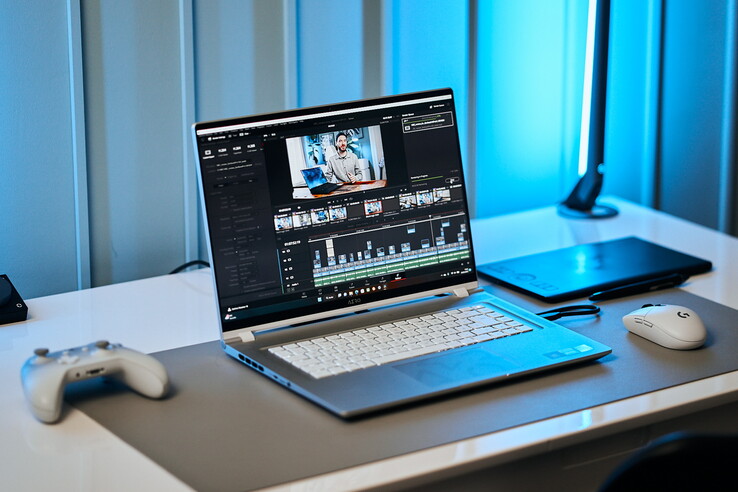
Gigabyte’s Aero 16 OLED is an interesting mix of gaming laptop and workstation for creatives. In addition to the switch from Alder to Raptor Lake CPU and from Nvidia RTX 30x to RTX 40x, other changes have also been made, such as to the case and the ports.
We’ve previously reviewed the predecessor with the RTX 3080 Ti and our current configuration has an RTX 4070. So far we’ve only reviewed the new Razer Blade 18 with the same GPU, so the 18-incher will have to serve as comparison in the 3D benchmarks. Otherwise we compare previous generation 16-inch competitors, including the Asus Zenbook Pro 16X OLED, the Asus TUF Gaming A16 and the MSI CreatorPro Z16P with its Nvidia A300.
Processor
Intel Core i9-13900H 14 x 1.9 – 5.4 GHz, 115 W PL2 / Short Burst, 61 W PL1 / Sustained, Raptor Lake-H
Memory
32 GB
, 2x 16 GB Samsung DDR5-4800
Display
16.00 inch 16:10, 3840 x 2400 pixel 283 PPI, Samsung SDC4191 (ATNA60YV09-0, OLED, glossy: yes, HDR, 60 Hz
Mainboard
Intel Alder Lake-P PCH
Soundcard
Intel Raptor Lake-P/U/H PCH – cAVS
Connections
1 USB 3.0 / 3.1 Gen1, 1 USB 3.1 Gen2, 2 USB 3.2 Gen 2×2 20Gbps, 2 Thunderbolt, USB-C Power Delivery (PD), 1 HDMI, 2 DisplayPort, Audio Connections: 3.5 mm headset, Card Reader: microSD card reader
Networking
Intel Wi-Fi 6E AX210 (a/b/g/h/n = Wi-Fi 4/ac = Wi-Fi 5/ax = Wi-Fi 6/), Bluetooth 5.2
Size
height x width x depth (in mm): 18 x 354 x 255 ( = 0.71 x 13.94 x 10.04 in)
Battery
88 Wh Lithium-Polymer
Operating System
Microsoft Windows 11 Pro
Camera
Webcam: FullHD IR Webcam for WIndows Hello
Primary Camera: 2 MPix
Additional features
Speakers: stereo speakers, Keyboard: Chiclet, Keyboard Light: yes
Weight
2.1 kg ( = 74.08 oz / 4.63 pounds), Power Supply: 705 g ( = 24.87 oz / 1.55 pounds)
Note: The manufacturer may use components from different suppliers including display panels, drives or memory sticks with similar specifications.
At first glance, the design appears to be unchanged, but if you take a closer look, you can see that the narrow, silver metal chassis has changed quite a bit. For example, it has become even thinner and Gigabyte has finally shifted some of the ports to the back. Overall, the manufacturer’s design is more in the direction of a business and office laptop than a gaming laptop, which will certainly please the target group. So the hidden gamer looks quite inconspicuous in an office setting, even alongside a MacBook.
The smooth metal unibody is still stable, especially at the base, which can hardly be twisted. The keyboard has been lowered slightly.
The display lid, on which the illuminated “Aero” logo is emblazoned, is somewhat less rigid. Only the display frame is made of plastic.
Ventilation grilles are practically everywhere, namely at the back, on the sides, below and above. The build quality seems to be on a good level and no gaps were found.
A lot has changed in the ports, fortunately, because the meager three USB-C ports of the predecessor had to be expanded with an Aero Hub to include HDMI, USB-A, etc.
This year, the new Aero houses almost all the necessary ports. To do this, it utilizes the space at the back where the mains connection is, for example. We would have preferred a USB-A instead of one of the three USB-C ports on the side, and a LAN port is still missing, but at least there is now an HDMI port and a (microSD) reader. The port distribution is good, except for USB-A at the back instead of on the side.
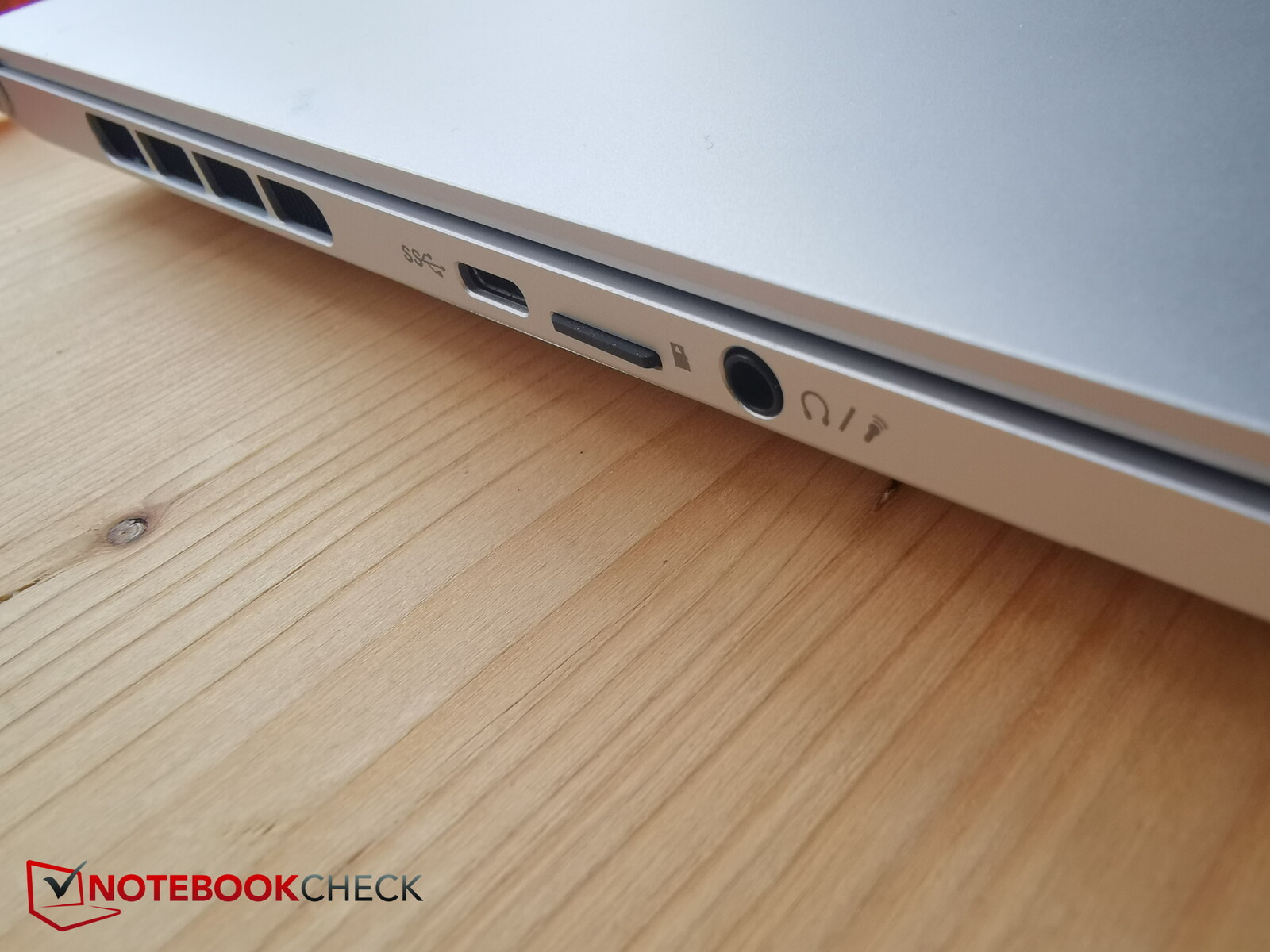
MicroSD cards click into place and protrude only minimally (1 – 2 mm).
The transfer rates are good; we copied 1 GB of image material from our AV PRO microSD 128 GB V60 to the desktop in about 7 seconds.
If competitors have a reader at all, it is slower.
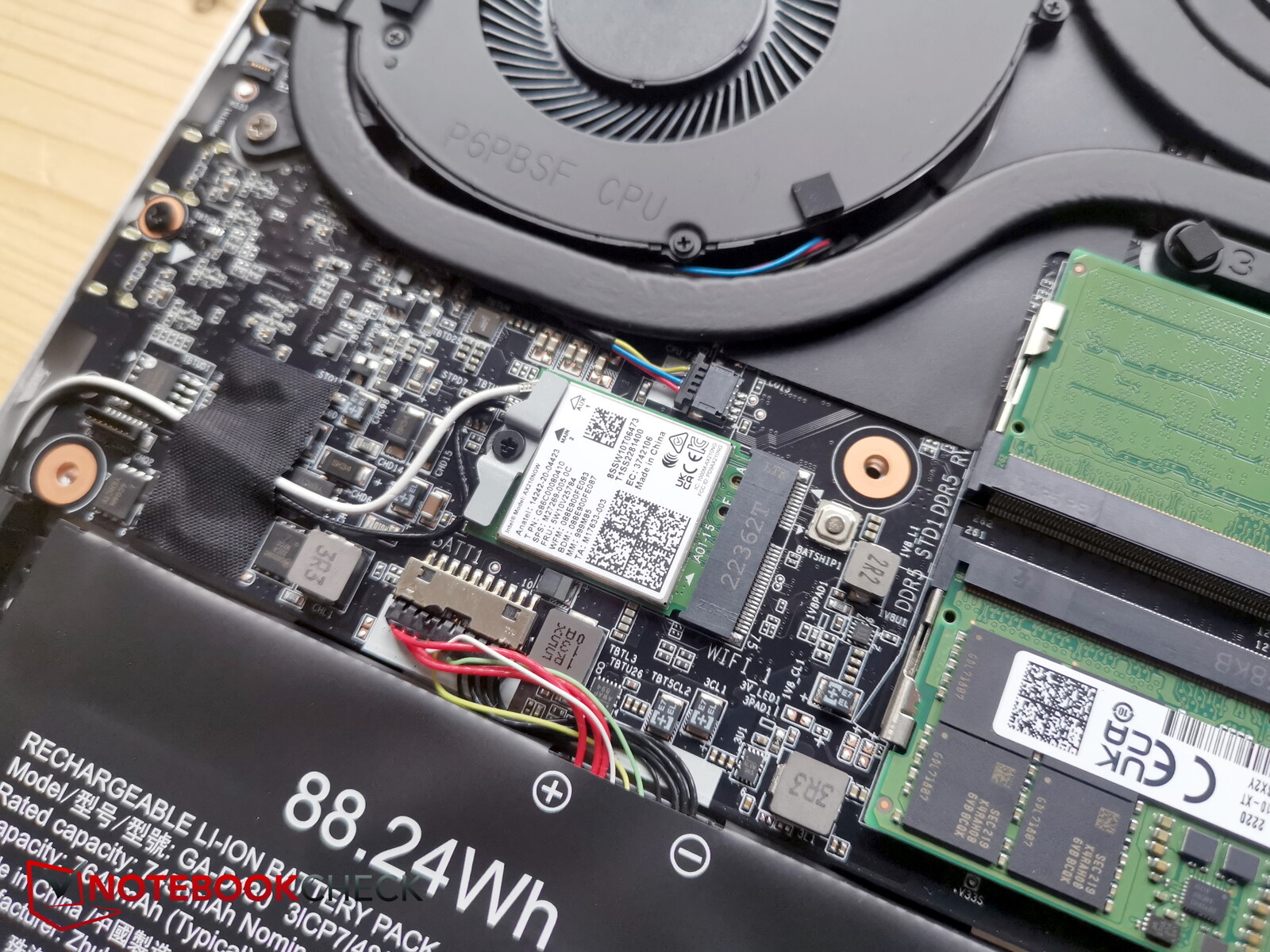
The Intel AX210 chip was also installed in last year’s model and again ensures good transfer rates, though the MSI CreatorPro is even faster.
The module supports Wifi 6E and thus the 6 GHz range.
| Networking | |
| iperf3 receive AXE11000 6GHz | |
| MSI CreatorPro Z16P B12UKST Killer Wi-Fi 6E AX1675i 160MHz Wireless Network Adapter |
|
| Gigabyte AERO 16 OLED BSF Intel Wi-Fi 6E AX210 |
|
| Average of class Gaming (886 – 1857, n=31, last 2 years) |
|
| Razer Blade 18 RTX 4070 Intel Wi-Fi 6E AX211 |
|
| Average Intel Wi-Fi 6E AX210 (885 – 1827, n=6) |
|
| iperf3 receive AXE11000 | |
| Average of class Gaming (685 – 1890, n=65, last 2 years) |
|
| Razer Blade 18 RTX 4070 Intel Wi-Fi 6E AX211 |
|
| Average Intel Wi-Fi 6E AX210 (1030 – 1318, n=2) |
|
| Gigabyte Aero 16 YE5 Intel Wi-Fi 6E AX210 |
|
| Asus ZenBook Pro 16X OLED UX7602ZM-ME115W Intel Wi-Fi 6E AX211 |
|
| Asus TUF Gaming A16 FA617 MediaTek MT7921 |
|
| iperf3 transmit AXE11000 6GHz | |
| MSI CreatorPro Z16P B12UKST Killer Wi-Fi 6E AX1675i 160MHz Wireless Network Adapter |
|
| Average of class Gaming (980 – 1875, n=29, last 2 years) |
|
| Gigabyte AERO 16 OLED BSF Intel Wi-Fi 6E AX210 |
|
| Average Intel Wi-Fi 6E AX210 (1198 – 1444, n=5) |
|
| Razer Blade 18 RTX 4070 Intel Wi-Fi 6E AX211 |
|
| iperf3 transmit AXE11000 | |
| Average of class Gaming (740 – 1780, n=58, last 2 years) |
|
| Gigabyte Aero 16 YE5 Intel Wi-Fi 6E AX210 |
|
| Average Intel Wi-Fi 6E AX210 (1320 – 1333, n=2) |
|
| Razer Blade 18 RTX 4070 Intel Wi-Fi 6E AX211 |
|
| Asus TUF Gaming A16 FA617 MediaTek MT7921 |
|
| Asus ZenBook Pro 16X OLED UX7602ZM-ME115W Intel Wi-Fi 6E AX211 |
|
Gigabyte has finally installed a Full HD camera into the creative laptop, with the resulting image being quite usable, even in suboptimal lighting conditions. A look at the ColorChecker, however, unfortunately shows that the colors deviate greatly. The predecessor had a 720p camera.
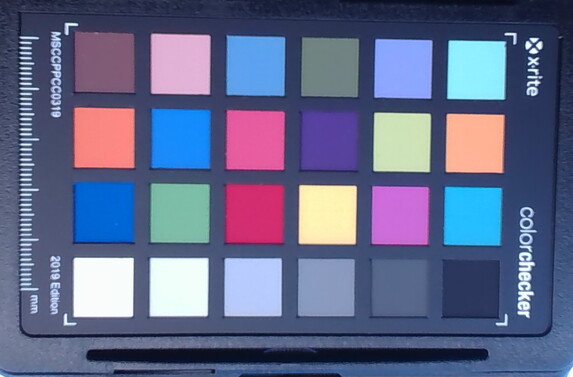
18 ∆E
23 ∆E
15.4 ∆E
18.4 ∆E
16.9 ∆E
18.5 ∆E
23.3 ∆E
21.5 ∆E
15.4 ∆E
11.6 ∆E
17.9 ∆E
21.1 ∆E
16.6 ∆E
20.1 ∆E
15 ∆E
16.4 ∆E
13.7 ∆E
20.7 ∆E
2.3 ∆E
13.6 ∆E
20.7 ∆E
19.1 ∆E
16.5 ∆E
16.5 ∆E
The Aero is not really for security fanatics. TPM is on board, but there is no fingerprint sensor or Kensington connection.
No accessories are included together with the laptop upon purchase.
In Germany, the manufacturer provides a 24-month warranty. This may differ in other regions, so interested buyers should double-check before purchase.
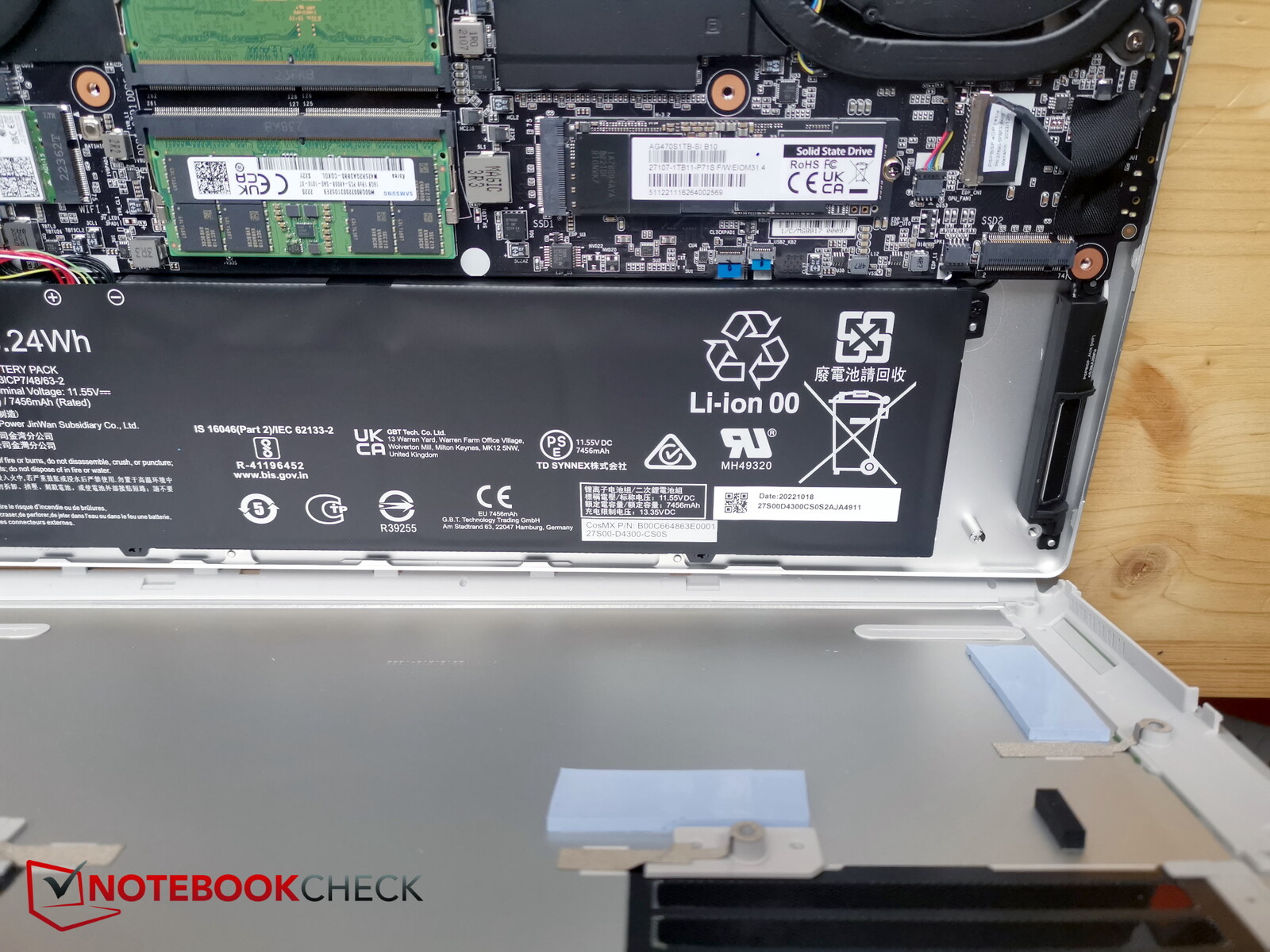
First, 10 torx screws need to be removed. Afterwards, finding a gap in the tight chassis for inserting level tools is not so easy. The best way to do this is towards the back. Once the first step has been made, it becomes much easier and the baseplate can be detached quite effortlessly.
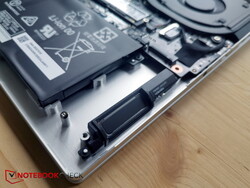
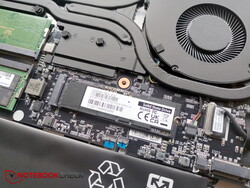
Inside, you have access to the fans, the battery, the replaceable WLAN module, the two RAM slots and the two M.2 SSD slots, one of which is occupied. There are cooling pads on the base plate for the two SSD slots.
The keyboard now has white instead of black keys. This looks more elegant, but you should refrain from activating the white keyboard backlight in bright lighting, otherwise you’ll no longer be able to discern the lettering – but who does?
The layout looks very tidy. None of the keys appear out of place, and even the arrow keys are of normal size – very good. Keys are of medium size and are all well spaced apart.
Key travel is around 1.7 mm and the feedback just barely perceptible. Typing is quick and the noise moderate, but the space bar is a little louder.
Although the on/off switch is integrated into the top right of the keyboard, it has a much firmer pressure point and is a little smaller so that it is not so easy to press accidentally. In Gigabyte laptops, the special keys for brightness (further left here) and volume (further right here) are usually swapped, which takes some getting used to.
The touchpad remains the same size as its predecessor (approx. 12.1 x 7.6 cm), but is now silver instead of black and offers good gliding properties, even with very slow movements.
The integrated keys provide clear feedback and are thus slightly louder than the keyboard keys, but still moderate.
Gigabyte again installs a 16-inch OLED panel from Samsung with a 16:10 aspect ratio and a 4K resolution of 3,840 x 2,400. The panel has a new version number, but still only offers 60 Hz – a downside for gamers. Otherwise the OLED panel boasts a rich contrast, a great black level and very good illumination. The IPS competition can no longer keep up here.
We measured a brightness of just under 400 nits in SDR display mode. But the panel also meets the HDR600 standard. So we measured in HDR mode and arrived at a peak brightness of 620 nits. This is only possible with a small measuring field, since OLEDs quickly darken on large, bright areas.
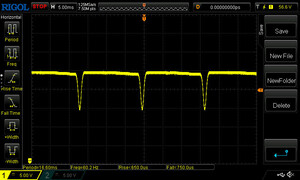
Screen bleeding is not an issue with OLEDs. Response times are also excellent.
| 398.31 cd/m² | 392.73 cd/m² | 397.07 cd/m² | ||
| 393.69 cd/m² | 389.97 cd/m² | 397.95 cd/m² | ||
| 391.06 cd/m² | 392.12 cd/m² | 402.15 cd/m² | ||
Distribution of brightness
Samsung SDC4191 (ATNA60YV09-0
X-Rite i1Pro 3
Maximum: 402.15 cd/m² (Nits) Average: 395 cd/m² Minimum: 1 cd/m²
Brightness Distribution: 97 %
Center on Battery: 387.56 cd/m²
Contrast: 12999:1 (Black: 0.03 cd/m²)
ΔE Color 2 | 0.59-29.43 Ø5.2, calibrated: 1.68
ΔE Greyscale 2.23 | 0.57-98 Ø5.4
96.4% AdobeRGB 1998 (Argyll 2.2.0 3D)
100% sRGB (Argyll 2.2.0 3D)
99.9% Display P3 (Argyll 2.2.0 3D)
Gamma: 2.41
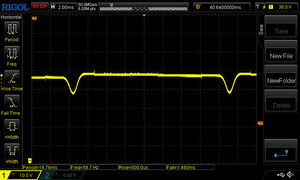
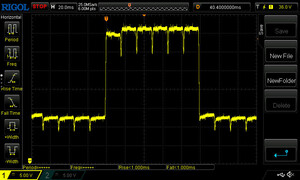



 , med:
  , max: