

nikkimeel/Shutterstock
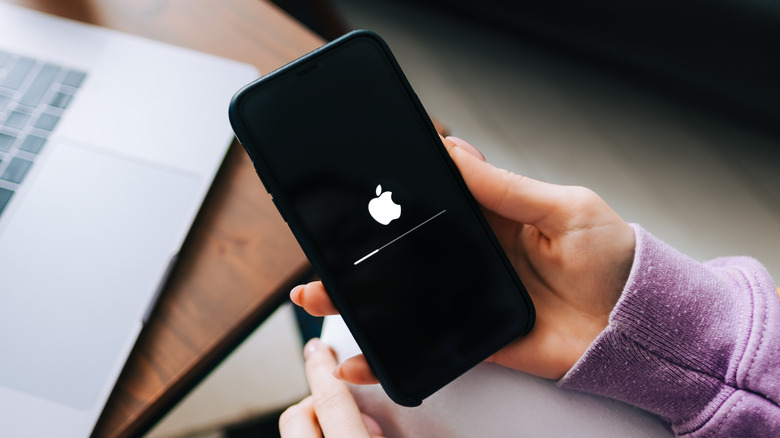
Apple’s iPhones are among the best smartphones on the market, but they aren’t immune from problems. While the company focuses on promoting the strengths of the iPhone, the number of errors or bugs affecting regular users has been rising. Besides slowing down, network drop-outs, and malfunctioning cameras, some users also face trouble switching on their iPhones. As the number of people who purchase an iPhone increases, so does the number of people who come across this issue.
Troubleshooting an iPhone that won’t turn on can be daunting, especially when the problem’s root cause is unclear. An iPhone might not turn on for a couple of reasons, including but not limited to a software bug, a completely discharged battery, or a severe hardware impact that might damage the phone’s internal components. For instance, dropping your iPhone down the stairs could damage the screen or the internal components. Although the latest iPhones are IP68 certified, constant exposure to moisture can damage the water-resistance seal and, in turn, harm the electrical parts, which are difficult to repair.
So does that mean you can’t do anything to fix your iPhone? Well, you can try a few things; if one works, you won’t have to submit it for service. Keep your iPhone handy and follow these possible solutions to see if they are successful for you.
Force restart and check if the iPhone turns on
FellowNeko/Shutterstock
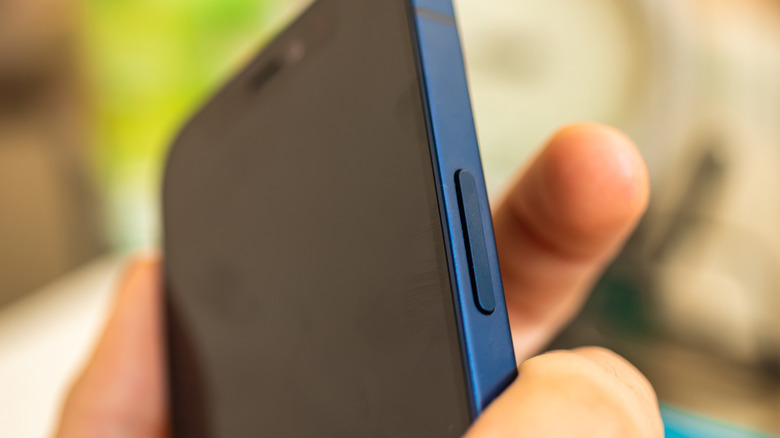
You may have already tried to switch on your iPhone by pressing the side button for a couple of seconds. If you’re iPhone isn’t powering up, a hard reset, also known as a force restart, should help. When you force restart an iPhone, you’re telling the phone to reboot completely. Depending on your model, the steps involved in force restarting an iPhone differ. If you use the iPhone 8, iPhone SE (2nd Gen), or a newer iPhone, including the models with Face ID, follow the steps given below.
- Press and release the volume up button.
- Press and release the volume down button.
- Finally, press the side button and hold until you see the Apple logo appear.
- This forces your iPhone to restart and, in the process, fix any software issues that might be stopping it from turning on.
Those with an iPhone 7 should press and hold the volume down and side buttons to perform a hard reset. iPhone 6s or iPhone SE (1st Gen) users should press and hold the sleep/wake and the Home buttons simultaneously and release them when they see the Apple logo. If your iPhone boots up and starts functioning normally, you’re out of the woods. However, if your iPhone still isn’t responding, try the following method.
Charge your iPhone for a few hours
charnsitr/Shutterstock
A fully discharged battery could also stop your iPhone from turning on. When your iPhone’s battery drops to 0%, it shuts down and displays a red battery indicator upon pressing the side button. But how does it power the display when its battery is empty? iPhones reserve a tiny portion of the battery, which powers the display enough to show the indicator. However, if you don’t charge your iPhone for a couple of days, the reserved battery will also run out, resulting in a non-responsive device.
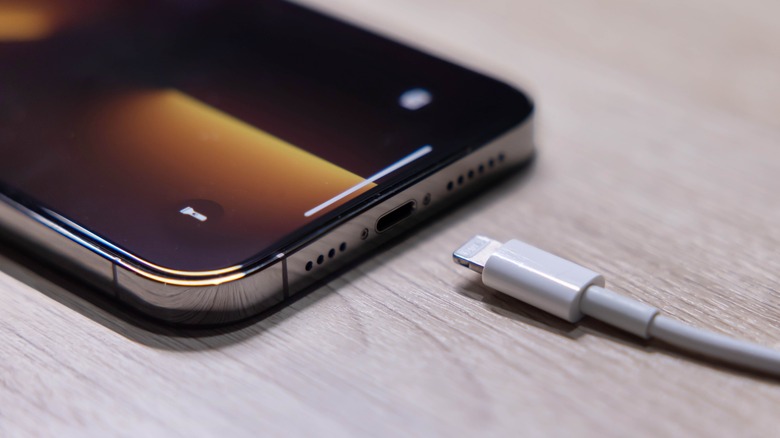
In such a scenario, you should plug your iPhone into a charger and let it sit for at least an hour. When the battery begins charging actively, your iPhone should turn on automatically. However, if your iPhone doesn’t turn on after charging for a few hours, check if the power brick and charging cable are working properly by plugging in another device. Remember that a wholly discharged iPhone battery might take up to two hours before it starts showing any signs of recovery.
You can also clean your iPhone’s Lightning port to ensure that any dirt or dust is not hindering the transfer of electricity. Try plugging in your iPhone again and check whether it turns on in a couple of hours. If the phone doesn’t turn on, try to connect it to iTunes on a computer to see if you can create a backup.
Recover data using iTunes

Bernardo Ramonfaur/Shutterstock
If your iPhone isn’t turning on even after performing a force restart or charging it for a couple of hours, you might have to perform a factory reset to get it up and running. However, before you reset your phone, which erases all the data, it is wise to try and create a backup. Is it possible to back up information from an iPhone that won’t turn on? Yes, but it depends on your iPhone’s condition. You will need a computer (preferably a Mac) with the latest version of iTunes.
- Connect the iPhone to your computer using a Lightning cable.
- Open iTunes on the computer. Check if the app shows the iPhone icon toward the right of the Music tab. If the icon shows up, you can back up your iPhone.
- Click on the phone icon, then select Summary.
- Under the Backups section, click on Back Up Now.
- Your computer might take a few minutes to create a backup of your iPhone.
- However, if the phone icon doesn’t appear in iTunes, you won’t be able to create a backup. In this case, you would need to rely on an older iCloud backup to restore your iPhone.
If you can’t back up your iPhone, you can do nothing but contact Apple Support and send your phone for repair. If the problem is severe, the service center might provide you with a replacement unit until they can resolve the issue on your iPhone.
Here’s what you can do to avoid facing the issue
Kaspars Grinvalds/Shutterstock
When you get your iPhone fixed, there are a few things you can do to reduce the odds of similar issues in the future. First, ensure that you never fill your iPhone’s storage by monitoring the available space and deleting files or apps if necessary.
- Open the Settings app on your iPhone.
- Tap on General.
- Select iPhone Storage. On the following screen, review the app that occupies the most storage.
- If it’s Photos, open the app and delete some photos/videos.
- Alternatively, you can save those files on iCloud, freeing up some space on your iPhone.
- Examine the apps you don’t often use and consider removing them from your iPhone.
The second thing that you should check is battery health. Apple uses lithium-ion batteries on its iPhones. Although lithium-ion batteries are great for providing constant power for an extended duration, they lose their charge retention capacity with use, which is why your iPhone’s battery health goes down. Your iPhone’s battery health should be 80% or above to deliver optimum performance. To slow the battery aging process, Apple recommends keeping the iPhone’s battery between 20 and 80%.
To protect your iPhone from accidental damage, you can consider putting on a protective case and screen guard, which might add to your iPhone’s cost and size, but come in handy in the long run. Other tips include creating regular backups on iCloud/iTunes and keeping the iPhone’s software up to date.
Read More
Arden Wiers