

Nadeem Sarwar/SlashGear
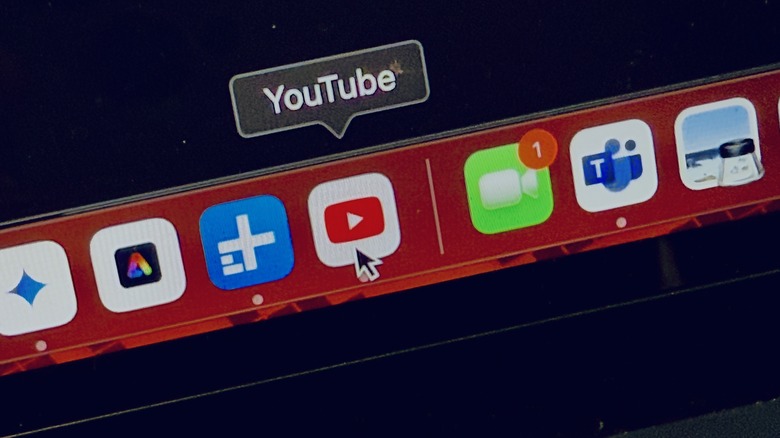
Browser bookmarks are an easy way to access websites that one visits frequently. YouTube is one of those platforms, which is not only an indispensable source of entertainment but also a place to learn and share helpful content. For Mac users, Apple went a step ahead and introduced a feature that allowed users to pin any web page, such as YouTube, to the dock for easy access. Here are the steps you need to follow to set the video-sharing site as a web app:
Advertisement
- Make sure that your Mac is running either macOS Sonoma or a later version.
- Open the Safari browser on your Mac and visit the YouTube. You can also open a specific channel if you seek quick access to it as a web page.
- Once you reach the desired YouTube page, click on File at the top of the screen and select Add to Dock from the drop-down menu.
- Next, you will see a dialog box with the URL of the webpage and a name field above it. You can rename it to “YouTube” or give it any name of your choice.
- After picking up the name, click on the blue Add button. The YouTube web app will now appear in the dock. Moreover, you can also access it from Launchpad or Spotlight search.
With the arrival of macOS Sonoma, macOS started letting users turn webpages into web apps that can be pinned to the dock as a regular desktop app. If you frequent YouTube as part of your daily Mac usage, these steps will help you access YouTube quickly and easily.
How to adjust YouTube web app settings on Mac?
Nadeem Sarwar/SlashGear
One might assume that since Safari is creating a web app, all of its functionality is tied to Apple’s web browser. But here is a crucial difference. Unlike saving a web page shortcut, a web app works independently. So, if you’ve created a YouTube web app, your browsing records (such as history, cookies, and settings) are not carried over to the Safari browser.
Advertisement
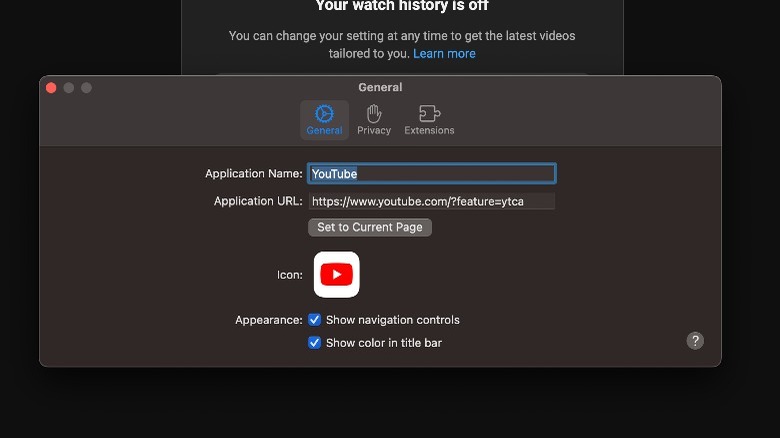
Another crucial distinction is that you can rename the web app and apply an icon of your choice. In the case of YouTube, you can pick a custom icon if you don’t like the default red version. In order to change preferences for the YouTube web app, follow these steps:
- Open the YouTube web app from the dock or any system spot of your choice.
- Once the web app opens, tap YouTube in the menu bar in the top-left corner of the screen.
- In the drop-down menu, click on Settings.
- You will now see a dialog box where you can change the name, adjust the URL, change the app icon, and remove the navigation controls. From the same window, you can also fine-tune the privacy settings and navigate the extension behavior.
From a functional standpoint, the web app will feature its own independent toolbar, navigation buttons, and even an extensions menu if you are running macOS Sequoia. Moreover, a web app can send notifications, assuming the website on which it is based has permission to do so. If you’ve set YouTube as a web app and enabled notifications, you will get alerts such as new content drops, subscriber activity, comment responses, and more.
Advertisement