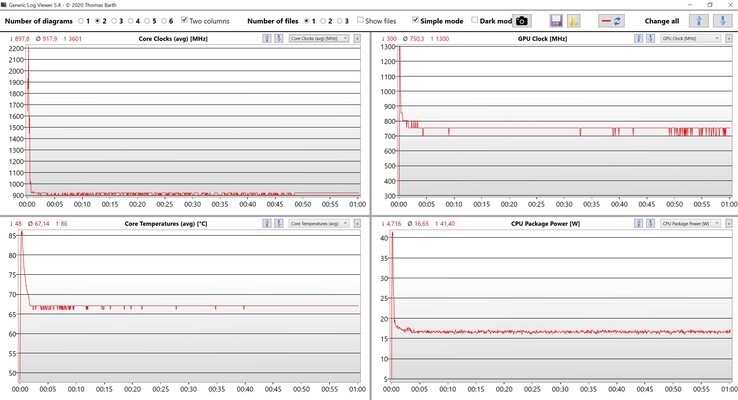
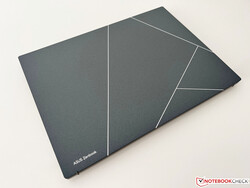
Slimmer isn’t always better. Asus has completely reworked last year’s Zenbook S13 OLED, and the new 2023 model has now become lighter and also slimmer. In addition, Asus has replaced the AMD chip with an Intel Raptor Lake processor, but that isn’t really an advantage. In everyday operation, the two fans are also a problem.
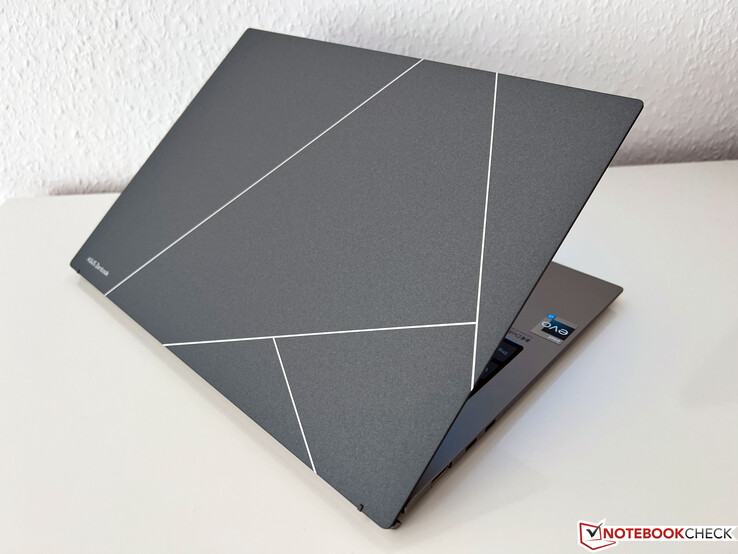
Asus has completely reworked its compact 13-inch ZenBook S 13 ultrabook, mainly concentrating on bringing an even lighter and slimmer device to the market. According to the marketing material, this is even the slimmest 13.3-inch OLED ultrabook in the world. In this redesign, the manufacturer also decided to replace the very good AMD processor of last year’s model with a current Raptor Lake chip from Intel. Of course, we will evaluate whether this was the right decision.
Our test unit of the Zenbook S 13 OLED is again equipped with a 13.3-inch OLED panel in the 16:10 format. In addition, there is an Intel Core i7-1355U, 16 GB of RAM, and a large 1 TB PCIe 4.0 SSD at an MSRP of 1,499 Euros (~$1,657). But we also have good news for fans of last year’s Zenbook S 13, since there will also be a refresh with AMD’s Zen4 CPUs.
Processor
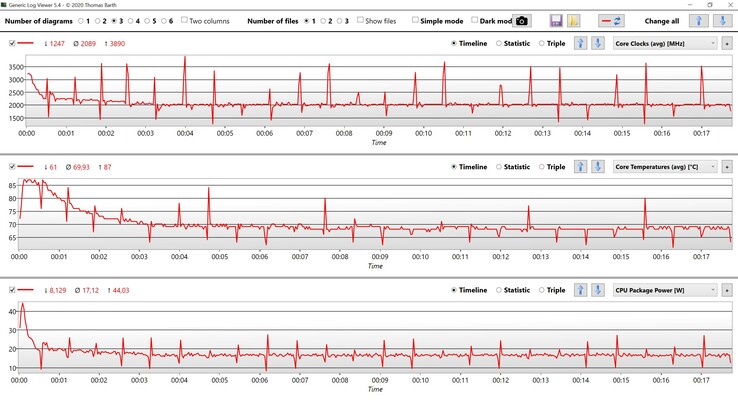
Intel Core i7-1355U 10 x 1.2 – 5 GHz, 44 W PL2 / Short Burst, 17 W PL1 / Sustained, Raptor Lake-U
Memory
16 GB
, LPDDR5, dual-channel, onboard
Display
13.30 inch 16:10, 2880 x 1800 pixel 255 PPI, capacitive, SDC417B, OLED, glossy: yes, HDR, 60 Hz
Mainboard
Intel Alder Lake-P PCH
Soundcard
Intel Raptor Lake-P/U/H PCH – cAVS
Connections
1 USB 3.0 / 3.1 Gen1, 2 USB 4.0 40 Gbps, 2 Thunderbolt, USB-C Power Delivery (PD), 1 HDMI, 2 DisplayPort, Audio Connections: 3.5 mm audio port, Brightness Sensor
Networking
Intel Wi-Fi 6E AX211 (a/b/g/h/n = Wi-Fi 4/ac = Wi-Fi 5/ax = Wi-Fi 6/ Wi-Fi 6E 6 GHz), Bluetooth 5.2
Size
height x width x depth (in mm): 11.8 x 296.2 x 216.3 ( = 0.46 x 11.66 x 8.52 in)
Battery
63 Wh, 8140 mAh Lithium-Polymer
Operating System
Microsoft Windows 11 Home
Camera
Webcam: 1080p
Primary Camera: 2 MPix
Additional features
Speakers: stereo, Keyboard: chiclet, 1.1 mm, Keyboard Light: yes, 65W PSU, sleeve, 24 Months Warranty
Weight
1.048 kg ( = 36.97 oz / 2.31 pounds), Power Supply: 228 g ( = 8.04 oz / 0.5 pounds)
Note: The manufacturer may use components from different suppliers including display panels, drives or memory sticks with similar specifications.
The case of the 2023 Zenbook S 13 follows a new design, including a new display hinge. This is an ErgoLift mechanism where the base unit is angled when raising the lid. This has both advantages and disadvantages, and while the angled base unit makes typing more comfortable, there is now a hard edge when placing the device on your thighs. The new Zenbook is available in either Ponder Blue or Basalt Grey color, and our gray test unit looks very good and elegant with the various shades of gray. In addition, we really like the large ProArt logo on top of the display cover.
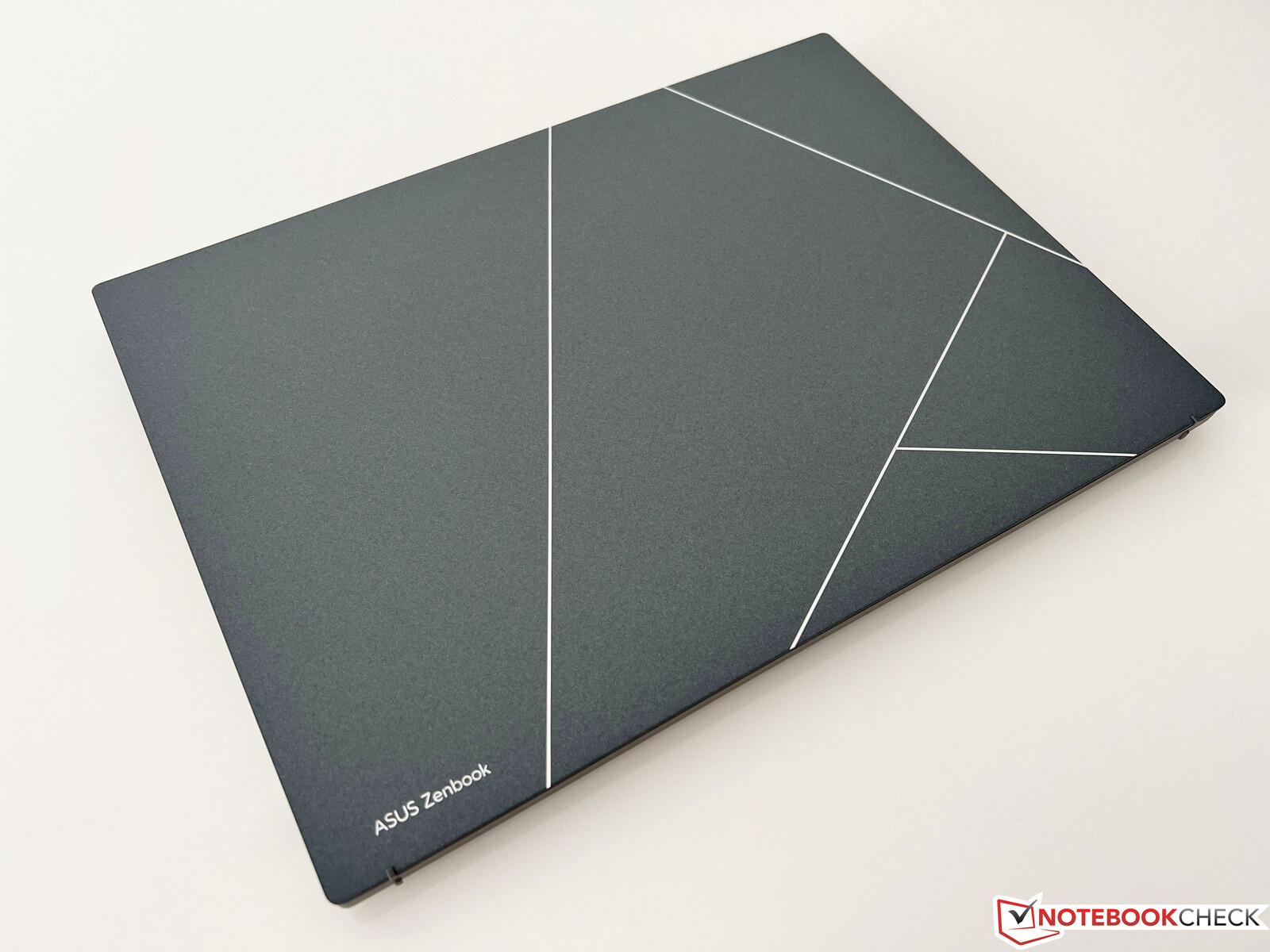
In addition to the new design, a new material is also used for the lid. Basically, the case is made from aluminum, which was then covered by a layer of plasma ceramic coating. This new surface technology offers various advantages such as improved resistance to wear and corrosion. In everyday operation, the slightly rough surface also has the advantage that you cannot see any fingerprints at all. After more than a week, we didn’t even need a cleaning cloth. According to the manufacturer, the production process is also more environmentally friendly.
The surface of the base unit is also slightly roughened, and fingerprints are also no problem there. The stability of the whole laptop leaves an excellent impression with us, and despite the slim build, neither the base unit nor the lid can be warped or bent excessively. The hinge is also adjusted well, even though this cannot prevent some slight wobbling after changing the opening angle. The maximum opening angle is 180 degrees.
The size comparison shows that the new Zenbook S 13 has particularly become slimmer. While it is also less thick than the Windows competitors, the current MacBook Air M2 from Apple is even minimally slimmer. On the other hand, the spec sheet is a little optimistic as far as the weight is concerned, since our test unit brings 1,048 grams (~3.263 lb) to the scale, placing only in the middle of the field with this. Compared to the predecessor, this is only a weight savings of 47 grams (~1.7 oz). In the thickness, the savings are at least 3 mm (~0.12 in), which is definitely noticeable. According to Asus, it is the lightest 13.3-inch OLED laptop, but some of the competitors with IPS panels are even lighter. But overall, the mobility of the Zenbook S 13 is of course excellent. The compact charger adds another 228 grams (~8 oz) to the weight.
After the Zenbook S 13 from last year used three USB-C ports exclusively, Asus now offers 2x USB-C, adding also a USB-A port (despite the slim case) an also a full-size HDMI port. This is simply much more practical in everyday operation, and since it is an Intel laptop, the two USB-C ports of course also support Thunderbolt 4.
Asus uses the modern AZ211 WLAN module from Intel, which already supports the most current Wi-Fi 6E WLAN standard as well as Bluetooth 5.2. However, in our test we were unable to connect to the corresponding 6-GHz network of our Asus reference router and therefore used the 5-GHz network instead. The transfer rates are very high overall and also stabile to a large extent. We also did not see any connection problems in practice.
| Networking | |
| Asus ZenBook S13 OLED UX5304 Intel Wi-Fi 6E AX211 | |
| iperf3 transmit AXE11000 |
|
| iperf3 receive AXE11000 |
|
| Asus Zenbook S 13 OLED MediaTek Wi-Fi 6E MT7922 160MHz Wireless LAN Card | |
| iperf3 transmit AXE11000 |
|
| iperf3 receive AXE11000 |
|
| Apple MacBook Air M2 Entry 802.11 a/b/g/n/ac/ax | |
| iperf3 transmit AXE11000 |
|
| iperf3 receive AXE11000 |
|
| Lenovo Yoga Slim 7 Carbon 13IAP7-82U9005FGE Intel Wi-Fi 6E AX211 | |
| iperf3 transmit AXE11000 6GHz |
|
| iperf3 receive AXE11000 6GHz |
|
| Samsung Galaxy Book2 Pro 13 NP930XED-KA1DE Intel Wi-Fi 6E AX211 | |
| iperf3 transmit AXE11000 6GHz |
|
| iperf3 receive AXE11000 6GHz |
|
Asus has updated the webcam and is now using a Full-HD webcam together with an IR sensor for face recognition in combination with Windows Hello. The quality is slightly better than last year’s and decent in good light conditions.
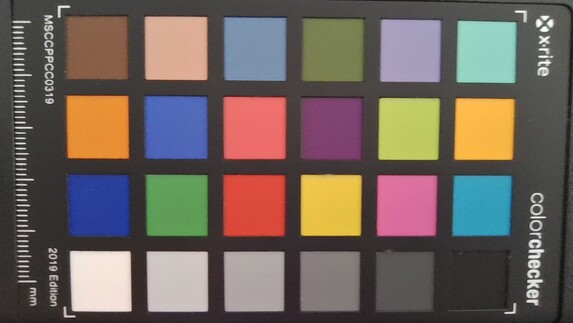
6.5 ∆E
6.3 ∆E
8.8 ∆E
10.2 ∆E
11.4 ∆E
7.6 ∆E
6.1 ∆E
5.7 ∆E
11.6 ∆E
8.4 ∆E
6.5 ∆E
5.9 ∆E
2.1 ∆E
5.1 ∆E
13.3 ∆E
4.7 ∆E
10.5 ∆E
9.3 ∆E
8 ∆E
4.9 ∆E
5 ∆E
4.6 ∆E
1.3 ∆E
2.3 ∆E
The bottom cover is secured with Torx screws (T5) and can be removed easily. The inner construction is dominated by the large battery, and you can also see the two fans that can be cleaned. While the M.2 2280 SSD can be replaced, all the other components are soldered in.
For a slimmer case, the keystroke usually has to be reduced, and exactly that is also the case in the Zenbook S 13. While it was still 1.4 mm (~0.055 in) in the predecessor, it is now only 1.1 mm (~0.043), which is also noticeable. The feedback continues to be very crisp and it is by no means a bad keyboard, but the typing experience was simply a bit more comfortable with the predecessor. The fingerprint sensor in the power button was just removed without any replacement. The white, three-step keyboard illumination cannot be activated automatically via the brightness sensor.
The large ClickPad (13 x 8.1 cm, ~5.1 x 3.2 in) offers sufficient space for cursor movements and gestures of up to four fingers. The sliding characteristics are very good, and the regular cursor control works without a hitch. The bottom area of the ClickPad can be pressed down, which is accompanied by some loud clicking noises. In the previous model, the touchpad could also be used as a number block, but this feature was removed from the current version.
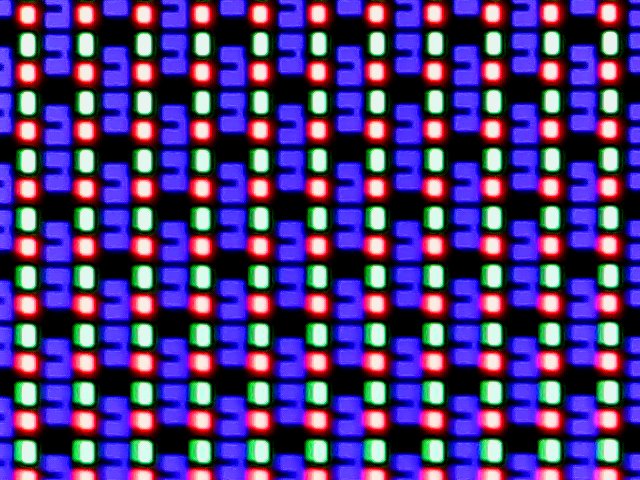
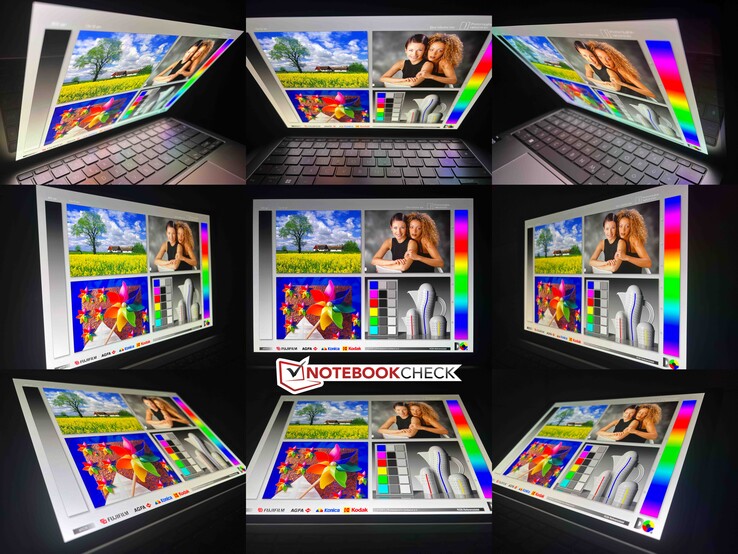
Asus keeps the display specifications of the Zenbook S 13 without any changes, since it continues to use a 13.3-inch OLED touchscreen with a refresh rate of 60 Hz. The resolution is 2,880 x 1,800 pixels, and the subjective image quality continues to be excellent. In addition, there is no glitter effect (Moiré effect) like in the 2.8K OLED panels of some Lenovo models. The panel ID is new, and according to Asus, this is a slightly thinner panel.
As far as brightness is concerned, we continue to have to distinguish between regular SDR and HDR contents. In SDR operation, the maximum brightness is ~360 cd/m² with the excellent OLED typical brightness distribution. At the same time, the black value is 0, causing an extremely high contrast ratio. In HDR operation, we measure a maximum of 589 cd/m², which is slightly higher than the specification of 550 cd/m². Since last year, nothing has changed in the bad HDR implementation of Windows. HDR has to be activated manually, and no color profiles will then be available anymore. There is no screen bleeding in OLED displays, and a black image is simply completely black.
| 368 cd/m² | 365 cd/m² | 365 cd/m² | ||
| 367 cd/m² | 361 cd/m² | 365 cd/m² | ||
| 367 cd/m² | 363 cd/m² | 366 cd/m² | ||
Distribution of brightness
SDC417B
X-Rite i1Pro 2
Maximum: 368 cd/m² (Nits) Average: 365.2 cd/m² Minimum: 2 cd/m²
Brightness Distribution: 98 %
Center on Battery: 361 cd/m²
Contrast: ∞:1 (Black: 0 cd/m²)
ΔE Color 1.2 | 0.55-29.43 Ø5.2
ΔE Greyscale 1.2 | 0.57-98 Ø5.4
96.9% AdobeRGB 1998 (Argyll 2.2.0 3D)
100% sRGB (Argyll 2.2.0 3D)
99.7% Display P3 (Argyll 2.2.0 3D)
Gamma: 2.27
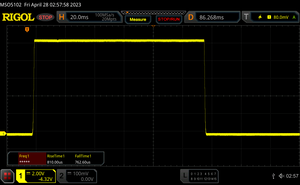
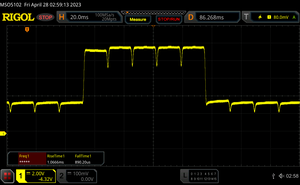


 , med:
  , max: