Entry-level model. Lenovo traditionally like to reuse their T series ThinkPad laptops as workstations. The ThinkPad P14s Gen 3, for example, is the ThinkPad T14 Gen 3’s counterpart. Unusual for a mobile workstation: The P14s doesn’t have a dedicated GPU.
Benjamin Herzig, ???? Benjamin Herzig (translated by Daisy Dickson), Published ????????
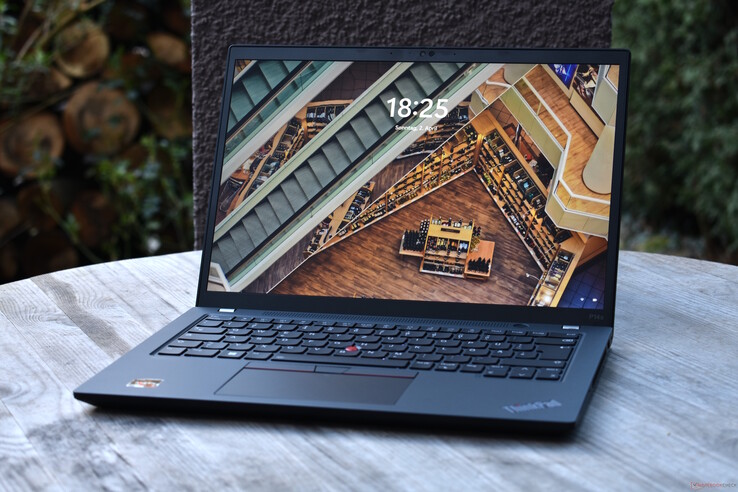
Mobile workstations traditionally have relatively large screens – meaning 15 inches and larger – whereas 14-inch workstations are quite rare. The Lenovo ThinkPad P14s G3 is one of the latter models. This product series may not new, but the AMD variants of the P14s are quite new in comparison. We will be testing one today.
The ThinkPad P14s is a sister model of Lenovo’s ThinkPad T14. Externally, both look the exact same, which means you can check out our review of Lenovo’s ThinkPad T14 Gen 3 if you are interested in reading about its design, features and input devices.
Display
14.00 inch 16:10, 1920 x 1200 pixel 162 PPI, LP140WU1-SPB2, IPS LED, glossy: no
Mainboard
AMD Promontory/Bixby FCH
Connections
2 USB 3.0 / 3.1 Gen1, 2 USB 3.1 Gen2, USB-C Power Delivery (PD), 1 HDMI, 2 DisplayPort, 1 Kensington Lock, Audio Connections: 3.5mm Audio, 1 SmartCard, 1 Fingerprint Reader
Networking
Realtek Semiconductor RTL8168/8111 PCI-E Gigabit Ethernet NIC (10/100/1000MBit/s), Qualcomm WCN685x (a/b/g/n = Wi-Fi 4/ac = Wi-Fi 5/ax = Wi-Fi 6/ Wi-Fi 6E 6 GHz), Bluetooth 5.2
Size
height x width x depth (in mm): 17.9 x 317.7 x 226.9 ( = 0.7 x 12.51 x 8.93 in)
Battery
52.5 Wh Lithium-Polymer
Camera
Webcam: 1080p w/IR & ThinkShutter
Additional features
Speakers: 2 W Stereo, Keyboard: 6 row Chiclet full size, 1.5mm travel, Keyboard Light: yes, 65 W USB C Charger, 36 Months Warranty
Weight
1.457 kg ( = 51.39 oz / 3.21 pounds), Power Supply: 222 g ( = 7.83 oz / 0.49 pounds)
Note: The manufacturer may use components from different suppliers including display panels, drives or memory sticks with similar specifications.
Its broad connectivity options are identical to those of the ThinkPad T14 Gen 3. Its lack of USB4 and as a result, Thunderbolt, is disappointing. In return, the Lenovo ThinkPad P14s G3 features RJ45 Ethernet – Dell and HP’s 14-inch workstations do not have this port. However, an SD or at least microSD card slot would ideally be included in this kind of laptop.
Like all other current AMD ThinkPads, the Lenovo ThinkPad P14s Gen 3 relies on a Wi-Fi solution from Qualcomm. This can achieve high transfer rates, but the connection was not very stable when sending data.
| Networking | |
| iperf3 transmit AX12 | |
| Average of class Workstation (767 – 1506, n=17, last 2 years) |
|
| Lenovo ThinkPad P14s Gen2-20VX000GGE Intel Wi-Fi 6E AX210 |
|
| Average Qualcomm WCN685x (1049 – 1094, n=2) |
|
| iperf3 receive AX12 | |
| Average Qualcomm WCN685x (1371 – 1537, n=2) |
|
| Average of class Workstation (579 – 1529, n=17, last 2 years) |
|
| Lenovo ThinkPad P14s Gen2-20VX000GGE Intel Wi-Fi 6E AX210 |
|
| iperf3 transmit AXE11000 | |
| Average Qualcomm WCN685x (897 – 1780, n=9) |
|
| Lenovo ThinkPad P14s G3 AMD 21J6S05000 Qualcomm WCN685x |
|
| Average of class Workstation (897 – 1430, n=6, last 2 years) |
|
| iperf3 receive AXE11000 | |
| Lenovo ThinkPad P14s G3 AMD 21J6S05000 Qualcomm WCN685x |
|
| Average Qualcomm WCN685x (852 – 1769, n=9) |
|
| Average of class Workstation (986 – 1769, n=6, last 2 years) |
|
| iperf3 transmit AXE11000 6GHz | |
| Lenovo ThinkPad T14 G3-21CF004NGE Qualcomm WCN685x |
|
| HP ZBook Firefly 14 G9-6B8A2EA Intel Wi-Fi 6E AX211 |
|
| Average Qualcomm WCN685x (953 – 1892, n=10) |
|
| Average of class Workstation (891 – 1659, n=12, last 2 years) |
|
| Lenovo ThinkPad P14s G3 AMD 21J6S05000 Qualcomm WCN685x |
|
| Dell Precision 5000 5470 Intel Wi-Fi 6E AX211 |
|
| iperf3 receive AXE11000 6GHz | |
| Lenovo ThinkPad P14s G3 AMD 21J6S05000 Qualcomm WCN685x |
|
| Lenovo ThinkPad T14 G3-21CF004NGE Qualcomm WCN685x |
|
| HP ZBook Firefly 14 G9-6B8A2EA Intel Wi-Fi 6E AX211 |
|
| Average Qualcomm WCN685x (886 – 1774, n=10) |
|
| Average of class Workstation (1291 – 1774, n=12, last 2 years) |
|
| Dell Precision 5000 5470 Intel Wi-Fi 6E AX211 |
|
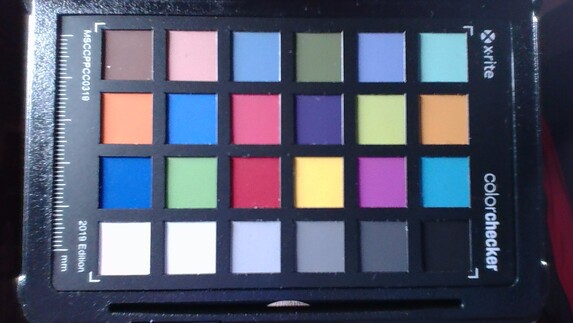
27.7 ∆E
21 ∆E
17.6 ∆E
16.3 ∆E
15.2 ∆E
17.5 ∆E
19.7 ∆E
26.5 ∆E
15.2 ∆E
12.5 ∆E
13.9 ∆E
12.1 ∆E
22.9 ∆E
23.7 ∆E
13.7 ∆E
12.8 ∆E
10.6 ∆E
14.5 ∆E
2 ∆E
11.3 ∆E
20.1 ∆E
18.5 ∆E
13.1 ∆E
11.2 ∆E
As is often the case with Lenovo ThinkPad laptops and business laptops in general, the ThinkPad P14s Gen 3 also has several display options. The features these screens all have in common: Their 14-inch diagonal, their 16:10 format as well as their IPS-LCD technology:
- WUXGA (1.920 x 1.200), 300 cd/m², 45 % NTSC, Anti-Glare
- WUXGA (1.920 x 1.200), 400 cd/m², 100 % sRGB, Anti-Glare, Low Power
- WUXGA (1.920 x 1.200), 300 cd/m², 45 % NTSC, Anti-Glare, On-Cell-Multitouch
- WQUXGA (3.840 x 2.400), 500 cd/m², 100 % DCI-P3, Anti-Reflection, Add-On-Film-Multitouch
We already tested LG’s low-power display on the ThinkPad T14 Gen 3. It exceeded the stated brightness value of 400 cd/m² – its average brightness was 422 cd/m². This is not the only panel that Lenovo markets as a “low-power display” – on the ThinkPad T14s Gen 3, for example, we tested a CSOT panel which delivered slightly less brightness. This “display lottery” is also the case with the ThinkPad P14s G3.
| 428 cd/m² | 435 cd/m² | 437 cd/m² | ||
| 430 cd/m² | 448 cd/m² | 423 cd/m² | ||
| 403 cd/m² | 411 cd/m² | 381 cd/m² | ||
Distribution of brightness
LP140WU1-SPB2
X-Rite i1Pro 2
Maximum: 448 cd/m² (Nits) Average: 421.8 cd/m² Minimum: 4.4 cd/m²
Brightness Distribution: 85 %
Center on Battery: 448 cd/m²
Contrast: 1948:1 (Black: 0.23 cd/m²)
ΔE Color 2.5 | 0.55-29.43 Ø5.2, calibrated: 1.3
ΔE Greyscale 2.9 | 0.57-98 Ø5.4
68.2% AdobeRGB 1998 (Argyll 2.2.0 3D)
94.3% sRGB (Argyll 2.2.0 3D)
65.9% Display P3 (Argyll 2.2.0 3D)
Gamma: 2.03
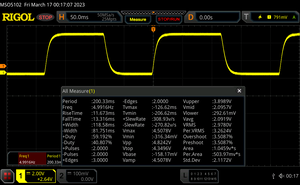
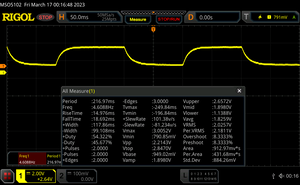

 , med:
  , max: