

NicoElNino/Shutterstock
As more and more people’s lives move online, securing your digital fortress cannot be overstated. The most crucial component of this cyber defense is Wi-Fi network encryption — a seemingly simple, yet critical element in protecting personal information and thwarting cybercriminals. Without encryption, every device connected to the Wi-Fi network is vulnerable to unauthorized access, jeopardizing users’ privacy, data, and safety.
Wi-Fi encryption is a digital barrier, shielding the network and connected devices from eavesdroppers and hackers. It safeguards the integrity of the data transmitted between devices, ensuring only authorized users can access and decipher the information. Encrypting a Wi-Fi network may seem complex, but even the least tech-savvy individuals can quickly fortify their digital domains with the proper guidance.
To truly understand why Wi-Fi encryption is so important, you should first acknowledge the risks that an unsecured network poses. Cybercriminals are adept at exploiting these vulnerabilities, gaining unauthorized access to sensitive information, such as financial details, personal correspondence, and even surveillance footage. As a result, hackers can compromise privacy, leading to devastating consequences like identity theft, financial loss, and blackmail.
Several encryption standards and protocols are available to help users secure their Wi-Fi networks: WEP, WPA, and WPA2. Each offers unique advantages and levels of security. WEP is an older, less secure standard, while WPA and WPA2 provide improved protection. WPA3, the latest encryption standard, offers even more robust security features.
Why encrypt your Wi-Fi network?

Maksim Shmeljov/Shutterstock
Encryption is just a fancy name for Wi-Fi that is password protected, so don’t let the technical jargon confuse you. More generally, encryption is a method of scrambling data to the degree that outside parties cannot decipher it, preventing unauthorized access and safeguarding your data.
Cybercriminals can exploit unprotected networks, employing diverse techniques to infiltrate and exploit vulnerabilities. Some of these methods include eavesdropping on data transmissions, carrying out man-in-the-middle attacks to intercept or manipulate data, and gaining unauthorized entry to the network and connected devices.
You’ve probably heard of ransomware attacks in the news in recent years. These attacks have emerged as a prominent and devastating form of cybercrime, underscoring the importance of robust network protection. Ransomware is malicious software that locks or encrypts a victim’s data, with perpetrators demanding a ransom in exchange for a decryption key.
In 2021, the Colonial Pipeline fell victim to the DarkSide ransomware group, causing a disruption in fuel supplies throughout the United States. Colonial Pipeline paid a $4.4 million ransom to regain control of its systems, showcasing the potential impact of ransomware attacks on critical infrastructure.
Securing your Wi-Fi network with encryption is indispensable for thwarting cybercriminals and preventing them from exploiting vulnerabilities and inflicting considerable harm. Users can preserve their privacy, protect valuable data, and minimize potential threats by understanding the risks and adopting appropriate security measures.
How to encrypt your Wi-Fi network
Vladimir Sukhachev/Shutterstock
There are several methods for protecting your network from cybercriminals. Fortunately, the process is straightforward, regardless of whether you have an older traditional router or a more modern mesh system.
The encryption process typically begins with accessing the router’s configuration page for conventional router setups.
- To do this, open a web browser and enter the router’s IP address, commonly found in the user manual or on a label affixed to the device.
- Once entered, you’ll see a screen to provide login credentials, often set to default values (usually “admin” for username and password) unless previously modified.
- After successfully logging in, navigate to the wireless settings section, where you’ll find the encryption options.
- Choose the most secure encryption standard, ideally WPA3 or WPA2, and create a strong and unique password.
The process is slightly different for users of mesh Wi-Fi systems, such as Eero. These systems often have accompanying mobile apps that allow for easier network management.
- Download and install the mesh system’s app on your smartphone or tablet.
- Sign in to your account and select the network you want to modify.
- Navigate to the security options, typically under “Wi-Fi settings” or a similar menu.
- Choose the highest level of encryption available (WPA3 or WPA2) and create a strong password.
- Save the changes and update any connected devices with the new password.
It’s always a good idea to change passwords over time. Consider setting reminders to revisit this process once or twice a year.
Other steps to secure your Wi-Fi network
Robert Avgustin/Shutterstock
In addition to encryption, there are several measures you can take to bolster the security of your Wi-Fi network, making it more resilient to cyber threats. Updating your router’s firmware is vital for maintaining its performance, closing security loopholes, and benefiting from the latest features.
To do this, consult your router’s user manual or manufacturer’s website for specific instructions. Often, this process involves logging into the router’s configuration page, navigating to the firmware update section, and following the prompts. Some routers offer automatic updates, so enabling this feature is recommended.
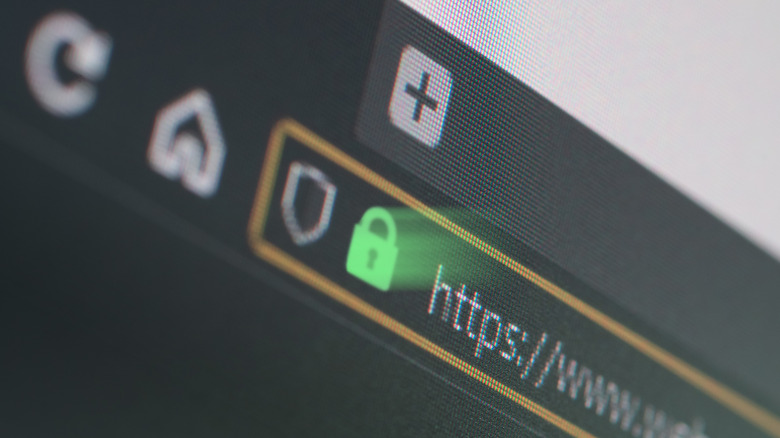
You can also achieve another layer of security by exclusively visiting “HTTPS” websites. The HTTPS protocol encrypts data exchanged between your browser and the website you are visiting, protecting sensitive information from interception. To ensure you only visit HTTPS sites, look for a padlock icon in your browser’s address bar, indicating the secure connection. Additionally, consider installing browser extensions, such as HTTPS Everywhere, that automatically redirect you to the HTTPS version of a site when available.
In addition, you should disable remote management on your router. While it may sound helpful, this option allows router access from external networks, which hackers can exploit. Turning it off ensures that only devices connected to your network can access the router’s settings.
Read More
Augustine Coby