

DVKi/Shutterstock
By Rob Rich/Feb. 14, 2023 11:24 pm EST
Anyone who’s owned an iPhone for a few months at least has likely had to perform an iOS Update — or at least wait while their phone downloads and installs an update automatically. Every so often Apple will inevitably iterate on the current mobile operating system to close security loopholes, add new features, and otherwise make general improvements to the software.
But did you know you actually have more control over your iOS updates than the Software Update menu would have you believe? As thatvirtualboy pointed out in a post on Mastodon, it’s about as widely known as being able to tap and hold the spacebar on the iPhone’s keyboard in order to drag the typing cursor through your text.
It turns out that, in addition to simply starting an iOS update download and installation, you can also tell your phone to perform the process for later. Or you can start just the download and hold off on installing anything until you’re ready (i.e. your day is winding down, you’re going to bed, etc).
Here’s the trick
Rob Rich/SlashGear
In order to pull this off, you first need to head into your iPhone’s Settings and make sure automatic updates are off, otherwise the phone will do everything on its own and bypass any choices you might have been able to make.
- Open the Settings app (it looks like a gear), then scroll down and select General.
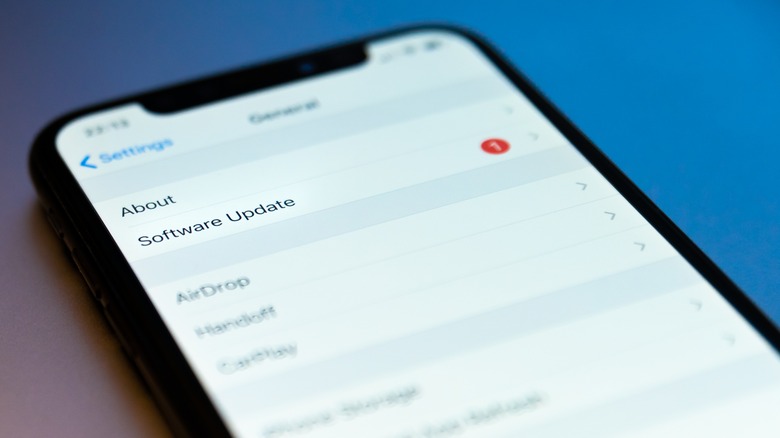
- In the General menu, select Software Update (it’s close to the top).
- From there, select Automatic Updates and turn off Download iOS Updates.
- You can also turn off auto-updates for Security Responses & System Files, but this won’t affect manual iOS updates and it’s not something we’d recommend opting out of.
Now that you can update iOS manually, it’s time to pick your download:
- Open the Settings app and select General, then choose Software Update.
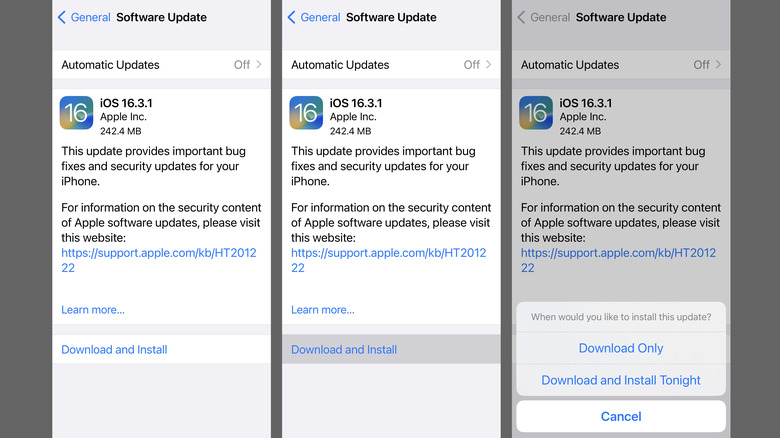
- From the Software Update screen, tap and hold (don’t just tap) Download and Install.
- A pop-up menu will appear with two new choices: Download Only or Download and Install Tonight.
- Choose Download Only to download (but not install) the new iOS update.
- Choose Download and Install Tonight to have your phone to perform the update on its own later in the day.
- Note that whichever option you choose (Download and Install, Download Only, or Download and Install Tonight), you’ll be asked to input your iPhone’s password.
Read More
Rubi Mayoral