


Want a resume that stands out but doesn’t cause too much trouble to edit? I have you covered.
In this tutorial, you’ll not only create a professional looking resume, but also learn about the basics of GitHub actions and Netlify.
By the end of the article, you’ll have a great looking resume with automated PDF versions in both Letter, and A4 format. And you can update it with a single text file and one commit to your GitHub repository.
What We’ll Use
For this tutorial, we will use
- Hugo as a static site generator
- PDF.co as a service that generates PDFs
- Netlify to host our resume
- GitHub Actions to do all the automation
The Resume itself is based on the phantastic DevCard theme by Xiaoying Riley.
Let’s Go!
Get An Account on PDF.co
Sign up for an account on PDF.co and head to the Dashboard.
The service is not free per se, but comes with a generous offer of 600 credits. Enough for our resume project and a a few edits of our resume.
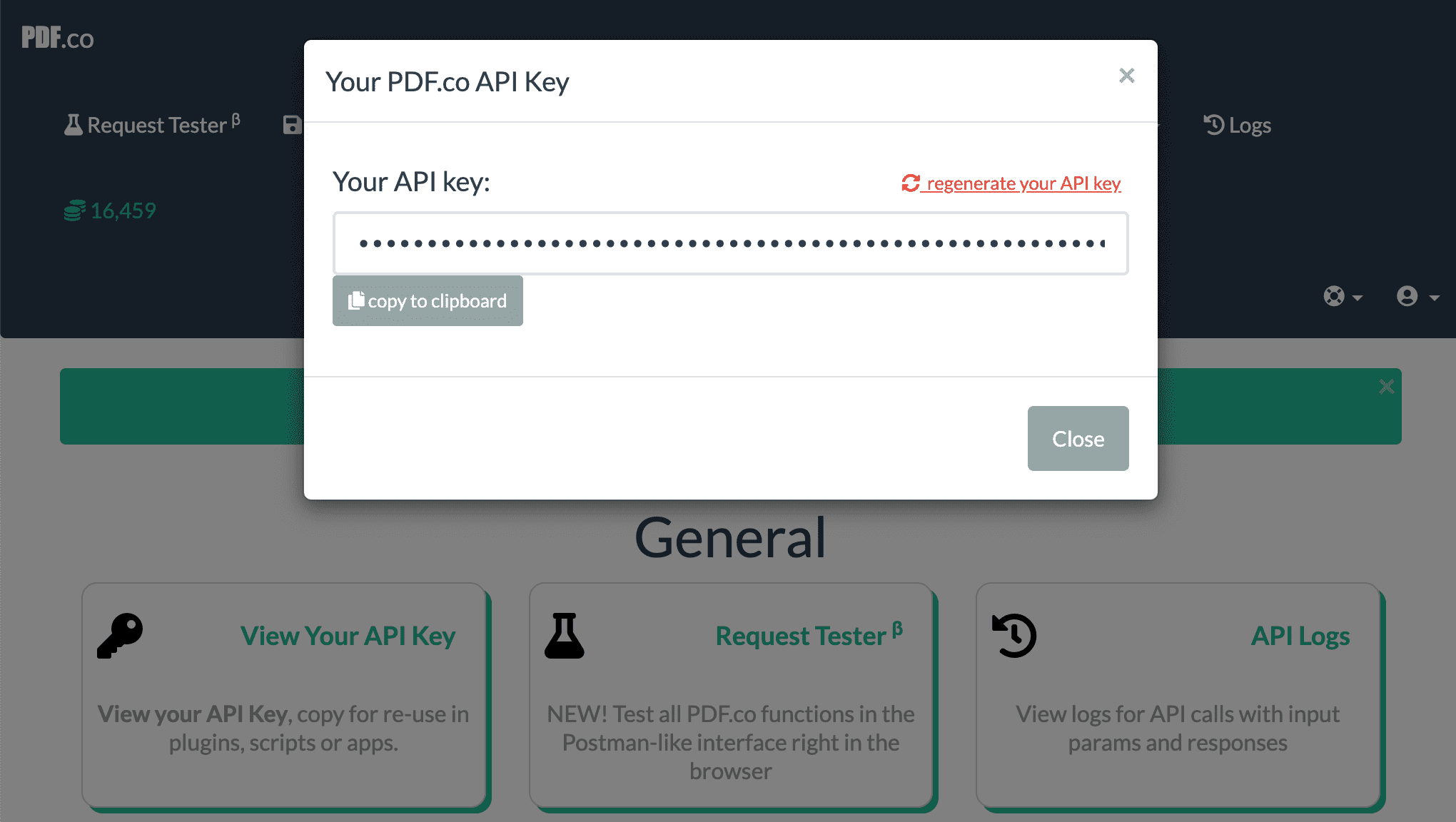
On the dashboard, select “View Your API key” and save it somewhere. It should look like this:
Get An Account on Netlify
Next, you’ll need an account at Netlify. Netlify is a hosting service for static sites and offers a good free tier.
Usually, you would use Netlify to run the build jobs for you. In our case, we will do the builds on GitHub actions.
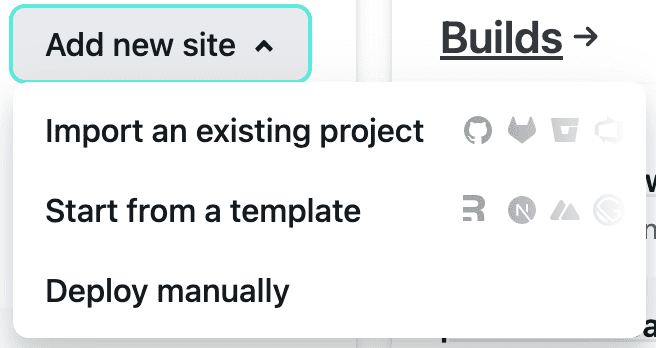
To start a manually deployed site, just click on “Deploy manually” in the “Add new site” dropdown.
You need to upload a starter, so any folder with an empty index.html file is good to go.
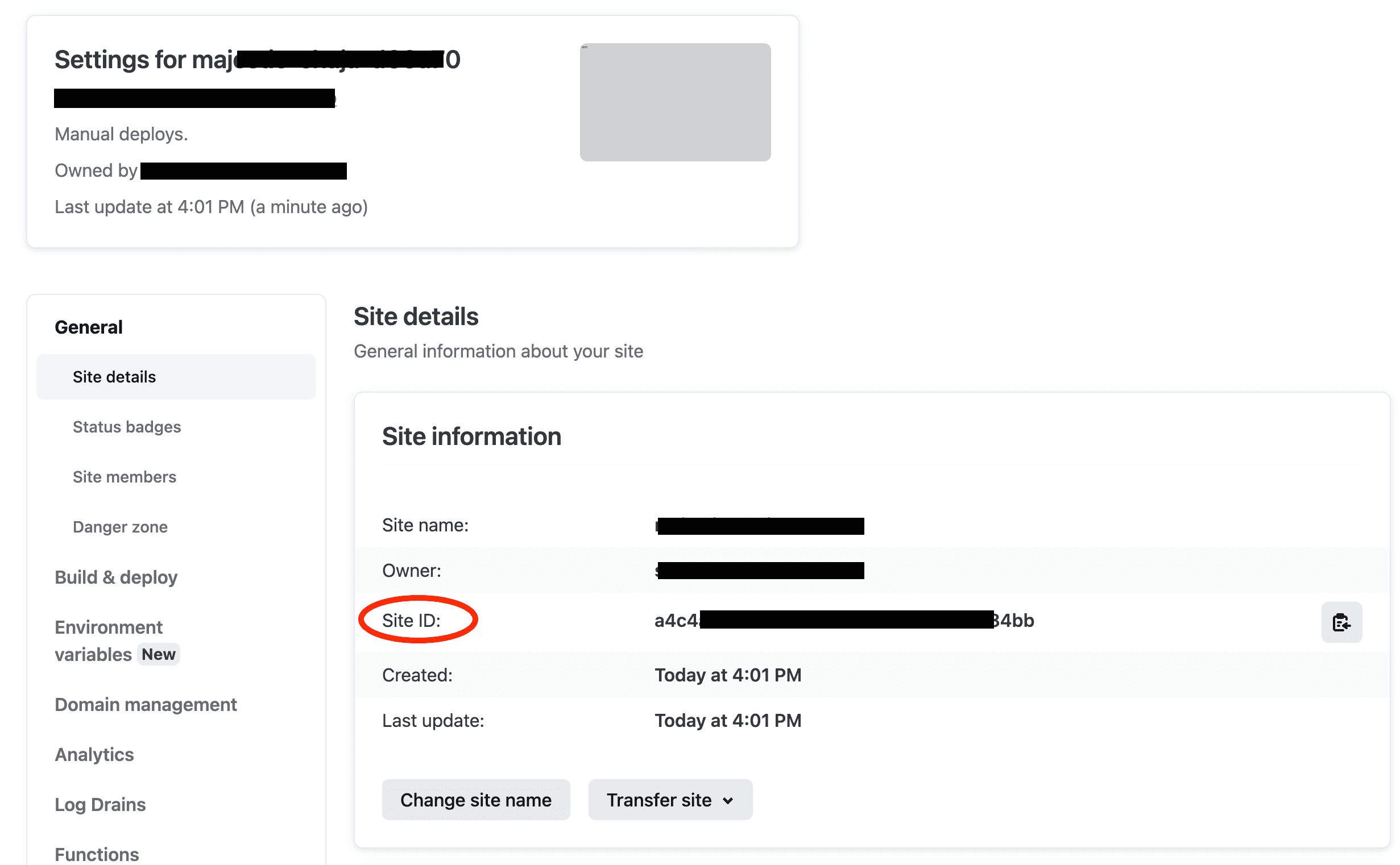
In the config section for your new site, click on “Site settings” and copy your “Site ID”:
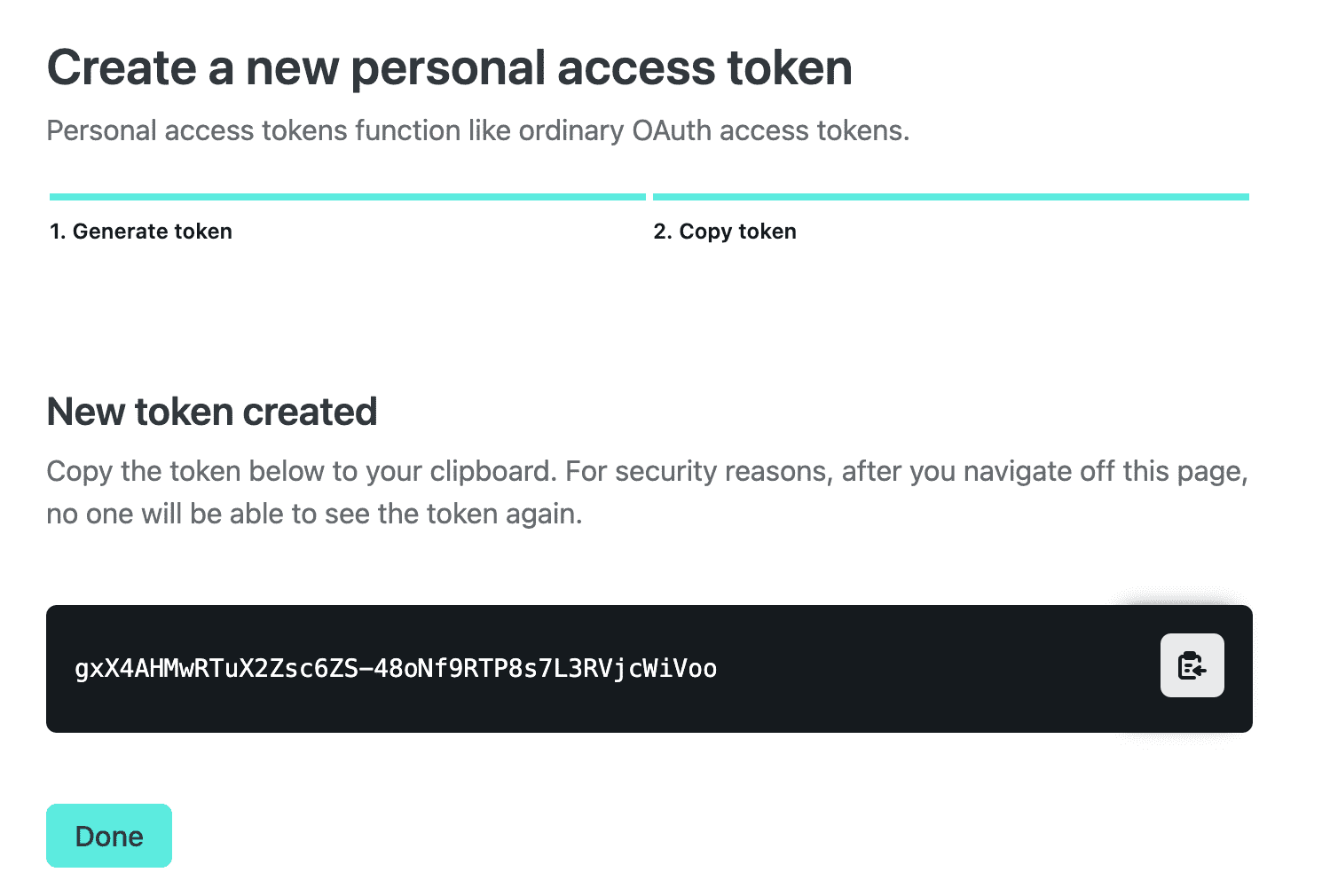
Next, head over to your user’s settings and create a personal access token:

Fork the GitHub Repository
Had over to the GitHub repository and click the fork button. That should only take a few seconds.
Configure the Repository
Next, head over to the Repository settings page.
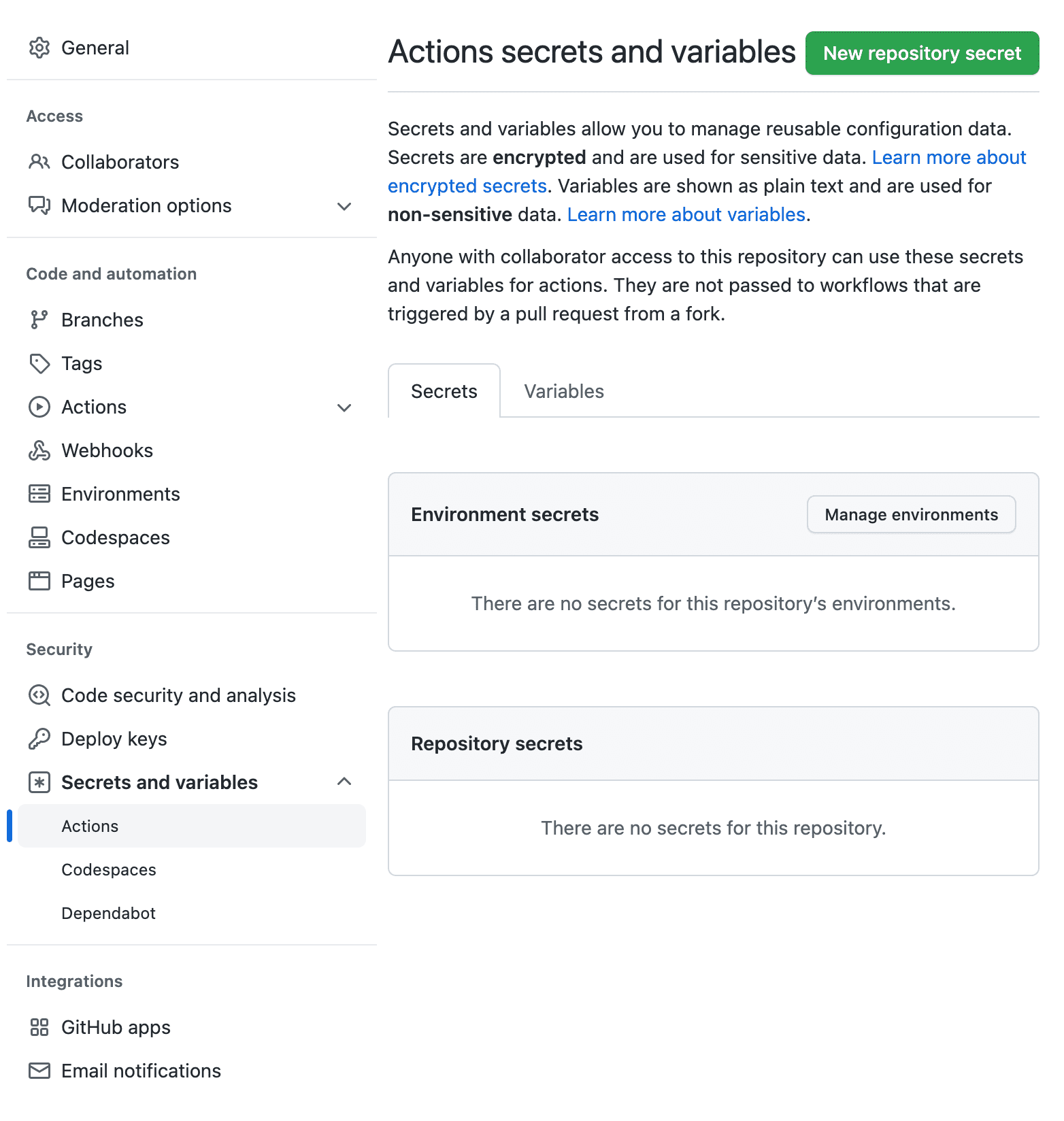
Create a new repository secret called NETLIFY_TOKEN and put your Netlify personal access token in here.
Next, create another repository secret called PDFCO_KEY and paste your PDF.co API key.
In the “Variables” tab, create two repository variables:
NETLIFY_SITE_ID with the site ID from your Netlify settings, and RESUME_URL with the URL of your resume. It’s okay to use Netlify’s URL (something like majestic-chaja-1234.netlify.app) here for the moment.
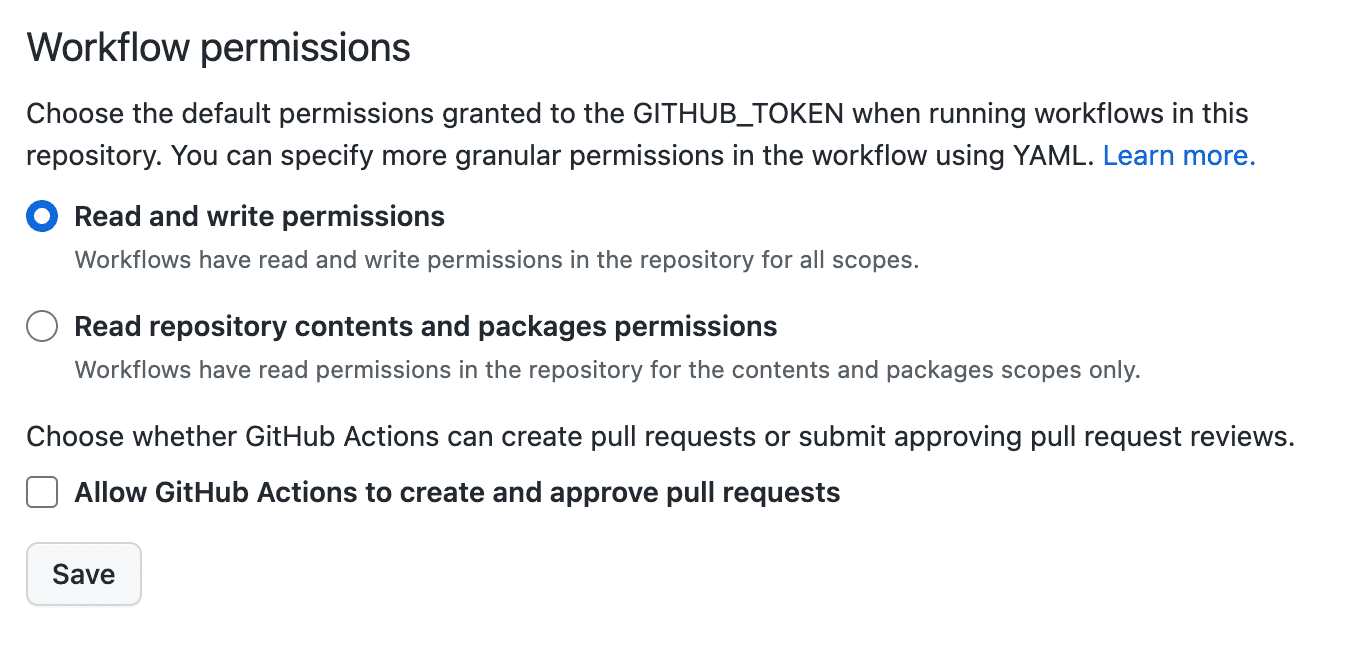
In your GitHub’s repository settings, head over to “Actions” > “General” and make sure that “Read and write permissions” are set in the “Workflow Permissions” section.
Configure Your Resume
Next, check out your forked repository and open it with your favourite IDE. The only file you need to edit is confg.toml which includes all the sections of your resume.
Once you commit and push your changes, the magic will start: GitHub Actions will wind a machine up to build your resume using hugo, upload it to netlify, have pdf.co create the PDF versions, then upload the PDFs to Netlify as well, and finally commit the final PDFs to your repos. Let’s see how that works in detail.
GitHub Actions
GitHub Actions are a free GitHub feature that automates tasks around your code. People use it, for example, to run automated tests on their code.
These actions are defined in a special file called .github/workflows/actions.yml in our repository.
The first two entries in the yaml file define the action’s name and an event that triggers the action to run. In our case, we want the actions to run on every push to the repository.
name: run main.py

on:
  push:
    branches:
      - main
The interesting part starts in the jobs section of the file. Jobs contain steps that run on virtual machine provided on demand by GitHub. These step build upon each other, so that the steps are like a script that automates something along the lines.
The first steps in the resume repo check out the repository itself and install Hugo, and a Python environment for us:
      - name: checkout repo content
        uses: actions/checkout@v3 # checkout the repository content to github runner

      - name: setup python
        uses: actions/setup-python@v4
        with:
          python-version: '3.9' # install the python version needed

      - name: install python packages
        run: |
          python -m pip install --upgrade pip
          pip install -r requirements.txt

      - name: Setup hugo
        uses: peaceiris/actions-hugo@v2
        with:
          hugo-version: "0.110.0"
          extended: true
With the next steps, we build the site using hugo and upload the public directory to Netlify:
      - name: Build Website
        run: hugo --minify

      - name: Deploy to Netlify
        run: netlify deploy --dir=public --message="Auto Deploy" --prod
        env:
          NETLIFY_AUTH_TOKEN: ${{ secrets.NETLIFY_TOKEN }}
          NETLIFY_SITE_ID: ${{ vars.NETLIFY_SITE_ID }}
Here, we see why we needed the repository variables and secrets. They are used inside the job steps to authenticate where necessary.
The next step generates the PDFs for us:
      - name: generate PDFs # run main.py
        env:
          PDFCO_KEY: ${{ secrets.PDFCO_KEY }}
          RESUME_URL: ${{ vars.RESUME_URL }}
        run: |
          mkdir static_pdf
          python get_pdf.py
          cp static_pdf/*.pdf ./static/
          cp static_pdf/*.pdf ./public/
The generation process itself is done using a simple API call to pdf.co. The code for this resides in the get_pdf.py file:
import requests
from pathlib import Path
import os
import uuid

uid = uuid.uuid4()
from datetime import datetime
current_date = datetime.now()
at = current_date.isoformat()


API_KEY = os.environ.get("PDFCO_KEY")
URL = os.environ.get("RESUME_URL")

def get(fmt="Letter"):
    config = {
      ...
    }
    url = "https://api.pdf.co/v1/pdf/convert/from/url"
    r = requests.post(url, json=config, headers={"x-api-key": API_KEY})
    result = r.json()
    url = result["url"]
    r = requests.get(url)
    with open(f"resume.{fmt}.pdf", "wb") as f:
        f.write(r.content)
    return Path(f"resume.{fmt}.pdf")


if __name__ == "__main__":
    fmts = ['Letter', 'A4']
    for fmt in fmts:
        get(fmt=fmt).rename(f"static_pdf/resume.{fmt.lower()}.pdf")
Again, we see the usage of repository secrets and variables inside the Python script. We can access particular values with os.environ.get("..."). This way, we do not share sensitive information, such as API keys in our code.
The last steps of our job upload the fresh PDF files to Netlify, and pushes the changes to our repo.
      - name: Deploy to Netlify
        run: netlify deploy --dir=public --message="Auto Deploy with PDFs" --prod
        env:
          NETLIFY_AUTH_TOKEN: ${{ secrets.NETLIFY_TOKEN }}
          NETLIFY_SITE_ID: ${{ vars.NETLIFY_SITE_ID }}

      - name: commit files
        run: |
          git config --local user.email "ac****@****ub.com"
          git config --local user.name "GitHub Action"
          git add static
          git diff-index --quiet HEAD || (git commit -a -m "updated PDFs" --allow-empty)

      - name: push changes
        uses: ad-m/github-push-action@v0.6.0
        with:
          github_token: ${{ secrets.GITHUB_TOKEN }}
          branch: main
This is why the latest commit on the repo is always done by the Actions user

This should give you a quick overview about GitHub actions. Even though we just hadle a simple resume here, it gives a glimpse on how modern software development is done in the cloud.
The Result
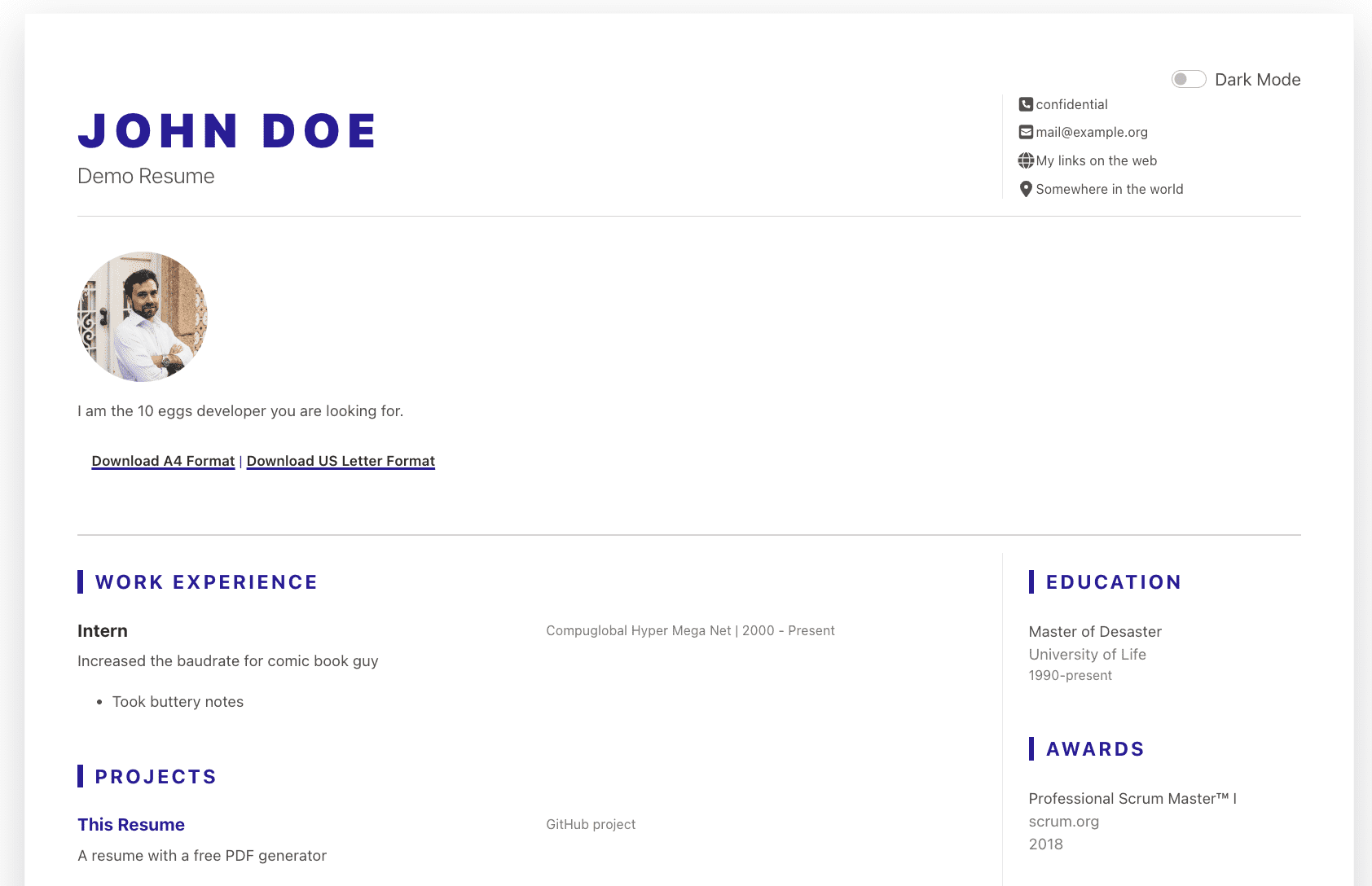
I have created my own resume with this repo here: resume.bas.work.
Read More
Stephania Kazmierczak